
A social feed is only worth opening if you can trust what's in it. That's why keeping accurate and reliable information on Whistlr is one of the jobs we take most seriously, even though it's one of the hardest to get right. People come to Whistlr to catch up with friends, follow creators, find local businesses on Nearby, and see what everyone is talking about on Trending. Every one of those moments depends on the same thing: the person behind a profile is who they say they are, a badge means what it looks like it means, and the posts that rise to the top aren't there because someone gamed the system. We don't believe any platform can promise that everything posted is true, and we won't pretend Whistlr can either. What we can do is build real tools that make honesty easier and deception harder, be clear about where those tools stop, and give you what you need to judge for yourself. This article explains what our rules say about false and misleading content, how moderation and verification actually work, how Trending surfaces posts, and what you can do when something doesn't look right.
This piece builds on two earlier PX News articles. In "Making Sure Content on Whistlr Stays Safe and Enjoyable," we wrote about safety as the floor that fun needs. In "Updated Community Guidelines," we walked through the rewritten Community Standards and the warning ladder. Accuracy is the next layer on top of both. As always, everything we describe below is live in Whistlr today unless we say otherwise, and where a tool doesn't exist yet, we say that plainly instead of dressing it up.
Why Accurate and Reliable Information on Whistlr Matters
Misinformation is rarely one dramatic lie. More often it's a fake account borrowing a creator's name, a screenshot stripped of context, or a rumor people share before they check.
On Whistlr, the stakes are concrete. People send Gems to creators, subscribe to Vaults, and buy from Storefronts. When information isn't reliable, the cost can be money sent to the wrong person or a brand impersonated.
- Trust is the product: A feed full of people you can't verify isn't social. It's noise.
- Real money moves here: Gems, Vault subscriptions, Storefront orders, and ads all depend on people being who they claim to be.
- Creators and businesses deserve protection: Someone who has built an audience shouldn't have to compete with a lookalike using their name.
"I don't want Whistlr to be the app where you have to wonder whether something's real. We can't make every post true, and I'd be lying if I said we could. What we can do is make it obvious who's verified, make it hard to pretend to be someone else, and be honest with you about what our systems check and what they don't."
— AJ, Founder & CEO, ETAPX
What Whistlr's Rules Say About False and Misleading Information
Accuracy starts with the rules you agree to when you join. The Terms of Service and Community Standards that every new member reviews at sign-up include several lines that go straight to honesty.
- Accurate account information: By creating an account, you confirm that the information you provide is accurate, and you're responsible for keeping it accurate and current.
- No impersonation or false information: The acceptable use rules say you agree not to impersonate others or provide false information.
- No fraudulent identities: The Community Standards list impersonation and fraudulent identities among the things that are strictly prohibited.
- No spam, scams, or deception: Spam, scams, phishing, and deceptive behavior are prohibited too.
- No unauthorized bots: Unauthorized bots, scrapers, and automated systems aren't allowed, which matters because fake engagement is one of the main ways misleading content gets an artificial boost.
What the Help Center Says About False Information
The Help Center inside the Whistlr app goes further. Its Community Guidelines article has a section called "Share Authentically" that asks you to share real content, be honest about who you are, and not impersonate others or create fake accounts. It lists impersonation, fake accounts or bots, misleading information, and scams or fraud as not allowed.
The Content Policies article has a dedicated False Information section. It draws a line we think is fair:
- Not allowed: Deliberately false information, misleading content intended to harm, medical misinformation, election interference, and scams or fraud.
- Allowed: Opinions and perspectives, satire when it's clearly labeled, educational content, and news from reputable sources.
The same article welcomes news and information with proper attribution. Whistlr isn't where every opinion you disagree with gets taken down. It's where deliberately deceiving people isn't allowed.
How Whistlr Checks Content Before It's Posted
Since late October, every place in the Whistlr app where you can post or send something runs through a single moderation gate before it goes out. That includes posts, comments and replies, messages, stories and story replies, Notes, live stream chat and polls, Haven posts, audio rooms, highlights, product listings, profile links, and the name and photo you choose when you set up your account. Text, images, and sampled frames from videos are checked together by AI-assisted moderation in one pass.
If something is blocked, you see a short message that it can't be posted because it goes against our Community Guidelines, along with the category that was caught. Your draft stays put so you can edit it and try again. Every block is also recorded so our team can review it, and repeated violations move an account along the warning ladder we described in the Community Guidelines update: a warning, a final warning, and then a lock, with an appeal available from the locked-account screen.
What the Automated Check Is Built For
We want to be precise here, because platforms tend to oversell this. Our automated check is built to catch the clearest and most serious harms instantly: full nudity, graphic blood and gore, and anything sexual involving a minor.
It is not a truth detector. It doesn't read a post and decide whether a claim is accurate, and we don't think any automated system should be trusted to make that call on its own. Questions like "is this account really who it says it is" or "is this post misleading" need context, and that's where verification, reports, and human review come in.
Edits Get Checked Too
A common trick is to post something harmless, let it collect likes, and then edit it into something else. On Whistlr, editing a post or a comment runs through the same moderation gate as posting it in the first place. If the edited version wouldn't have been allowed as a new post, the edit isn't saved.
Edits are also visible. Edited comments show "Edited" next to the timestamp, and edited messages show "(edited)" inside the bubble, so the people in a conversation know the words changed after they first saw them.
Deleted Means Gone From Feeds
If you realize something you posted was wrong, take it down or archive it. Archived and deleted posts don't come back into Minis, Home, or Search feeds, so a correction doesn't get undone by an old copy resurfacing later.
What Is a Verified Badge on Whistlr?
The fastest way to judge whether information is reliable is to know who it's coming from. That's what verification badges are for. A verified badge on Whistlr is a seal with a white checkmark that appears next to an account's name on its profile, posts, and comments.
Green and Purple Badges
- Green badge, creator verified: A creator who completed creator verification. The in-app welcome describes it as a way to help visitors recognize a verified account and distinguish it from lookalikes.
- Purple badge, business verified: A business account that completed business verification. It helps customers recognize a brand's official account.
What Badges Don't Mean
Not every icon next to a name is verification, and we'd rather you know the difference.
- Country flags are self-chosen: Any account can add a country flag beside its name. It's a personal touch, not proof of anything.
- Affiliation logos require verification: A small affiliation logo next to a badge is only available to accounts that are already verified, so it can't be added by an unverified account.
- A badge isn't an endorsement: Verification confirms identity, not that every post from that account is correct. Verified accounts still follow the same Community Guidelines, and a badge can be removed for serious or repeated violations.
How Whistlr Verification Works
Verification only means something if it's hard to fake. That's why both paths on Whistlr start with a real identity check, not a form you fill in and hope for the best. You can start either path from Whistlr Verified in Accounts Center.
Creator Verification
- Verify your identity. Complete an identity check with a government-issued ID through our secure verification partner.
- Show your reach or recognition. Have 20,000 or more peers, or go through the public figure path, where an automated review looks at your verified legal name and your public presence to see whether you're recognized as a notable public figure.
- Get your badge. Once approved, the green badge appears on your profile, posts, and comments.
When the badge goes live, Whistlr walks new creators through a short set of creator guidelines: only post content you own or have the rights to, avoid impersonation, spam, and misleading promotions, and know that your badge can be removed for serious or repeated violations.
Business Verification
- Provide your business information. Enter your business details and documentation.
- Complete business identity verification. Business verification runs through our payments partner, which reviews the business behind the account.
- Wait for review. The in-app status screen says reviews usually take 24 to 72 hours, and that any follow-up comes by email from hq@etapx.pro.
- Get your badge. Once approved, the purple business badge appears across the account.
Business verification has no minimum follower count. The check is about whether the business is legitimate, not how famous it is.
The Business+ Verification Notice in Creator Studio
In October we added a notice to the Creator Studio home dashboard for creators who started Business+ but never finished verification. It shows a verified seal, a short title, and a rotating line explaining what finishing unlocks, which is Gems, live earnings, and payouts. A Send email button sends you the verification link from hq@etapx.pro, with a short cooldown between sends. The notice tells you to look out for a DM from Whistlr and an email from hq@etapx.pro, and it disappears once your business account is verified.
This matters beyond convenience. Fake "verification" messages are one of the oldest scams on social media, and knowing that real follow-ups come from hq@etapx.pro and the official Whistlr account makes the fakes easier to ignore.
"A badge is a promise to everyone who sees it. If we hand them out without checking, we've broken that promise for every honest account that earned one. That's why verification starts with a real identity check, and why we're willing to take a badge away when someone uses it to mislead people."
— AJ, Founder & CEO, ETAPX
How Whistlr Handles Impersonation and Fake Accounts
Impersonation is where accuracy and safety overlap most. An account pretending to be someone else borrows trust it didn't earn.
- It's prohibited outright: Impersonation and fraudulent identities are listed in the Community Standards, and violations can lead to enforcement up to permanent account removal.
- Verification makes the real account obvious: A green or purple badge gives people a quick way to tell an official account from a copy.
- Profile names and photos are checked: The name and profile photo you choose during account setup go through the same moderation gate as posts.
- "About this account" is one tap away: From the menu on a post or a story, About this account takes you straight to the profile behind it, so you can check the badge, the history, and the posts before you trust what you're reading.
- Blocking is quiet and immediate: If an account is impersonating you or someone you know, you can block it from its profile or from the post menu while you report it.
How Trending and Related Topics Work on Whistlr
Part of keeping information reliable is being honest about how content gets surfaced.
What Makes a Hashtag Trend
A hashtag counts as trending once it's been used on more than 100 posts. When a post carries a trending hashtag, its card shows that topic tag. When a topic gets very large, with thousands of posts, the card shows a highlighted "Trending" row above it instead. The side drawer on iOS shows a rotating set of hashtags with more than a thousand posts each, and Highlights runs a live trending hashtag ticker.
That means "trending" describes volume. It tells you a lot of people are posting about something. It doesn't tell you whether what they're saying is true. A trending tag can make a rumor look settled when it isn't.
Topic Pages: Top Posts and Recent
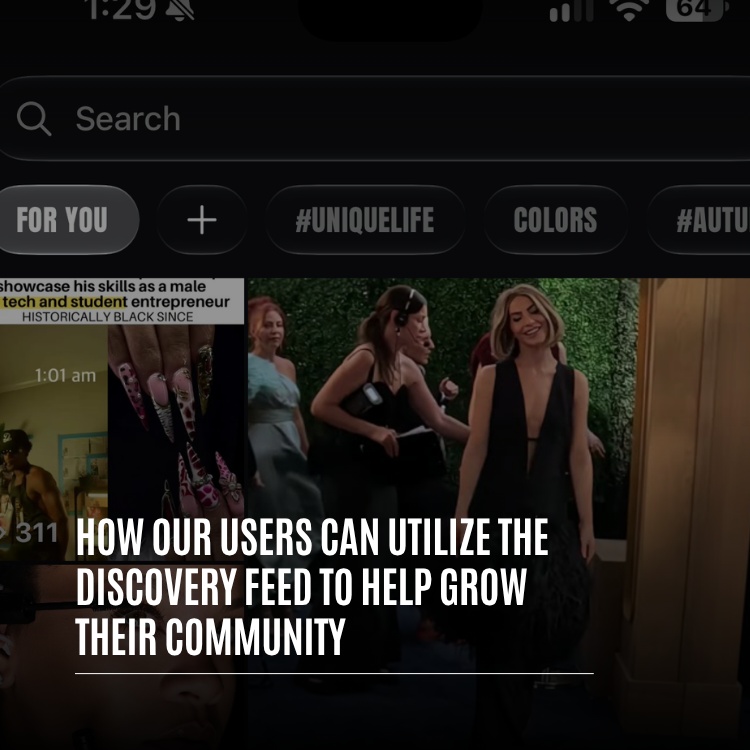
Tap a trend in Search and you land on that topic's page. The page shows the topic name, a button to post to it, a choice between Top posts and Recent, related profiles, and every post carrying the tag. When a story is still developing, switching to Recent is one of the easiest ways to see the latest posts instead of the ones that collected the most engagement early on, which are sometimes the least accurate.
Telling Your Feed What You Don't Want
Every post menu includes Not interested, described as "See fewer posts like this." Tap it and Whistlr tells you it'll show less from that account or less like that post. You can also mute an account to keep it out of your feed without blocking it. These tools won't decide what's true for you, but they do let you stop seeing accounts you've learned not to trust.
How Ads and Storefronts Are Held to Accuracy Standards
Paid content gets a stricter standard, because someone is paying to put it in front of you.
- Ads must be truthful: The Whistlr Advertising Policies require all claims to be truthful, accurate, and substantiated, and prohibit misleading statistics, fake testimonials, and exaggerated results.
- Deceptive practices are banned: False claims, misleading information, deceptive pricing, fake reviews, phishing, pyramid schemes, and get-rich-quick schemes aren't allowed in ads.
- Landing pages have to match: An ad's destination has to match what the ad shows. Misleading landing pages are prohibited.
- Political ads need disclosure: Political ads must include "Paid for by" disclaimers and be transparent about funding.
- Ads are checked before they run: New campaigns go through moderation before they go live, and live ads remain subject to review.
- Ads are labeled: Ads are marked "Ad" in the feed and "Sponsored" in Minis, so you always know when something is paid.
- Sellers must describe products honestly: The merchant agreement requires product descriptions, pricing, stock claims, delivery timelines, and refund terms to be truthful and not misleading.
Every business account that sells on Whistlr must be verified, which ties each Storefront back to a real, checked business.
What Whistlr Doesn't Do Yet, and Why We're Telling You
Whistlr doesn't have a full fact-checking operation, and we'd rather you hear that from us.
- No automated fact-checking: We don't run a system that rates whether posts are true or false.
- No fact-check labels or community notes: Whistlr doesn't currently attach accuracy labels or crowd-written context notes to posts.
- No dedicated "false information" report button: The report menu on posts keeps to three short reasons, "It's spam," "It's inappropriate," and "Other." We explain below which one to use.
Instead, our tools work on the sources of misinformation rather than ruling on every claim: verification that starts with a real identity check, strict rules against impersonation and fake accounts, edit checks so posts can't be swapped after they spread, clear labels on paid and edited content, and a report path that puts a human in the loop. If we build more, we'll announce it here when it's live, not before.
How PX News Holds Itself to the Same Standard
PX News, which you can also open from the Whistlr logo in the app, is held to the standard we ask of everyone else. When we wrote about the Black October security threats, we put it this way: we want to be specific about what we know and careful about what we don't. That's the rule for every article. The features we describe are ones that exist in Whistlr. If something is still rolling out, we say so. If we're not sure, we leave it out.
"We ask our members not to post things they can't stand behind, so we hold our own announcements to the same rule. If PX News says something is live, it's live. If it's coming, we say it's coming. I'd rather publish a shorter article that's true than a longer one that makes us look good."
— AJ, Founder & CEO, ETAPX
How to Report False or Misleading Content on Whistlr
You don't need to be certain something breaks the rules to report it. If it looks deliberately false, harmfully misleading, or like an impersonator, report it and let the review team decide.
Reporting a Post
- Open the post menu. Tap the three dots on the post.
- Tap Report. Whistlr asks why you're reporting the content.
- Choose the closest reason. Pick "It's spam" for scams, fake offers, and repetitive junk. Pick "It's inappropriate" for content that's deliberately false or misleading in a harmful way. Pick "Other" for anything that doesn't fit.
- Confirm. You'll see "Report submitted," with a note that we'll review the content. The person you reported isn't told who reported them.
- Add context if it's serious. For impersonation, scams involving money, or anything that needs explanation, email hq@etapx.pro with the account name and what you saw.
Reporting Stories, Comments, and Live Streams
- Stories: Open the story menu and choose Report, then pick from "It's spam," "Nudity or sexual activity," "Hate speech or symbols," "Violence or dangerous organizations," "Bullying or harassment," or "Something else."
- Comments: Use the Report option on the comment itself.
- Live streams and live chat: Report a stream or a comment in it directly from the live screen.
Checking an Account Before You Trust It
- Tap About this account. It's in the menu on posts and stories and opens the profile behind the content.
- Look for the right badge. Green means creator verified, purple means business verified. A country flag alone isn't verification.
- Check the handle closely. Lookalike accounts often change a single character in the username.
- Scan the history. A brand-new account with few posts and a big claim deserves extra caution.
Tips for Spotting Unreliable Information on Whistlr
- Trending isn't proof: A trending tag means lots of people are posting, not that the claim is true.
- Check Recent on developing stories: The newest posts on a topic page often carry corrections the early ones don't.
- Look for the badge before you pay: Before sending Gems, subscribing, or buying, make sure the account is the verified one.
- Watch for "(edited)" and "Edited": If a comment or message changed, consider whether the replies were answering an earlier version.
- Know where real follow-ups come from: Verification follow-ups come from hq@etapx.pro and the official Whistlr account. We never ask for your sign-in details or for Gems in those messages.
- Read "Ad" and "Sponsored" labels: Paid content follows stricter accuracy rules, but it's still trying to sell you something.
- Correct your own mistakes: If you shared something that turned out wrong, edit it or take it down. Deleted posts don't come back into feeds.
- Report, don't argue: A pile-on in the replies usually just spreads the post further.
"The best defense against bad information has always been people who care enough to check. Our job is to give those people good tools and to keep the platform from rewarding the ones who don't. We'll keep building on that, and we'll keep telling you exactly what's real and what isn't yet."
— AJ, Founder & CEO, ETAPX
Frequently Asked Questions
How does Whistlr keep information accurate and reliable?
We protect accurate and reliable information on Whistlr by going after the sources of misinformation: verification that starts with a real identity check, Community Standards that prohibit impersonation, fraudulent identities, scams, and deceptive behavior, AI-assisted moderation on every place you can post or send, moderation checks on edits, and a report path reviewed by our team. Paid content is held to a stricter standard, with ads required to make truthful, substantiated claims.
Does Whistlr fact-check posts?
No. Whistlr doesn't run automated fact-checking and doesn't currently add fact-check labels or community notes to posts. Our automated moderation is built to catch the most serious harms, not to rule on whether claims are true. Accurate and reliable information on Whistlr depends on verification, rules against deliberate deception, member reports, and human review.
Is misinformation allowed on Whistlr?
Deliberately false information, misleading content intended to harm, medical misinformation, election interference, and scams aren't allowed on Whistlr, according to the Content Policies in the Help Center. Opinions, clearly labeled satire, educational content, and news from reputable sources are allowed. Impersonation and providing false information are also prohibited by the Terms of Service.
How do I report false information on Whistlr?
To report false information on Whistlr, tap the three dots on the post, choose Report, and pick the closest reason: "It's spam" for scams and fake offers, "It's inappropriate" for harmful false content, or "Other." For impersonation or anything that needs explanation, also email hq@etapx.pro with the account name and what you saw.
What do the green and purple badges mean on Whistlr?
A green badge on Whistlr means the account is creator verified, and a purple badge means it's a verified business. Both appear next to the account's name on its profile, posts, and comments. A country flag next to a name is self-chosen and isn't verification.
How do I get verified on Whistlr?
To get verified on Whistlr, open Whistlr Verified in Accounts Center and choose creator or business. Creator verification requires a government-issued ID check plus 20,000 or more peers or recognition as a public figure. Business verification requires your business details and a business identity check, with no minimum follower count, and review usually takes 24 to 72 hours.
Does Whistlr check edited posts?
Yes. On Whistlr, editing a post or comment goes through the same moderation check as posting it new, so an edit that wouldn't be allowed as a fresh post isn't saved. Edited comments show "Edited" and edited messages show "(edited)" so readers know the words changed.
Does trending on Whistlr mean something is true?
No. A hashtag trends on Whistlr once it's used on more than 100 posts, so trending reflects how many people are posting about a topic, not whether the claims are accurate. On a topic page, switch to Recent to see the newest posts, and check who's posting before you share.
How can I tell if a Whistlr account is fake?
To tell if a Whistlr account is fake, tap About this account from the post or story menu, look for a green or purple verified badge, compare the handle closely for small spelling changes, and check how long the account has been posting. If it's impersonating someone, block it and report it, and email hq@etapx.pro with details.
Keeping accurate and reliable information on Whistlr is never finished, and we won't claim it is. It comes down to real verification, clear rules against deception, honest labels, and members who care enough to check and report. Open Whistlr, tap About this account the next time something surprises you, and help us keep your feed worth trusting.