Some of the fastest-growing creators, streamers, and small businesses on Whistlr didn't start by trying to reach the whole world. They started with the people around them: their block, their campus, their city, their scene. Local community growth on Whistlr is turning neighborhood followings into real reach, and the tools behind it have never been stronger. Nearby puts Havens, lives, and posts on a map of your area. Havens give the places you love a community that can hold up to 50,000 members. Live Havens let you pin a stream to where you are so people nearby can drop in. This article looks at how Whistlr users are using their local community to grow their reach, the tools that make it work, a step-by-step plan you can follow, and how to grow locally without ever giving up your privacy.
We've written on PX News about why location belongs at the center of social, from map-based discovery to Radar and the idea of the map as the front page. What's changed is how practical it has become. With the new Nearby map, Live Havens, and the Havens upgrade, growing from the ground up is something anyone on Whistlr can do this week. Here's what we're seeing people do with it.
Why Local Is the Smartest Way to Grow Your Reach on Whistlr
Most growth advice assumes you're competing with everyone, everywhere, for the same scroll. That's a hard game to win, especially when you're starting out. Local growth flips it. Instead of shouting into a global feed, you start where you already have an advantage: the people who share your streets, your schools, your venues, and your favorite spots.
Trust Travels Faster Close to Home
Whistlr is built on friend-first discovery, the idea that a recommendation from someone you actually know matters more than an algorithm's guess about a stranger. Local communities are where that kind of trust is easiest to build. The people in your neighborhood may have already seen you at the coffee shop, heard your set at the open mic, or bought something from your stall. When they find you on Whistlr, they're not meeting a stranger. They're reconnecting with someone they already half know, and that makes them far more likely to follow, share, and show up.
Local Audiences Show Up in Real Life
A follower across the world can watch your stream. A follower across the street can come to your event, eat at your restaurant, join your run club, or bring a friend to your next show. Local reach has a way of turning into real-world support, and real-world support turns back into more reach as people post about it, tag the spot, and bring others with them.
Small Places Have Less Noise
On a global feed, a new creator is one voice among millions. On a map of your neighborhood, you might be one of a few dozen. That's a much easier place to stand out. Being the go-to creator for your city's food scene, your campus's music scene, or your town's skate spots is a realistic goal, and it's often the base that a much bigger audience grows from.
"Everyone wants to go viral, but the creators who last usually start by owning something real and close to home. A neighborhood, a campus, a scene. Those people become your loudest supporters, and they carry you further than any one lucky post ever could. We built Whistlr's local tools because we've watched that pattern work over and over, and we wanted to make it something anyone can do on purpose."
— AJ, Founder & CEO, ETAPX
The Tools Behind Local Growth on Whistlr
Local growth on Whistlr runs on a handful of connected features. Here's what each one does and why it matters for reach.
- Nearby: A map of everything happening around you: Havens, lives, and posts. People browse it with category chips like Food, Music, Gaming, Fitness, Art, Shows, and Outdoors, and swipe through cards of nearby Havens that rotate each time they open it.
- Havens: Communities pinned to real places. Each Haven has a feed, members, reactions, and replies, and can now hold up to 50,000 members per location.
- Live Havens: While you're live, you can pin your stream or public live audio room to your current location on Nearby. Your stream keeps going, and people nearby can find it on the map and join in.
- Tagged posts: Tag a spot on your post so people nearby can find it. Places only show on posts you choose to tag.
- Business Havens: Local spots like restaurants, cafés, and shops have a home on the map, with filters that separate creator Havens from businesses.
- Follow alerts: Followers can choose to be notified when you post, go live, or start a new Haven, so your local regulars hear about it first.
On their own, each of these helps a little. Together, they create a loop: your posts and streams put you on the map, the map brings in people nearby, your Haven gives them a place to stay, and follow alerts bring them back next time.
How Whistlr Users Are Growing Their Reach Locally
There's no single formula, but a few patterns keep showing up among the people who grow fastest from their local community. Here are the ones we see most.
The Streamer Who Pins Their Live to the Neighborhood
Live streaming has always been one of the fastest ways to grow on Whistlr. Live Havens add a local layer. A music streamer setting up in their apartment, a street artist painting a mural, a chef cooking at a pop-up, or a gamer hosting a local tournament can choose "Make this live a Haven" and pin the stream to where they are. People browsing Nearby see a live pin on the map, tap in, and join the stream.
The real advantage is the numbers that come with it. Hosts can see how many unique people opened their live from the Nearby pin, how many came in during the last ten minutes, how many people are watching, and how many Whistlr users have a saved location within about five miles. For the first time, a streamer can see exactly how much of their audience is coming from their own area, and plan around it.
Going Offline to Grow Online
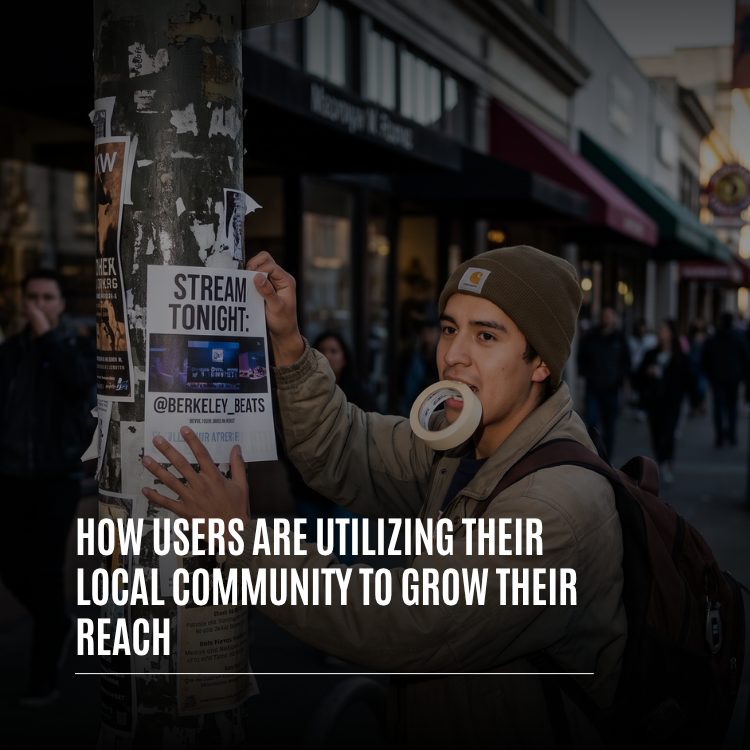
Some of the most effective local growth starts on a lamppost. We're seeing creators put up flyers with their Whistlr handle and stream time, hand out cards at shows, and put their handle on the table at markets and pop-ups. It sounds old-fashioned, but it works because it reaches people who are already nearby and already interested. Someone who sees a "stream tonight" flyer on their walk home and then sees that same stream pinned on Nearby an hour later is very likely to tap in. Offline and online reinforce each other.
The Campus Creator Who Becomes the Campus Channel
College campuses are some of the most connected local communities anywhere. Students who start a campus Haven, post about events, dining halls, study spots, and late-night food, and go live from games and parties can become the go-to source for an entire school. With room for up to 50,000 members in a single Haven, a campus community no longer has to split into pieces as it grows. Everyone stays in one place, and the creator who built it becomes the center of it.
The Local Business With Regulars on the Map
For local businesses, the people nearby are the whole game. Cafés, restaurants, gyms, salons, and shops are using Havens to give their regulars a place to gather between visits: sharing new menu items, posting behind-the-scenes clips, announcing events, and answering questions. When customers post from the spot and tag it, their posts help people nearby discover the business. Combined with Storefronts and Live Shopping, a business can go from a local favorite to a shop with customers well beyond the neighborhood.
The Scene Builder
Every city has scenes: the open mic crowd, the sneaker community, the pickup basketball regulars, the local DJs, the film photographers who all shoot the same streets. Users who build a Haven around a scene, pin it to where that scene gathers, and post consistently often find that the scene grows around them. They become the organizer, the person who knows what's happening, and their reach grows with every new person who joins.
Local Collaborations
Creators in the same area are teaming up instead of competing. A food creator teams up with a local restaurant, a musician streams from a record store, a fitness creator hosts a workout at a park with three other local creators. Each collaborator brings their own audience, and because those audiences live in the same area, they overlap in useful ways. People who follow one local creator are often happy to follow the others, and the whole local network grows together.
"I put up flyers around Telegraph before every stream, and now I pin the stream as a Live Haven too. The first night I tried it, I watched people come in straight from the map, and a bunch of them were people who'd seen the flyers. Now I've got a Haven with regulars from all over the East Bay, and they're the reason my streams started getting shared outside the area."
— Diego, music streamer on Whistlr
How to Grow Your Reach Through Your Local Community
Ready to try it? Here's a step-by-step plan based on what's working for users growing from their local community.
- Pick your place. Decide what local community you want to be part of: your neighborhood, your campus, your city's music scene, the trail you run every weekend. The more specific, the better.
- Turn on Nearby. Open Nearby, read the short intro about how it works and how location works, and explore what's already happening around you. See which Havens are active and where the gaps are.
- Start or join a Haven. If a Haven already exists for your place, join it and contribute. If not, create one with a clear name, an honest category, a strong cover, and a pin where people actually gather.
- Tag a spot on your posts. When you post from a place that matters to your community, tag it so people nearby can find the post. Only do this when you're comfortable sharing that place.
- Go live and pin it. When you stream from somewhere local, choose "Make this live a Haven" so people nearby can find you on the map. Check your Live Haven stats to see who came in from the pin.
- Promote offline too. Put your handle on flyers, cards, and signs at the places where your community already gathers. Point people to your Haven and your stream schedule.
- Collaborate with local creators. Reach out to creators and businesses in your area for joint streams, events, and posts. Share each other's Havens.
- Ask for follow alerts. Encourage your local followers to turn on alerts for your posts, lives, and new Havens so they never miss what you're doing next.
From Local to Everywhere: How Local Reach Ripples Out
Local growth doesn't mean staying small. It's often how big audiences get started. Here's how reach that starts in one neighborhood spreads.
Local Fans Share With Their Networks
Every local follower has friends, and not all of them live nearby. When your local community shares your posts, reposts your Minis, and brings friends to your streams, your content travels through their networks. Because Whistlr's discovery is friend-first, those shares carry real weight. A recommendation from a friend who actually goes to your shows means more than any algorithm's suggestion.
Active Communities Get Noticed in Discovery
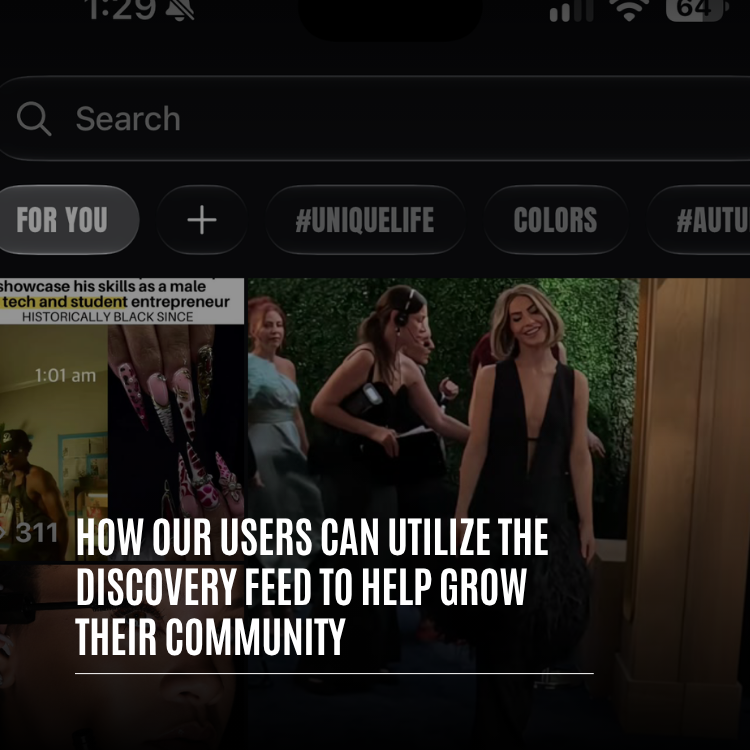
The Whistlr discovery feed has a section for the communities growing fastest right now, plus spaces for what's live, the top hashtags, and trending posts. A local community that's active and growing can show up in front of people exploring from anywhere. A neighborhood Haven or a local SubCircuit with real momentum is exactly the kind of thing discovery is built to surface.
Great Local Content Travels
Some of the best content on Whistlr is deeply local: a hidden food spot, a street performance, a campus tradition, a neighborhood event. Specific, real, place-based content often travels further than generic content precisely because it feels authentic. Turn your best local moments into Minis, and let them reach people who've never been to your city but love what you've captured.
"We think of local reach as the root system. You can't see most of it from the outside, but it's what keeps a creator standing when trends change. The creators and businesses who build strong local communities on Whistlr tend to grow steadily outward, because their audience isn't just watching. It's showing up, sharing, and bringing people with it."
— Renata Osei, VP of Product, ETAPX
Growing Locally Without Giving Up Your Privacy
Local growth works best when people feel safe, and Whistlr's location features were designed around one simple rule: posts, not people. Here's what that means in practice.
- Nobody can see where you are: Nearby shows Havens, lives, and posts, not people's live locations. Whistlr never shares your live location on the map.
- Location stays off unless you turn it on: You choose whether to enable location, and you can use Whistlr fully without it.
- Places only show where you choose: A place only appears on posts you choose to tag and Havens you choose to pin.
- Live Havens are opt-in and temporary: A Live Haven uses your current location only because you chose to pin your stream there, and the pin comes off the map when your stream ends or the moment you turn it off.
- Private options are built in: Havens and Live Havens can be private, visible only to you and your mutuals.
A few habits make local growth safer still. Pin Havens to public places like parks, venues, campuses, and businesses rather than your home. Think twice before going live from a place you'd rather keep private. And use a broader area when you only want to signal your general vicinity. You can build a big local following without ever revealing more than you want to.
"Location features only work if people trust them, so we made the default the most private option. Nobody sees where you are. Places show up only when you put them there. A Live Haven exists only while you're live and only because you chose to pin it. That's what lets someone grow a local audience with confidence instead of worry."
— John Ridge, CTO, ETAPX
Tips for Growing Your Reach Through Your Local Community
- Own a specific place: Be the go-to creator for one neighborhood, campus, or scene before trying to be everywhere.
- Pin where people gather: Put your Haven at the spot your community actually meets, not just the middle of town.
- Pick an honest category: Nearby is browsed by category, so the right one puts you where your future followers are already looking.
- Pin your lives: When you stream from somewhere local, make it a Live Haven so people nearby can find you on the map.
- Mix offline and online: Flyers, cards, and word of mouth still work, especially when they point to a stream people can find on Nearby.
- Team up locally: Collaborate with creators and businesses in your area so your audiences grow together.
- Use a local hashtag: A tag tied to your place or scene helps your community find each other's posts.
- Protect your privacy: Tag public places, not private ones, and use private Havens for close-friend spaces.
Frequently Asked Questions
How can I grow my reach using my local community on Whistlr?
Start or join a Haven for a place that matters to your community, tag spots on your posts so people nearby can find them, and pin your live streams to your location as Live Havens. Pair that with offline promotion, local collaborations, and follow alerts so your local audience keeps coming back and shares you with their networks.
What is Nearby on Whistlr?
Nearby is Whistlr's map of everything happening around you: Havens, lives, and posts. You can browse it by category, swipe through cards of nearby Havens, and move the map to explore other areas. It shows posts and places, never people's live locations.
What is a Live Haven?
A Live Haven is a live stream or public live audio room that the host pins to their current location on Nearby. People nearby can see it on the map and join while it's live, and the pin comes off the map when the stream ends or the host ends the Haven.
Can I see how many local viewers found my stream?
Yes. Live Havens show hosts how many unique people opened the live from its Nearby pin, how many came in during the last ten minutes, how many people are watching, and how many Whistlr users have a saved location within about five miles.
Does Whistlr share my location with people nearby?
No. Nobody can see where you are on Nearby, and Whistlr never shares your live location. Location stays off unless you turn it on, and places only appear on posts you choose to tag or Havens you choose to pin.
How many members can a local Haven have?
Each Whistlr Haven can hold up to 50,000 members per location. That's enough room for an entire campus, neighborhood, or local scene to stay together in one community.
Can local businesses use Havens to grow?
Yes. Local businesses can use Havens to give regulars a place to gather, share updates, and announce events, while customer posts tagged at the spot help nearby people discover them. Combined with Storefronts and Live Shopping, local businesses can reach customers well beyond their neighborhood.
Will growing locally limit how far my content can reach?
No. Local growth is often how wider reach begins. Local followers share with their networks, active local communities can appear in the discovery feed, and specific, place-based content often travels further because it feels real.
Your next thousand followers might be closer than you think. Open Nearby, find the place your community calls home, and start growing your reach from the ground up.