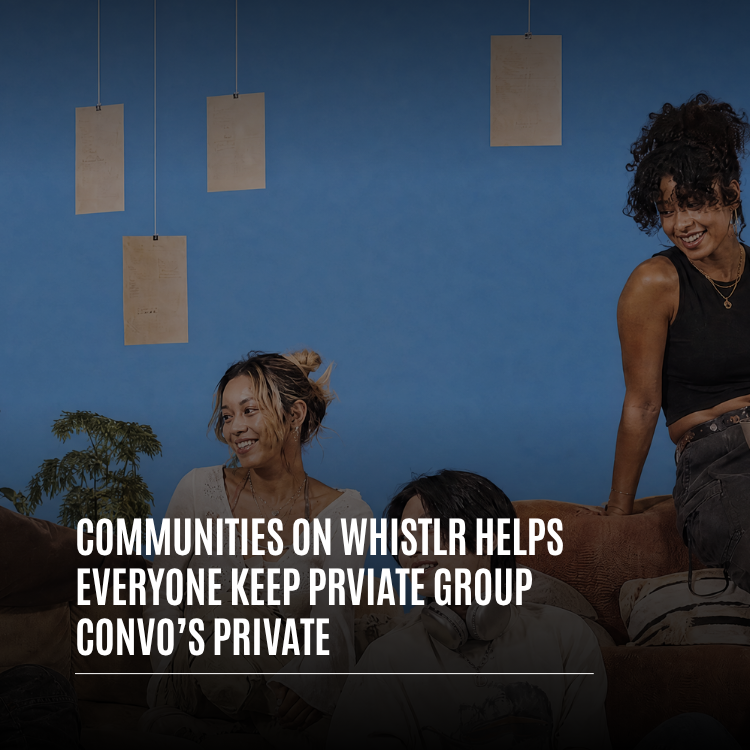
Some conversations are meant for everyone. Others are meant for the twelve people who were actually there. Communities on Whistlr are built for both, and private communities are where the second kind of conversation lives. A private Whistlr community can be found by anyone, but its threads, comments, votes, and member activity stay locked until a moderator approves you, and that lock is enforced on our servers, not just hidden on your screen. This guide covers how private communities work on Whistlr, how join requests and invites are handled, what moderators can do, how group chats and in-chat audio rooms keep smaller conversations contained, and how to set up a private space for your own crew in a few minutes.
Group conversations have a habit of leaking. A screenshot here, a forwarded link there, a member who drifted away months ago but somehow still has access. The more people a conversation includes, the harder it is to know who's actually in the room. We built Whistlr communities and group chats around a simple principle: the people inside a private conversation should always know who else is in it, and nobody should be able to wander in without someone letting them.
What Are Communities on Whistlr?
Communities on Whistlr are dedicated spaces built around a shared interest, group, or purpose. Under the hood they're SubCircuits, part of Circuits, and in the app you'll find them labeled Communities: in Search, on profiles, in your Account Center, and in the composer when you post to one. Each community has its own banner, description, rules, members, and a feed of threads with nested comments and voting, so the best replies rise to the top.
Every community is either public or private, and that one choice changes how people get in:
- Public communities: Anyone can open the community, read its threads, and tap Join to become a member instantly.
- Private communities: Anyone can see that the community exists, but posts, comments, voting, and member actions are locked. To get in, you tap Request, and a moderator reviews your request.
That distinction is what lets the same Communities feature host an open discussion for thousands of film photographers and a closed space for a graduating class, a study group, a band, a support circle, or a team planning something they don't want public yet.
"People don't stop wanting private conversations when a group gets bigger. If anything, they want them more. A private community gives a group a real home on Whistlr, with rules, moderators, and threads, while making sure the conversation stays with the people it was meant for."
— AJ, Founder & CEO, ETAPX
How Private Communities Keep Group Conversations Private
When you open a private community you aren't a member of, you see a clear lock panel instead of its threads. It shows the community's name and a short explanation: the community is visible, but posts, comments, voting, and member actions are locked until a moderator approves you. Below that is a single button: Request to Join.
Locked on the Server, Not Just on Your Screen
This is the part we're proudest of, and it's easy to miss because it's invisible. A lot of apps "hide" private content by simply not drawing it on screen, while the data is still being sent to the device. Private Whistlr communities don't work that way. The community feed, individual threads, comment lists, and voting are all checked on our servers. If you aren't a member of a private community, the server doesn't send you its threads or comments, and it won't accept your votes. There's nothing hidden in the app waiting to be uncovered.
That's what makes a private community a genuinely private group conversation. What gets said inside stays inside, because the only people who receive it are the people who've been let in.
What Non-Members Can Still See
A private community is discoverable on purpose. People can find it in Search, see its name and banner, and understand what it's for, which is how the right people know to request access. What they can't see is the conversation itself: no threads, no comments, no votes, and no member actions until they're approved.
"Privacy has to be enforced where the data lives. For a private community, the feed, thread detail, comments, and votes all check membership on the server before they return anything. Leaving re-locks the content. Closing the community revokes everyone's access and any open invites in one step. The app never holds content a person isn't allowed to read."
— John Ridge, CTO, ETAPX
Join Requests: How People Get Into a Private Community
Join requests are the front door of every private community, and they're designed to be simple for both the person asking and the moderators deciding.
Requesting to Join
Tap Request on a private community, or Request to Join on its lock panel, and your request goes straight to the community's moderators. You'll see a confirmation that the request was sent, and the button changes to Pending so you know it's waiting. You can't accidentally flood a community with duplicate requests: while one is pending, the button stays disabled.
How Moderators Review Requests
Only a community's owner and its moderators can review join requests. Each request can be approved or denied. When a new request comes in, moderators are notified, and when a moderator makes a decision, the person who asked hears back too, whether they were approved or not. Nobody is left wondering if their request disappeared.
When You're Approved
Once a moderator approves you, you become a member, the lock lifts, and you can read threads, comment, vote, and post like everyone else. Your membership is the key. Everything inside the community follows from it.
Bans Stay Bans
If someone has been banned from a community, they can't send a new join request to get back in, and moderators can't accidentally invite them either. Moderation decisions hold, which is exactly what makes a private space feel safe.
Invites: Bringing the Right People In
Not everyone needs to find your community on their own. Moderators can invite people directly, which is often the fastest way to fill a new private community with the people it was made for.
- Who can invite: Only the community's owner and moderators can send invites.
- Who can be invited: Invites go to people who follow you, so a community can't be used to cold-invite strangers.
- Accepting or declining: The person invited can accept or decline. If they decline, the moderator gets a notification, so nobody is left waiting on an invite that isn't coming.
- No duplicates: People who are already members, or who've been banned from the community, can't be invited.
Leaving and Closing a Private Community
Privacy isn't only about who gets in. It's also about what happens when people leave.
Leaving Re-Locks the Conversation
If you leave a private community, the lock comes right back. You won't keep reading threads after you've walked out the door, and if you want back in later, you'll need to request access again like anyone else. That keeps a private community's member list honest. The people who can see the conversation are the people who are actually in it today.
Closing a Community Revokes Everyone's Access
The owner of a community can close it with Close Community. Closing a community revokes all active access and clears any outstanding invites at the same time. When a project wraps up, a class graduates, or a group simply runs its course, the owner can shut the door for good, knowing nobody keeps a quiet window into old conversations.
Owner Info Stays Private by Default
Running a community doesn't have to mean putting your name on it publicly. Each community has a setting that controls whether the owner's information is shown publicly, and it's off by default. Owners who want to be front and center can turn it on. Owners who'd rather let the community speak for itself can leave it off.
"We run a private community for our run club, about forty of us. People find it, request, and one of the three of us approves them. When someone moved away and left, they actually lost access, which honestly surprised me. That's how it should work."
— Tasha, run club organizer on Whistlr
Moderator Tools That Keep Private Communities Healthy
A private community is only as good as the people tending it. Owners and moderators have the tools they need to keep conversations on track:
- Review join requests: Approve or deny every request to join a private community.
- Invite people: Bring in followers directly instead of waiting for them to find the community.
- Manage roles: Promote trusted members to help moderate as the community grows.
- Remove or ban members: Remove someone who's disrupting the community, or ban them so they can't return.
- Pin and lock threads: Keep important context at the top and lock a thread when a conversation has run its course.
- Transfer ownership: Hand the community to someone else when it's time, without starting over.
- Edit the community: Update the banner, description, and rules so new members know what to expect before they request.
Private Group Chats on Whistlr
Communities are great for threaded, organized discussion. For fast, back-and-forth conversation, there are group chats in your Whistlr messages, and they're private by design. A group chat includes exactly the people who've been added to it, and nobody else can read along.
Admins Control Who's In
Group chats support up to 100 members, and group admins keep the chat organized. Only admins can add members, remove members, change the group name, or change the group cover, and only the person who created the group can delete it. Anyone can leave a group whenever they want, and once they leave, they can only rejoin if they're invited again.
You Decide Who Can Add You
Nobody should be able to drop you into a group chat full of strangers. In your Contact options, the Allow group invites setting controls whether people can add you to group conversations at all. Turn it off and group chats only happen when you start them.
Audio Rooms That Stay Inside the Chat
Sometimes typing isn't enough and the group just needs to talk. Audio rooms let you talk live, right inside a one-on-one or group chat. When someone starts an audio room, everyone in the chat gets a ring to join. An audio room started in a chat belongs to that chat: only active members of the conversation can see it or join it, and that rule is enforced on our servers. People outside the group never see that the room exists. Audio rooms follow the same Community Guidelines as the rest of Whistlr.
Broadcast Channels: Private or Public
When you want to share with a group rather than chat with one, broadcast channels let you post updates to many members at once. When you create one, you choose whether it's public, where anyone can find and join it, or private, where only invited members can join.
"Every group space on Whistlr starts from the same question: who's actually in the room? Private communities answer it with join requests and moderators. Group chats answer it with admins and group invite controls. Audio rooms answer it by staying inside the chat they were started in. Different shapes, same promise."
— Renata Osei, VP of Product, ETAPX
Who Private Communities on Whistlr Are For
Almost any group that talks regularly has conversations it would rather keep among its own members. Here are some of the ways people use private communities:
- Friend groups that outgrew a chat: When one group chat can't hold every running joke, plan, and photo dump, a private community gives each topic its own thread without opening anything to the public.
- Classes and study groups: Share notes, plan sessions, and ask questions in threads that stay with the people actually taking the class.
- Clubs and teams: Run clubs, book clubs, rec leagues, and band members can post schedules, results, and logistics in one organized place.
- Support circles: People going through something similar can talk openly, knowing every member was approved and that the conversation isn't visible to anyone outside.
- Creators and their inner circle: A creator can keep a private community for collaborators or their closest supporters, separate from their public profile.
- Small businesses and project teams: Plan a launch, review drafts, or coordinate an event before anything is ready to share publicly.
What these groups have in common is that the value of the conversation depends on trust. People share more honestly when they know who can read it. A private community makes that membership visible and deliberate: every person inside was approved or invited, and anyone who leaves or is removed loses access right away.
Private Communities, Group Chats, or Private Havens?
Whistlr gives you a few different ways to keep a group conversation private. Here's how to choose:
- Private community: Best for an ongoing group that wants organized threads, rules, moderators, and a home people can request to join, like a club, class, fan group, or support circle.
- Group chat: Best for fast, real-time conversation among people you already know, like friends, a team, or a family, with audio rooms when you'd rather talk.
- Private Haven: Best for location-based moments you only want your mutuals to see. Private Havens are visible only to you and your mutuals.
Many groups use more than one. A run club might keep a private community for routes, race plans, and photos, a group chat for "who's out at 6 a.m. tomorrow," and a private Haven pinned to their usual meeting spot.
How to Create a Private Community on Whistlr
Setting up a private community takes a few minutes.
- Start a new community. Open the composer and choose the Community tab.
- Give it an identity. Choose a name and handle, add a banner and icon, and write a short description that tells the right people what the community is for.
- Set it to private. New communities start as Public, so switch the visibility to Private so that threads, comments, voting, and member actions are locked to approved members.
- Write your rules. Keep them short and specific. Clear rules make approving requests easier and give moderators a fair basis for decisions.
- Add moderators. Bring in one or two trusted members to help review requests and keep threads on track.
- Invite your first members. Send invites to the followers you want in from day one.
- Review requests as they come in. Approve the people who fit and deny the ones who don't. Everyone hears back either way.
Tips for Keeping Private Group Conversations Private
- Choose private from the start: If a group is meant to be closed, set it to private before you post anything, so the first thread is protected too.
- Write a description that filters: A clear description helps the right people request and helps everyone else move on.
- Use more than one moderator: Requests get reviewed faster and decisions stay consistent when the work is shared.
- Clean up the member list: Remove people who are no longer part of the group so the conversation stays with the people actually in it.
- Close what's finished: When a project or event is over, close the community so access ends with it.
- Keep group invites in check: Turn off Allow group invites if you don't want to be added to group chats without asking.
- Respect the room: Private doesn't mean anything goes. The Community Guidelines apply in private communities, group chats, and audio rooms too, and you can report anything that crosses a line.
Frequently Asked Questions
What is a private community on Whistlr?
A private community on Whistlr is a community whose threads, comments, voting, and member actions are only available to approved members. Anyone can find it and see what it's about, but they have to request to join and be approved by a moderator before they can see or join the conversation.
Can non-members read posts in a private Whistlr community?
No. Non-members can see that a private community exists, along with its name and description, but they can't read its threads or comments, vote, or take member actions. Access is checked on Whistlr's servers, so private content is never sent to people who aren't members.
How do I join a private community on Whistlr?
Open the community and tap Request or Request to Join. Your request goes to the community's moderators, the button changes to Pending, and you'll be notified when a moderator approves or denies it. Moderators can also invite you directly.
Who approves join requests in a Whistlr community?
The community's owner and moderators approve join requests. Only they can review requests, and the person who asked is notified of the decision either way.
What happens when I leave a private community?
When you leave a private community, the content locks again for you right away. To get back in, you'll need to send a new join request and be approved.
Are Whistlr group chats private?
Yes. Whistlr group chats are only visible to the people in them. Group admins control who's added or removed, you can leave at any time, and the Allow group invites setting lets you decide whether people can add you to group chats at all.
Can people outside a group chat join its audio room?
No. An audio room started in a chat is only visible to and joinable by active members of that chat. Everyone in the chat gets a ring to join, and nobody outside the group sees that the room exists.
Do the Community Guidelines apply in private communities?
Yes. The Whistlr Community Guidelines apply everywhere on Whistlr, including private communities, group chats, and audio rooms. Private spaces protect who can see a conversation, not what's allowed in it, and you can report content or members that break the rules.
The best conversations happen when people know who's listening. Private communities on Whistlr give your group a real home with moderators, rules, and threads that stay with the people you let in, and group chats and audio rooms keep the faster conversations just as contained. Start a private community for your crew today, invite the people who belong there, and keep the conversation where it was meant to be.