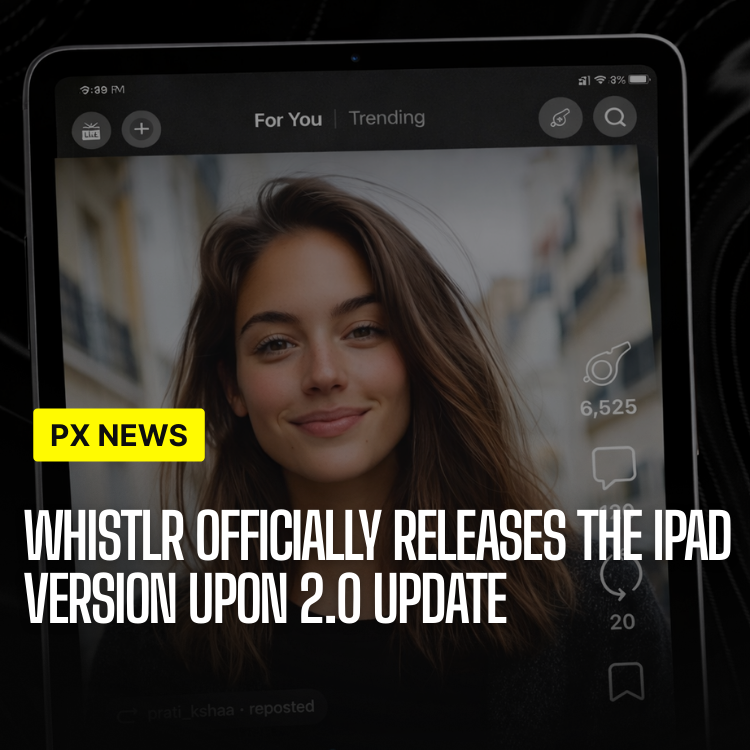
ETAPX today announced the launch of Whistlr Network for iPad, marking the platform's expansion to Apple's tablet ecosystem with a native app experience designed specifically for the larger screen. Rather than simply scaling up the iPhone interface, the iPad version represents a complete reimagining that leverages the tablet's unique capabilities—from split-screen multitasking to Apple Pencil integration—creating new possibilities for content creation, consumption, and collaboration.
The release arrives as tablet usage for professional and creative work continues to grow, with many users seeking social platforms that match the productivity and creative capabilities of their other iPad apps. Whistlr for iPad addresses this need by providing an experience that feels native to the platform while maintaining the core social networking features that define the Whistlr experience.
"The iPad represents a fundamentally different use case than the iPhone," said Jordan Kim, Lead Designer for iPad at ETAPX. "We didn't want to just make things bigger—we wanted to create an experience that takes advantage of everything that makes the iPad special, from its screen real estate to its input methods to its multitasking capabilities."
Designed for iPad
Every aspect of the iPad app has been optimized for the larger screen, creating an experience that feels native to Apple's tablet ecosystem. The design philosophy centers on leveraging the iPad's unique capabilities rather than simply scaling up the iPhone interface.
Split-screen multitasking represents one of the most significant enhancements. Whistlr on iPad fully supports Apple's Split View and Slide Over features, enabling users to browse their feed while simultaneously composing new content, view multiple feeds side-by-side, keep reference materials visible while creating posts, and work seamlessly with other apps in collaborative workflows. This multitasking capability transforms the iPad app from a consumption tool into a true productivity platform.
The iPad's larger screen and Apple Pencil support unlock entirely new creative possibilities that weren't feasible on smaller devices. Content creators can use the Apple Pencil for precise photo and video editing with pixel-level accuracy, work in a professional dual-pane interface that shows their content library alongside editing tools, create complex multi-column layouts for advanced content composition, and view analytics through larger charts and graphs that provide better data visualization.
The interface itself takes full advantage of the iPad's screen real estate. A three-column layout keeps navigation, feed, and content details visible simultaneously, eliminating the need to navigate between screens. Photos and videos display at higher resolutions, making visual content more impactful. Typography has been optimized for comfortable reading at arm's length, and the app includes full support for iPad gestures including pinch-to-zoom and swipe navigation.
Why a Native iPad App Matters
It is tempting to dismiss tablet apps as a nice-to-have, a stretched version of the phone for people who happen to own a bigger device. That assumption is exactly what Whistlr for iPad rejects. The iPad is not a large phone; it is the device people reach for when they intend to do focused work—reading deeply, editing carefully, creating deliberately. An app that ignores that intent wastes the hardware in a user's hands.
By treating the iPad as its own platform, Whistlr meets creators in the moments when they are most ready to make something substantial. The larger canvas invites longer sessions and richer creation, while the tablet's input flexibility—touch, Pencil, and keyboard—lets people work the way that suits the task. The result is a social app that finally belongs alongside the professional creative tools iPad owners already trust, rather than feeling like a visitor from a smaller screen.
Performance
The iPad app leverages the powerful A-series and M-series chips to deliver exceptional performance that matches the device's capabilities. On compatible devices, the app supports smooth 120Hz ProMotion refresh rates, creating fluid animations and scrolling that feel responsive and natural. Hardware-accelerated video decoding ensures smooth playback even for high-resolution content, while optimized memory management enables seamless multitasking without performance degradation.
Power efficiency has been a particular focus during development. The app's code has been optimized to extend battery life significantly, allowing users to engage with Whistlr throughout the day without worrying about power consumption. This efficiency doesn't come at the cost of features—the app maintains full functionality while using less energy than comparable social media applications.
Apple Pencil Integration
Whistlr on iPad fully supports Apple Pencil, opening entirely new creative possibilities that weren't feasible with touch-only interfaces. The integration goes beyond simple drawing—handwriting recognition converts handwritten notes to text automatically, making note-taking and caption writing more natural. Creators can use the Pencil for precise drawing, creating custom graphics and illustrations directly within the app without switching to external design software.
Photo annotation becomes intuitive with Apple Pencil support, allowing users to mark up images with precise annotations that feel natural and accurate. The app even supports signature capture, enabling users to sign documents and contracts directly within Whistlr, streamlining workflows that previously required multiple apps.
Keyboard Support
Full keyboard support transforms Whistlr on iPad into a productivity powerhouse. Users can navigate and interact using comprehensive keyboard shortcuts that mirror desktop application experiences. Whether using Apple's Magic Keyboard or any Bluetooth keyboard, the app responds with professional text editing capabilities including cursor support, selection tools, and formatting shortcuts.
Quick actions accessible through keyboard shortcuts provide fast access to frequently used features, reducing the need to reach for the screen. This keyboard-first approach makes Whistlr on iPad feel like a true productivity tool rather than a scaled-up mobile app, appealing to users who want to create content efficiently.
A Creation Workflow Built for the Big Screen
Where the iPad app truly distinguishes itself is in how these capabilities combine. Individually, multitasking, the Pencil, and keyboard support are useful features. Together, they form a creation workflow that simply isn't possible on a phone, letting a creator move from idea to published post without ever leaving the app or reaching for a laptop.
- Plan and Produce Side by Side: Keep research, reference images, or a draft outline open in Split View while composing the final post.
- Edit With Precision: Use the Apple Pencil for pixel-level photo and video adjustments that touch alone can't deliver.
- Write at Speed: Draft captions and long-form text on a physical keyboard with desktop-style shortcuts and selection tools.
- Review the Numbers: Study performance through full-size charts and graphs that make patterns easy to spot.
- Sign and Send: Handle agreements and approvals in-app with signature capture, collapsing multi-app workflows into one.
For creators who have long juggled a phone for posting and a computer for everything else, the iPad app offers a genuine middle path: portable enough to carry anywhere, capable enough to finish real work.
Who Whistlr for iPad Is For
The app is built to serve a spectrum of users, but several groups will feel the difference most acutely. Visual creators—photographers, illustrators, video editors—gain a precise, large-canvas environment that respects the detail of their craft. Writers and educators benefit from comfortable reading, fast keyboard input, and the room to think across multiple panes.
Small teams and collaborators find the multitasking model especially valuable, since planning, producing, and publishing can happen in coordinated, side-by-side workflows. And everyday users who simply prefer their tablet for relaxed browsing get a calmer, more spacious reading experience, with content displayed at higher resolution and typography tuned for arm's-length comfort. Whatever the use case, the common thread is that the iPad app rewards intention.
What Creators Are Saying
"The iPad app is a game-changer for content creation. The larger screen and Apple Pencil support make editing so much easier. I can now create professional content entirely on my iPad without needing a computer."
— Jordan Kim, Content Creator
Availability
Whistlr for iPad is available now on the App Store, requiring iPadOS 15.0 or later. The app is compatible with all iPad models from the iPad (5th generation) onwards, ensuring broad device support. However, the experience has been specifically optimized for iPad Pro, iPad Air, and iPad mini models, taking full advantage of their advanced hardware capabilities.
What's Next
ETAPX is already developing iPad-specific features for future updates. Enhanced Stage Manager support will enable more sophisticated window management and multitasking workflows. Dedicated iPad widgets will bring Whistlr content directly to the home screen, while advanced multitasking features will further blur the line between social networking and productivity applications. Professional video editing tools are also in development, positioning Whistlr as a comprehensive content creation platform.
The iPad release represents more than just another platform expansion—it signals ETAPX's commitment to creating experiences that adapt to how people actually work and create. Download Whistlr for iPad today and experience social networking reimagined for the big screen.
Frequently Asked Questions
Is Whistlr for iPad just the iPhone app made bigger?
No. It's a native iPad experience reimagined for the larger screen, with a three-column layout, Split View and Slide Over multitasking, Apple Pencil support, and full keyboard integration—capabilities that go well beyond a scaled-up phone interface.
Which iPads can run the app?
Whistlr for iPad requires iPadOS 15.0 or later and is compatible with all iPad models from the iPad (5th generation) onward. The experience is specifically optimized for iPad Pro, iPad Air, and iPad mini to take advantage of their advanced hardware.
What can I do with the Apple Pencil?
The Pencil enables precise photo and video editing, custom drawing and illustration directly in the app, intuitive photo annotation, automatic handwriting-to-text conversion, and even signature capture for signing documents without switching apps.
Can I really create content without a computer?
Yes. By combining multitasking, Apple Pencil precision, and keyboard support, the app provides an end-to-end creation workflow—plan, edit, write, review analytics, and publish—entirely on the iPad, which is exactly what many creators in beta reported doing.
Does the app take advantage of newer iPad performance?
It does. The app leverages A-series and M-series chips, supports 120Hz ProMotion on compatible devices, uses hardware-accelerated video decoding, and is optimized for battery efficiency so it stays fluid and responsive throughout the day.
What new iPad features are coming?
Planned updates include enhanced Stage Manager support, dedicated home-screen widgets, more advanced multitasking, and professional video editing tools, continuing to position Whistlr as a full content creation platform on iPad.