Whistlr's creator business tools just leveled up, and the upgrade has nothing to do with how creators get paid and everything to do with how clearly they can see what they've already earned. Creator Studio now brings Gems, Storefront sales, Live Shopping, and brand partnership income into one connected view, with reporting built around the question creators ask most: what is my business actually doing right now? For the growing number of Whistlr creators earning across three or four channels at once, that question used to mean three open tabs, a calculator, and a guess. Now it means opening one screen.
The Business Nobody Taught You to Run
Nobody hands a creator a business license the day their first Gem lands or their first storefront sale clears. There's no orientation packet, no onboarding call from an accountant, no dashboard that magically appears the moment a hobby turns into rent money. Creators build their businesses the way most small business owners do — in the gaps between the actual work, figuring out the money side as they go, one screenshot and one mental tally at a time.
That would be manageable if income arrived from one place. It rarely does. A working Whistlr creator might pull in Gems from a Tuesday night stream, a handful of Storefront orders that trickle in over the week, a Live Shopping spike on Saturday, and a brand deal payment that lands whenever it lands. Each of those has always been trackable on its own. What's been missing is the moment where a creator can step back and see all of it together — not four numbers in four places, but one honest picture of what the business is actually doing.
What "close enough" costs you
Most creators don't have a bad handle on their income. They have an approximate one. They know it's "a good month" or "a slow one," they can ballpark what Gems usually bring in, and they remember roughly what the last brand deal paid. Approximate is fine for a hobby. It falls apart the moment a creator needs to answer a real business question — what should I charge for a sponsored Mini, can I afford to slow down for a week, is this actually growing or does it just feel busy because Saturday was loud. Those questions need real numbers, not a vibe. The gap between "a good month" and an actual figure is exactly what makes creators feel like they're guessing at their own business, even in months when the business is working just fine.
That guesswork has a compounding cost. A creator who can't say with confidence what a typical month looks like also can't say with confidence what a great month looks like, which means they can't recognize momentum when it shows up, and can't tell a brand, a landlord, or themselves a straight story about how the business is actually trending.
Picture two creators with nearly identical audiences. One can tell you, within a few minutes of being asked, what portion of their income comes from live tipping versus product sales versus the occasional brand deal, and how this month stacks up against the last three. The other knows they're "doing fine" and leaves it there. The first creator is running a business. The second is running a hunch. Whistlr's upgraded tools exist to move every creator earning across multiple streams from the second category into the first, without asking them to become their own accountant to get there.
Whistlr's Creator Business Tools Just Leveled Up
This is the update: Creator Studio's business tools just leveled up, moving from a set of separate earnings tabs to a genuine home base for a creator's whole income picture. The mechanics of how creators earn on Whistlr — Gems, Storefronts, Live Shopping, brand partnerships — haven't changed and don't need re-explaining here. What changed is what happens after the money starts landing from more than one of those places at once, which for most working creators is most of the time.
Here's what's different in practical terms:
- One combined overview: Every revenue stream now rolls up into a single summary view, instead of living in separate tabs a creator has to visit one at a time.
- Clearer reporting: Earnings can be viewed by stream, by time period, or blended together, so a creator can see the whole business or zoom into one piece of it.
- Comparisons that mean something: Creators can measure one stretch of time against another, so a change in income shows up as a trend, not just a number that happened to move.
- Exportable summaries: A creator's income history can be pulled into a clean, organized summary that's actually usable outside the app.
- Plain-language framing: The dashboard is built to be read at a glance, not decoded — the goal is a creator understanding their own business in about the time it takes to check a notification.
None of this is about extracting more money from the platform, and it isn't a change to any of the ways creators already earn. It's about a creator finally being able to see the money that was already theirs, laid out clearly enough to actually act on.
One Screen, Every Revenue Stream
The center of the upgrade is a single overview built to answer one question honestly: how is the business doing, across everything, right now. Instead of opening Gems earnings, then switching to Storefront earnings, then pulling up whatever notes exist on a brand deal, a creator lands on one view that has already done the adding up.
That sounds like a small convenience until you consider how differently these income streams actually behave. Gems arrive in small, frequent bursts tied to live moments. Storefront income trickles in against orders and fulfillment. Live Shopping spikes hard during a broadcast and then goes quiet until the next one. Brand deals land in occasional, larger payments on their own schedule. Four different rhythms, four different shapes — and until now, four different places to look for them. Seeing them side by side, in the same view, over the same stretch of time, is what turns four disconnected numbers into one coherent story about the business.
It also changes the rhythm of checking in. Instead of a weekly ritual of opening several tabs just to reconstruct last week from memory, a creator can glance at one overview between takes, before a stream, or on a Sunday night, and know immediately where things stand. That kind of low-friction check-in is the difference between reviewing your business once a quarter under duress and actually keeping a pulse on it.
Why the whole picture changes the decision
A creator who only checks Gems might reasonably decide a slow tipping week means a slow month. Looking at the combined view, the same week might show a strong Storefront run that more than made up for it — a completely different read on how the business is actually doing. The unified view doesn't just save clicks. It corrects the story a creator would otherwise tell themselves from a partial set of numbers, which is often the more valuable thing it does.
Reporting That Actually Explains Your Business
A pile of numbers isn't the same thing as understanding a business, which is why the reporting side of this upgrade got just as much attention as the unified view itself. The goal was reporting a creator can read in the time it takes to refill a coffee, and walk away actually knowing something they didn't know before.
Understanding your business at a glance
Creators can now look at performance across a chosen stretch of time — a week, a month, the run-up to a launch — and see it broken down by revenue stream without reconstructing the picture by hand. Comparing one period against another turns a single data point into a trend: was a spike in earnings a one-time event tied to a viral moment, or the start of a genuine climb? That distinction matters enormously, and until now, answering it meant digging through screenshots or a personal spreadsheet a creator built out of sheer necessity. Now it's simply the default view when you open your earnings.
Patterns tend to surface fast once they're actually visible. A creator might notice their Storefront quietly outperforms their live tipping every single weekend, or that one kind of brand deal consistently lands better than another. None of that is new information exactly — it was always happening — it just wasn't visible enough to notice before. Seeing it laid out by period is what turns a hunch into something a creator can actually plan around.
Records you can actually use
Every serious creator eventually needs their income in a form that isn't "trust me, I checked the app." Whether that's for a loan application that asks about income, handing numbers off to a family member helping with bookkeeping, or just keeping personal records that don't live solely inside one app on one phone, creators can now pull a clean, organized summary of their earnings across streams and time periods. It's built to make that handoff painless — organized by source and by date, not a raw data dump someone else has to make sense of.
Worth saying plainly here: these tools are built to make a creator's own records clearer, not to serve as tax or legal advice. Whistlr gives creators the numbers and the organization; what to do with them for taxes, contracts, or anything else specific to their situation is still a conversation for an accountant or attorney who actually knows that situation.
From Numbers to Decisions: Planning, Pricing, Negotiating
Visibility is only useful if it changes what a creator does next, and this is where the upgrade earns its keep. A creator who can see exactly how much of their income comes from brand deals versus Gems versus their Storefront is a creator who gets to make real decisions instead of hopeful ones.
Consider negotiating a brand partnership. Walking into that conversation with a real, organized picture of audience-driven income — not a guess, not a vibe, but an actual figure pulled from an actual reporting period — changes the tone of the negotiation entirely. Consider deciding whether to invest a slow week into building out a Storefront catalog instead of chasing another live stream. That's a much easier call when the reporting shows, in plain view, which stream has been quietly compounding versus which one is naturally inconsistent by nature. Consider simply knowing, without opening four screens, whether this month is actually ahead of last month or just feels that way because Saturday's Live Shopping stream happened to be loud and fun.
Creators who've spent real time inside the new reporting describe the same shift, over and over: less time reconciling, more time deciding.
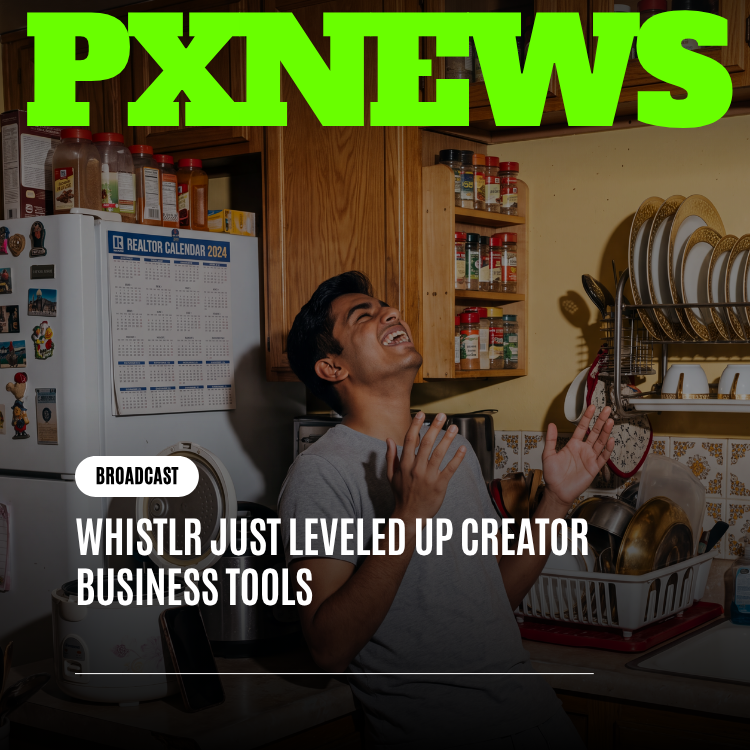
"I opened the new overview for the first time and saw my Gems, my shop, and my last two brand deals all sitting on one screen, adding up to a number I didn't have to calculate myself — I full-on danced around my kitchen. I've been running this as a business for two years and guessing at my own numbers the entire time. That's just over now."
— Nia Brooks, Whistlr Creator
Built for the Business You've Already Become
There's a cultural point underneath the feature list, and it matters as much as the tools themselves. A lot of platforms treat creators as an audience-growth exercise with a payout bolted on somewhere at the end — get the views, and the money is treated as a side effect. Whistlr has always argued the opposite: creators are a real business class, not a byproduct of engagement, and the tools around them should reflect that seriously.
Business-management upgrades like this one are what that philosophy looks like when it isn't just a slogan on a landing page. Clear reporting, a unified view of income, and records a creator can actually use aren't flashy features. They're the same basic infrastructure any small business owner expects to have — the equivalent of a shop owner seeing sales across every register, or a freelancer pulling a clean summary of every invoice paid this quarter. Creators have been running real businesses on Whistlr for a while now. The tools are finally catching up to that reality, instead of the other way around.
"Creators kept telling us the same thing in different words: 'I know I'm making money, I just can't see it clearly.' That's not a monetization problem — they're already earning. It's a business-management problem, and it was ours to solve. This upgrade is us treating that seriously, instead of assuming a creator will figure it out with a personal spreadsheet at midnight."
— Desmond Achebe, VP of Creator Economy, ETAPX
Getting Started: Finding the Upgrade in Creator Studio
The new business tools live where creators already manage their earnings, so there's no separate setup process, application, or waitlist. If you're already earning through Gems, a Storefront, Live Shopping, or brand deals, the unified view is simply there the next time you open Creator Studio. It's designed to feel less like a new feature to learn and more like a light finally being flipped on in a room you already knew was there.
- Open Creator Studio and look for the combined earnings overview rather than a single revenue tab.
- Set a time period — a week, a month, or a custom range — to see performance across every stream at once.
- Compare periods against each other to tell a real trend apart from a one-off spike.
- Pull a summary whenever you need your numbers outside the app, whether that's for your own records or for someone helping you manage them.
None of it requires learning a new system or sitting through a tutorial. It requires opening a screen that used to be four separate screens, and finding your whole business already added up and waiting for you.
Frequently Asked Questions
What exactly leveled up in Whistlr's creator business tools?
Creator Studio now combines income from Gems, Storefronts, Live Shopping, and brand partnerships into one unified view, with reporting that lets creators compare time periods and pull clean summaries of their earnings. It's a business-management upgrade, not a change to how creators actually earn — the monetization tools work the same way they always have, but creators can now see the results of all of them together instead of piecing it together themselves from four different places.
Do I need to set anything up to use the new features?
No. If you already earn through any of Whistlr's monetization tools, the combined overview and reporting are available the next time you open Creator Studio. There's no separate application, toggle, or upgrade path to opt into — it's built directly into the same dashboard you already use to track your earnings.
Can I still see each revenue stream on its own?
Yes. The unified view is additional, not a replacement. You can still look at Gems, Storefront, Live Shopping, or brand deal income individually whenever that's what you need — the new tools just also let you see them rolled up together and compared across time periods, which is the view that was missing before.
Does Whistlr give tax or legal advice through these tools?
No. The reporting and export tools are designed to make a creator's own income clearer and easier to organize — for personal records, or to hand off to someone helping with bookkeeping — but they are not tax or legal advice. For anything specific to your own situation, a qualified accountant or attorney is still the right call.
Who is this upgrade actually for?
Any creator earning through more than one Whistlr revenue stream will feel the difference immediately, but it matters most for creators treating Whistlr as a real income source rather than a side hobby — the ones who need to plan ahead, price a sponsorship fairly, or simply know how the business is doing without reconstructing it from memory every week.
None of this changes what makes a creator's business actually run — the audience, the content, the relationships that turn viewers into supporters in the first place. What it changes is whether a creator has to guess how that business is doing, or can just look. Whistlr's creator business tools just leveled up so the second option is finally the normal one.