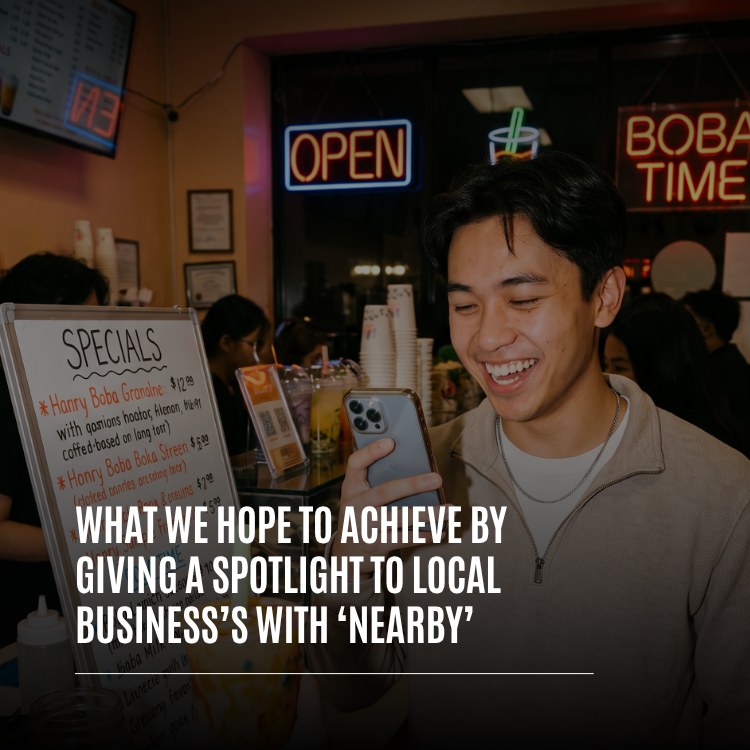
The boba shop with the handwritten specials board. The barber who knows every regular by name. The bakery that sells out by ten, the record store with the listening booth, the family restaurant that has been on the same corner for twenty years. Local businesses are the reason a neighborhood feels like a neighborhood, and they're often the hardest businesses to find online. Whistlr Nearby for local businesses is our answer to that. Nearby puts Havens, lives, and posts on a map of the area around you, and it gives local businesses a real place on that map. This article explains what we hope to achieve by giving a spotlight to local businesses with Nearby: the goals behind it, the features that make it work today, what it looks like for different kinds of businesses, how to get your business on the map, and how we'll know it's working.
We've written on PX News about the commerce tools local businesses use on Whistlr, like Storefronts, Live Shopping, and Circuits, and about the Havens upgrade that made room for up to 50,000 members per location. This piece is different. It's less about what each feature does and more about why we built Nearby to give local businesses a spotlight, and what we want that spotlight to change for the owners, the customers, and the neighborhoods they share.
Why Local Businesses Deserve a Spotlight on Whistlr Nearby
Most online discovery works against small, independent businesses without meaning to. Search results and feeds tend to reward whoever already has the most reviews, the most followers, or the biggest budget. A national chain can show up everywhere at once. A two-person café can't. The result is that people often walk past great local businesses every day without ever learning what makes them special, while the places that can afford to be loud get louder.
The Corner Shop Can't Outspend a Chain
Local businesses usually don't have a marketing department, and they rarely have spare money for paid placement. What they do have is something a chain can't buy: real relationships with the people nearby, a product people care about, and a story worth telling. We wanted to build a place where those things count more than budget. Nearby is designed so that being close, being active, and being loved by the people around you are what put a business in front of new customers.
Discovery Should Start With Where You Are
When you're hungry, bored, or looking for something to do, the most useful question isn't "what's popular everywhere?" It's "what's good around here?" That's the question Nearby answers. Open it and you see what's happening around you, laid out on a map with cards you can swipe through. For local businesses, that's the moment that matters most: a person who is close enough to walk in, looking for exactly the kind of place they run.
"Every great neighborhood is held together by small businesses, and most of them are invisible online unless they can pay to be seen. We built Nearby so that the coffee shop on your corner has the same shot at being discovered as anyone else on the map. Being close and being good should be enough. That's the whole idea."
— AJ, Founder & CEO, ETAPX
How Whistlr Nearby Puts Local Businesses on the Map
Nearby's local business spotlight isn't a single feature. It's a set of connected tools that work together to help people find a business, visit it, and keep coming back. Here's what's live on Whistlr today.
- Business Havens: A Haven is a community pinned to a real place. Businesses can pin a Haven to their location so the conversation about their spot lives right on the map where it is, with its own feed, members, reactions, and replies.
- Category chips: Nearby is browsed by category, with chips including Business and Food alongside Music, Fitness, Art, Shows, Lifestyle, and more. The right category puts a business in the list its customers are already browsing.
- Haven detail at a glance: Tapping a Haven shows its cover, its place, a "Here now" count, and the distance from you, with a button to enter the Haven. Havens can also show walking and driving routes, so it's easy to go from the map to the front door.
- Rotating cards: The cards at the bottom of Nearby rotate each time someone opens it, leading with Havens they haven't seen yet, so newer and smaller businesses get a real turn.
- Live Havens: A business that goes live can choose "Make this live a Haven" to pin its stream to its current location, so people nearby can see it on the map and tap in. Live Shopping streams can be pinned the same way.
- Tagged posts: When customers post from a business and tag the spot, those posts help other people nearby discover it.
- Follow alerts: Customers can choose to be notified when a business they follow posts, goes live, or starts a new Haven.
Together, these create a simple loop. A business shows up on the map. Someone nearby finds it, visits, and joins its Haven. Their posts and tags put the business in front of their friends. Follow alerts bring them back for the next event, the next drop, or the next live stream.
What We Hope to Achieve: Six Goals Behind the Spotlight
We built Nearby's business spotlight with specific goals in mind. These are the outcomes we're working toward, and the standards we'll hold the feature to as it grows.
1. A Fair Shot for Small and Independent Businesses
Our first goal is fairness. A new business that opened last month should be able to show up in front of people nearby, not just the place with years of history. That's why the cards on Nearby rotate and lead with Havens a person hasn't seen yet, so the same handful of spots don't take the top of the sheet every visit. It's also why the Popular chip ranks Havens by how many people are there right now, not by how many people joined at some point in the past. A small business with a busy afternoon can rise on the map because people are actually showing up.
2. Real Businesses, Put There by Real People
We want every business on Nearby to be there because someone chose to put it there. Business Havens on Nearby are created by the businesses and people on Whistlr, not imported in bulk from an outside directory. That means the cover, the description, and the feed reflect how a business actually wants to present itself, and the people who post there are the people who actually go there. Business accounts that complete verification also carry a Verified Business badge, which helps customers know they're dealing with the real thing.
3. Turning Foot Traffic Into a Community of Regulars
A visit is a moment. A regular is a relationship. Our third goal is to help local businesses turn the people who walk in once into a community that keeps coming back. A business Haven gives regulars a place to gather between visits: new menu items, behind-the-scenes clips, event announcements, answers to questions, and photos customers share themselves. Owners can pin the posts that matter most, members can react with emoji, vote on posts, and reply in threads, and every Haven can hold up to 50,000 members per location. A business with several locations can give each one its own Haven, each with its own regulars.
4. Bringing the Shop Floor to the Map
Some of the best moments in a local business happen in real time: a fresh batch coming out of the oven, a new collection going on the shelf, a guest performer at a café, a live demo at a maker's bench. Live Havens let a business share those moments with the people nearby while they're happening. Business accounts can spotlight products during a stream with Live Shopping, and a Live Shopping stream pinned as a Live Haven opens straight into the shopping experience when someone taps it on the map. Business hosts can also accept Gems on their live streams and public live audio rooms, so the community can show support in the moment.
5. Honest, Local Numbers Owners Can Act On
Local business owners deserve to know whether their effort is reaching the people around them. Live Havens show the host how many unique people opened the live from its Nearby pin, how many came in during the last ten minutes, how many people are watching, and how many Whistlr users have a saved location within about five miles. For a business, that's a direct read on whether its neighborhood is paying attention. Businesses that run ads on Whistlr can also see results broken down by placement, and Nearby is one of those placements, so local reach shows up in the same reports as everything else.
6. Keeping Customers' Trust
None of this works if customers don't feel safe using it. Our sixth goal is to give businesses a spotlight without ever putting a spotlight on customers. Nearby shows posts and places, not people. Nobody can see where a customer is, and Whistlr never shares anyone's live location on the map. Location stays off unless a person turns it on, and places only appear on posts people choose to tag. Businesses get discovered. Customers stay in control.
"We measure this spotlight by what happens off the screen. Did someone find a place they'd never noticed before? Did they walk in? Did they come back next week and bring a friend? Those are the outcomes we're designing for. A local business doesn't need a million impressions. It needs a few hundred people nearby who care about it."
— Renata Osei, VP of Product, ETAPX
What a Nearby Spotlight Looks Like for Different Local Businesses
Every kind of local business uses Nearby a little differently. Here's how the spotlight fits some of the most common ones.
Cafés, Restaurants, and Food Spots
Food has its own chip on Nearby, and food spots have a natural advantage: people get hungry near them every day. A café or restaurant Haven pinned under Food can share daily specials, seasonal menus, and photos of what just came out of the kitchen. Customers who post from the spot and tag it help put it in front of others nearby. A live stream from the kitchen during a busy service, pinned as a Live Haven, shows people a few blocks away exactly what they're missing.
Shops, Makers, and Independent Retail
For boutiques, record stores, bookshops, and makers, Nearby connects a physical shop to Whistlr's commerce tools. A shop Haven can announce new arrivals and in-store events, while a Live Shopping stream pinned as a Live Haven lets nearby shoppers browse in real time and buy what they see. Business profiles also have a Store tab where live physical products appear, so someone who discovers a shop on the map can keep browsing from its profile.
Gyms, Studios, and Fitness Spaces
Fitness businesses live on community. A gym, yoga studio, or climbing wall can use a Haven under Fitness as a home for its members, with class updates, challenges, and progress shared in the feed. Going live from a class or event and pinning it as a Live Haven gives people nearby a feel for the space before they ever walk through the door.
Salons, Barbers, and Local Services
Service businesses run on trust and word of mouth. A salon or barber Haven can show off recent work, share availability, and let happy customers post and tag the spot. For people new to the area looking for someone they can trust, a business with an active Haven full of real customers says more than any ad could.
Venues and Event Spaces
Music venues, comedy rooms, and community spaces can pin a Haven under Shows or Music and use it to post lineups, share clips, and keep regulars in the loop. Live Havens from the stage help people nearby find out that something great is happening right now, and follow alerts make sure fans hear about the next Haven or stream as soon as it starts.
"We're a tiny shop and we never had money for ads. I made a Haven pinned to the store, put our specials board in the cover, and started going live when we tried new flavors. People from the neighborhood started joining, and now our regulars post their drinks and tag us. Every week someone walks in and says they found us on Nearby."
— Kenji, boba shop owner on Whistlr
How to Get Your Local Business on Whistlr Nearby
Getting your business on the map takes a few minutes. Here's how to set it up the right way from the start.
- Sign in with Apple or Google. Download Whistlr and sign in with your Apple or Google account.
- Apply for a business account. Open the Whistlr for Business page in Account Center and start your application. Once your business details are verified, your account switches to a business account, gets the Verified Business badge, and your business tools unlock.
- Create a Haven for your location. Start a new Haven and drop the pin right on your business. If you have more than one location, give each one its own Haven.
- Pick an honest category. Choose the category that fits, like Business, Food & Drink, Sports & Fitness, or Music. Categories are how people filter Nearby, so the right one puts you in front of the right customers.
- Add a strong cover. Choose one video or up to four photos that show your space, your product, and your people. Your cover is your sign on the map.
- Write the first post and pin it. Welcome people, share your hours or what you're known for, and pin it so it's the first thing visitors see.
- Go live and make it a Haven. When something worth sharing is happening at your business, go live and choose "Make this live a Haven" so people nearby can find you on the map.
- Invite your regulars. Ask customers to join your Haven, tag your spot when they post, and turn on follow alerts so they hear about your next live or new Haven first.
"We made two promises when we built Nearby. The first is that nobody can see where you are, ever. The second is that the map should be fair, so the newest business on the block gets a turn, not just the biggest one. Those two promises are what make a local business spotlight work. Customers trust it, and owners know they have a real chance."
— John Ridge, CTO, ETAPX
How We'll Know the Local Business Spotlight Is Working
It would be easy to measure a feature like this by impressions and taps. We don't think that's the right way to judge it. Here's what we're watching for instead.
- More businesses getting their first members: New and small businesses building real Havens, not just the ones that were already well known.
- People going from the map to the door: Customers using distance and routes to visit businesses they found on Nearby.
- Regulars who stay: Business Havens with steady, ongoing conversation, not a burst of activity that fades.
- Customers posting for businesses: More customers tagging the places they love, which is the clearest sign a business has earned its community.
- Trust that holds: People continuing to use Nearby with confidence because their privacy stays protected.
We'll keep listening to business owners and customers as Nearby grows, and we'll keep improving it based on what we hear. If the spotlight isn't helping small businesses get found, we'll change it until it does.
Tips for Local Businesses Using Nearby
- Pin the exact spot: Put your Haven on your front door, not the middle of town, so it shows up for people who are truly nearby.
- Post on a rhythm: Daily specials, weekly events, or a regular live stream give people a reason to check back.
- Go live when it's busy: A Live Haven during a rush, a launch, or an event shows people nearby that something is happening right now.
- Celebrate your customers: Reply to their posts, react to their photos, and thank people who tag you.
- Check your Live Haven numbers: See how many people found your live from the map and plan your next stream around when your neighborhood shows up.
- Keep your Haven current: Update your pinned post when hours, menus, or events change so the first thing people see is always accurate.
Frequently Asked Questions
What is Nearby on Whistlr?
Nearby is Whistlr's map of everything happening around you: Havens, lives, and posts. You can browse it with category chips like Business, Food, and Popular, swipe through cards of nearby Havens that rotate each time you open it, and move the map to explore other areas. It shows posts and places, never people's live locations.
How can my local business show up on Whistlr Nearby?
Create a Haven pinned to your business location, choose a category that fits, and add a strong cover photo or video. Your Haven then appears on Nearby for people in the area. Going live and choosing "Make this live a Haven" also pins your stream to your location while you're live.
Do I need a business account to create a Haven?
No. Anyone on Whistlr can create a Haven. A business account adds tools like Storefronts, Live Shopping, Gems, and the Verified Business badge, which you can apply for from the Whistlr for Business page in Account Center.
Do local businesses have to pay to appear on Nearby?
No. Creating a Haven and appearing on Nearby is free. Nearby's cards rotate to give newer and smaller Havens a turn, and the Popular chip ranks Havens by how many people are there right now, not by spend.
Can a business with multiple locations use Nearby?
Yes. Every Haven is pinned to its own location and can hold up to 50,000 members, so a business can give each location its own Haven with its own regulars, and none of them takes space from the others.
Does Nearby share my customers' locations with my business?
No. Nearby never shows people's live locations, and Whistlr never shares anyone's live location on the map. Live Haven stats show counts, like how many people opened your live from its pin, not who is where.
Can I sell products from Nearby?
Yes, through Live Shopping. Business accounts can spotlight products during a live stream, and a Live Shopping stream pinned as a Live Haven opens into the shopping experience when someone nearby taps it on the map.
Local businesses make the places we live worth living in, and they deserve to be found. Open Nearby, pin your business to the map, and give the people around you a reason to walk through your door.