Running a small business usually means juggling three jobs at once: growing beyond the customers you already have, pricing what you sell so the business actually works, and keeping a real line open to the people who buy from you. Whistlr for Business was built so those three jobs live in one place. With a verified business account, a Whistlr GO storefront, the Business Suite dashboard, and built-in business messaging, you can scale your business on Whistlr, set your own prices on every product and Gem, and communicate directly with your clients without sending them to another app. This guide explains how each piece works, how to set prices with confidence, how to talk with customers before and after a sale, and how to get started from your phone today.
If you've followed PX News, you've already read about Whistlr GO storefronts, the Merchant Operating Agreement, and the Store tab on business profiles. This article connects those pieces around the questions business owners ask us most: How do I grow without rebuilding everything? How much control do I have over pricing? And how do I actually talk to my customers? Whether you run a vintage resale shop out of a warehouse or a neighborhood store with regulars who know your name, the tools are the same, and they're built to scale with you.
What Whistlr for Business Gives a Growing Seller
Whistlr for Business is the set of professional tools that unlock when your account becomes a verified business account. It isn't a separate app or a second login. It's the same Whistlr account you already sign into with Apple or Google, upgraded with the tools a real business needs. Once verification is complete, your account gets the Verified Business badge and the professional tools switch on automatically.
- Whistlr GO storefront: A full shop on your business profile, with product pages, checkout, orders, earnings, and reviews. Your live physical products also appear in a dedicated Store tab on your profile.
- Business Suite: The dashboard where you manage orders, customers, disputes, reviews, and notifications, and where your sales and earnings numbers live.
- Business messaging: A full inbox inside Business Suite for one-on-one and group conversations, so a customer question never has to leave Whistlr.
- Ads Manager: Whistlr's native advertising tools for reaching new customers when you're ready to grow past your existing audience.
- Business Gems: Custom Gems you name and price yourself, so supporters can back your business directly during streams and on your content.
Opening a storefront costs $0, and there's no follower minimum for business verification. That matters for small sellers. You don't need to build a big audience first and then ask permission to sell. You can verify, list your first product, and start growing on the same day.
"Most small businesses don't fail because the product is bad. They struggle because growing, pricing, and staying close to customers each needs its own tool, and the owner ends up spending the day switching between them. We wanted a business on Whistlr to be able to do all three from one account, with the customer always one tap away."
— AJ, Founder & CEO, ETAPX
How to Scale Your Business on Whistlr
Scaling a business is mostly about removing the things that break when volume goes up. Listing products one at a time works for ten items, not for three hundred. Whistlr for Business is designed so the work you do once keeps paying off as you grow.
Bring Your Whole Catalog Over in Bulk
If you already sell somewhere, you don't have to start from zero. Whistlr GO's bulk import accepts a CSV file of up to 2MB, or a ZIP of up to 40MB with your product images included, with up to 100 products per import. The only required columns are title and price, so even a simple spreadsheet is enough to get started. For businesses that already run an online store or a print-on-demand service, Whistlr GO also supports syncing products from eight popular commerce platforms, with a step-by-step setup guide in the business dashboard.
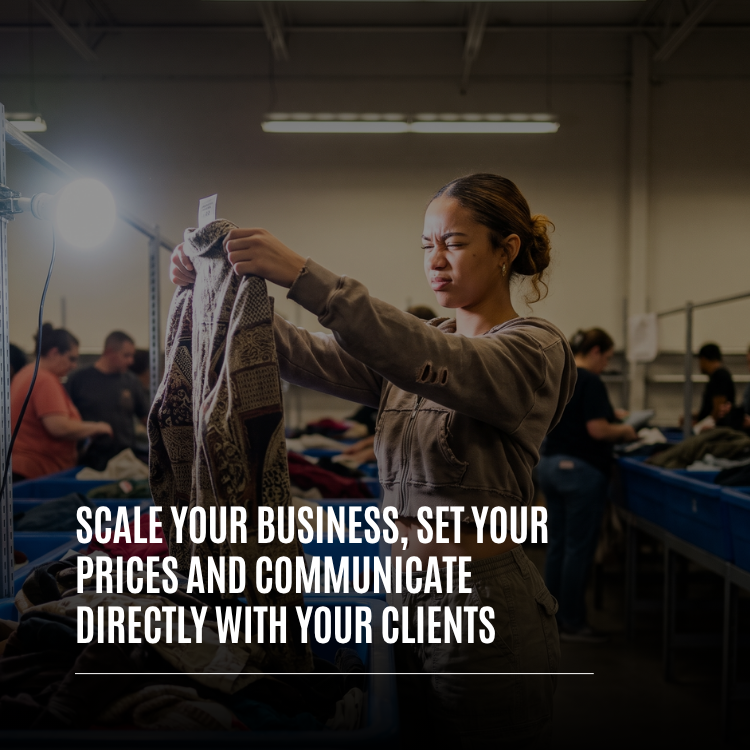
For a resale or vintage shop, where inventory turns over constantly, bulk import is the difference between listing a new batch in an afternoon and listing it over a week.
A Storefront That Grows With Your Catalog
Your storefront is how your shop looks to buyers, and the storefront builder gives you real control over it. You can choose a template and a light or dark theme, add a headline, arrange sections and categories the way you want shoppers to move through your store, and feature up to five banners, each with an image, title, subtitle, and a link to a category. Shoppers can search your shop, save favorites, and buy right from your storefront.
Every product goes into a category so customers can browse, from Clothing, Shoes, and Bags to Home & Living, Art & Collectibles, Books & Media, and more. As your catalog grows, categories and collections keep it easy to navigate, so a store with five hundred items doesn't feel like a pile.
Sell Where Your Customers Already Are
A storefront only scales if people find it. On Whistlr, your shop is connected to everything else you post. Business accounts can attach a Whistlr GO product to a Mini and pin products during a live stream with Live Shopping, so every Mini, Story, and stream can lead straight to a product page. A shopper who finds you through a Mini can tap your profile and see your Store tab right there, with the same products your Live Shopping pins point to.
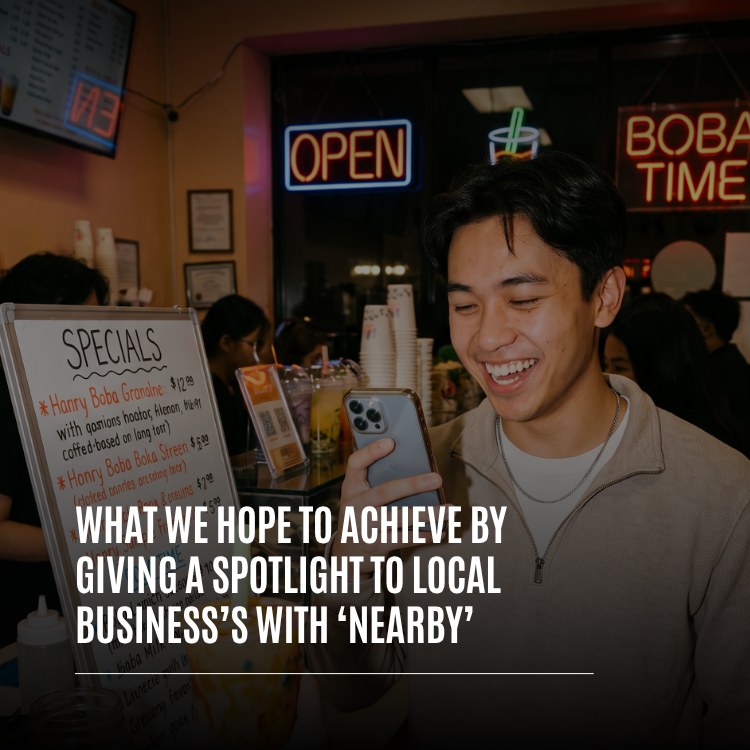
For businesses with a physical location, Havens add a local layer. Business Havens give restaurants, cafés, and shops a home on the Nearby map, so the conversation about your spot lives right where it is, and people browsing their neighborhood can discover you. A local storefront and a local Haven work well together: one is where people buy, and the other is where your regulars gather.
Know What's Working Before You Double Down
Growth decisions are only as good as the numbers behind them. Your Whistlr GO home shows net earnings, gross sales, and fees, along with total orders, conversion rate, active products, and average order value. You'll also see a sales funnel from visit to sale, your top products, your repeat rate, your dispute rate, and a six-month earnings trend. Business Suite adds audience insights and content performance, so you can see which posts and streams are bringing in buyers.
Reach New Customers With Ads When You're Ready
Organic reach, local discovery, and your existing followers can take a business a long way. When you want to grow faster, Ads Manager lets you run native ads that sit alongside posts in people's feeds. Ad copy is kept short on purpose, with primary text of up to 90 characters, a headline of up to 25 characters, and up to three placements per ad, and new ads are reviewed against Whistlr's content rules before they run.
How to Set Your Prices on Whistlr
Pricing is one of the most important decisions a business makes, and it's one you should own completely. On Whistlr, you set the price on everything you sell. Here's how pricing works across the different ways a business can earn.
Set a Retail Price for Every Product
Every Whistlr GO listing needs a title and a valid retail price in US dollars, and prices can't be negative. You can set the price when you create the listing, change it later from your products dashboard, and update it on live products as your costs or demand change. If you carry the same product in different colors and sizes, you can add those variants so shoppers pick exactly what they want.
Beyond price, listings can include a SKU, quantity, weight, vendor, product link, up to 10 images, and one video. Products published from the app also need a shipping turnaround, chosen from 1–2, 3–5, 5–7, 7–10, or 10–13 business days. Your turnaround is part of your value to the customer, so it belongs in the same conversation as your price.
Run Sales With a Compare-At Price
When you want to run a sale, you can set a compare-at price alongside your retail price to show a discount. Whistlr checks that the compare-at price is higher than your retail price, so a "sale" price never ends up higher than the original. Your product page shows the sale clearly, which is a simple, honest way to move older inventory, reward loyal customers, or make room for a new drop.
Use Stock Levels Honestly
You can set a stock quantity for each product, and your storefront can show shoppers when an item is close to selling out. Real scarcity is useful information for a buyer. Fake scarcity isn't. The Merchant Operating Agreement prohibits false scarcity, hidden fees, and manipulated customer signals, and requires that pricing, stock claims, delivery timelines, and refund terms are accurate.
Price Your Own Business Gems
Pricing on Whistlr isn't limited to physical products. Business accounts can create their own Gems, the supporter gifts viewers send during streams and on content. You pick an icon from the catalog, give your Gem a name of up to 20 characters, and set its price anywhere from $0.99 to $500. While you're editing, Whistlr shows roughly what you'll receive for each Gem after the 15% platform fee, so you can price with the real number in front of you. Viewers pay you directly through Stripe.
Custom Gems suit businesses that go live, like a shop running weekly drop streams. A small Gem lets casual viewers show support, while a higher-priced Gem gives your biggest fans a way to make a moment.
Know Exactly What You Keep
Transparent pricing only works if your own costs are transparent too. Whistlr GO takes a single 15% platform fee on each sale. Payments run through Stripe Connect as direct charges on your own Stripe account, so Stripe's standard processing fee is billed to you separately and Whistlr takes only its application fee. The 15% rate lines up with the rest of Whistlr's creator economy, so whether you earn through Gems or sales, the platform rate is easy to remember and easy to build into your margins.
If you refund an order, it's a full refund, and Whistlr's platform fee is returned too, so you're not paying a fee on a sale that didn't stick. Your earnings land in your Creator Wallet and pay out to your bank, with the choice of an instant withdrawal for a small convenience fee shown before you confirm, or a business withdrawal on the standard schedule at no extra cost.
"A business should never have to guess what it keeps. You set the price, you see the fee before the sale, and you see your net in the dashboard after. When pricing is that clear, owners make better decisions, and customers get prices that reflect what the business actually needs to thrive."
— Renata Osei, VP of Product, ETAPX
How to Communicate Directly With Your Clients on Whistlr
The third job is the one that turns a one-time buyer into a regular: talking to your customers. On a lot of platforms, a business and its customers are kept at arm's length, and every question goes through a contact form or a separate email thread. Whistlr is built around real relationships, so business messaging is part of the account, not an add-on.
A Full Inbox Inside Business Suite
Business Suite includes a complete Messages inbox. You can filter conversations by Unread, All, Solo, and Groups, search across your messages or inside a single conversation, pin the chats that matter, mute the ones that don't need you right now, and archive conversations once they're resolved. You can reply to a specific message, react, and send photos, videos, GIFs, and more, so you can show a customer a detail shot of a product, a fit photo, or a packed order ready to ship. When typing isn't enough, you can start a call right from the conversation.
From Your Customer List to a Conversation in One Tap
Your Customers page in Whistlr GO lists everyone who has bought from you, with how much they've spent, how many orders they've placed, their average order, and when they last ordered. Repeat buyers are marked as Loyal, and you can search by name, username, or email and sort by top spent or most orders. Next to each customer is a Chat button that opens a conversation with them directly. That makes it easy to thank a first-time buyer, let a loyal customer know a restock is coming, or follow up on an order without hunting for their profile.
Control Who Can Reach You
Being reachable shouldn't mean being overwhelmed. Contact Options let you decide who can send you direct messages: Everyone, People you follow, Verified accounts only, or No one. You can choose whether to show your phone number or email address on your profile, whether to allow group invites, and whether to receive calls from people who aren't in your contacts. Messages from people you haven't connected with arrive as message requests, so you can accept the conversations that belong in your inbox.
Group Chats for Your Best Customers
Some of the strongest small businesses run on community, not just transactions. Whistlr group chats hold up to 100 members, which is enough for a VIP list, a preorder group, or a circle of regulars who want first look at new arrivals. A group chat gives your best customers a place to talk to you and to each other, and it gives you a direct way to share a drop before it goes public.
Conversations That Prevent Problems
Direct communication isn't only about selling. It's also how most problems get solved before they become disputes. The Merchant Operating Agreement asks sellers to respond to customer issues, disputes, and complaints in good faith and on time. When a customer does open a dispute, Business Suite shows you their message and lets you resolve it by issuing a refund or contacting the customer directly. Whistlr also encourages buyers to message the seller first if they have a question about a charge. A quick, honest reply resolves most issues, and verified business accounts are protected against fraudulent disputes.
One rule matters here: keep checkout on Whistlr. Messaging is for questions, updates, and relationships, not for moving payment to unauthorized channels. Off-platform payments break the agreement and remove the protections your buyers expect, including real refunds and a way to raise a complaint.
"I sort and list vintage every week, and half my sales start with a message: 'What are the measurements?' or 'Does this run small?' Now I answer with a photo right in the chat, they buy from my store, and when I drop a new batch I tell my regulars in our group chat first. My repeat buyers are the reason the shop keeps growing."
— Maya, vintage reseller on Whistlr
Why Direct Communication Matters for Small Businesses
Whistlr is built on friend-first discovery, the idea that a recommendation from someone you know matters more than an algorithm's guess about a stranger. Commerce on Whistlr works the same way. When someone buys from a storefront, they're usually buying from a business they follow, a creator they watch, or a shop a friend shared. That trust is the biggest advantage a Whistlr seller has.
Direct communication is how that trust grows. A business that answers questions quickly, follows up after a sale, and tells regulars about new arrivals builds the kind of relationship that a discount code can't buy. It also gives you something just as valuable as revenue: information. Your customers will tell you which sizes you're missing, which products they wish you carried, and what price feels fair, if you give them an easy way to say it.
How to Get Started With Whistlr for Business
Setting up takes a few minutes, and opening a storefront costs nothing.
- Sign in with Apple or Google. Open the Whistlr app and sign in with your Apple or Google account. Your business tools attach to this same account.
- Open Whistlr for Business. Go to Account Center, open the Whistlr for Business page, and tap to get started.
- Complete Stripe onboarding. Confirm your identity and business details in Stripe's secure flow, then return to Whistlr. You must be 18 or older to sell.
- Watch for your Verified Business badge. Once Stripe confirms your details, your account becomes a business account and your tools unlock automatically.
- Accept the Merchant Operating Agreement. Read the seller rules and accept them before uploading products.
- Build your storefront. Pick a template and theme, add a headline, banners, and categories.
- List your products and set your prices. Add each product's title, price, images, variants, and shipping turnaround, or bulk import your catalog. Add a compare-at price for anything on sale.
- Set your Contact Options. Decide who can message you and what contact details show on your profile, then open Messages in Business Suite so you're ready for your first customer question.
- Check your Account Health. Use the Account Health page, which scores your setup out of 100, to see what's missing and fix it before you scale.
Tips for Pricing and Client Communication
The tools do a lot of the work, but a few habits separate businesses that grow steadily from businesses that stall.
- Price for your real costs. Build the 15% platform fee, Stripe processing, packaging, and shipping into your price before you publish, so every sale actually supports the business.
- Use sales with purpose. Set a compare-at price for a reason, like clearing a season or rewarding regulars, rather than keeping everything permanently "on sale."
- Answer fast, especially before a sale. A question about sizing or shipping is a buyer deciding. A quick reply with a photo often closes it.
- Follow up after delivery. A short thank-you message invites a review and makes a first-time buyer far more likely to come back.
- Reward your Loyal customers. Use your Customers page to find repeat buyers and give them early access in a group chat.
- Add tracking right away. When you add a tracking number, Whistlr detects the carrier and marks the order shipped, which answers the most common customer question before it's asked.
- Keep every sale on Whistlr. Use messages to talk and your storefront to get paid, so your buyers keep their protections and you keep your account in good standing.
"We built business messaging, the customer list, and the order tools to share the same data on purpose. When a customer writes in, you're one tap from their order history, and when you look at your best customers, you're one tap from talking to them. That connection is what lets a small team handle a growing business without losing the personal touch."
— John Ridge, CTO, ETAPX
Frequently Asked Questions
How do I scale my business on Whistlr?
You can scale your business on Whistlr by verifying a business account, opening a Whistlr GO storefront, and connecting it to your content. Bulk import lets you add up to 100 products at a time, Live Shopping and product-tagged Minis send viewers straight to product pages, Business Havens put local shops on the Nearby map, and Ads Manager helps you reach new customers when you're ready.
Can I set my own prices on Whistlr?
Yes. You set the retail price on every Whistlr GO product, can change it at any time, and can add a compare-at price to show a sale. Business accounts can also create custom Gems priced from $0.99 to $500. You decide what your products cost.
How much does Whistlr charge businesses to sell?
Whistlr GO takes a 15% platform fee on each sale. Payments run as direct charges through your own Stripe account, so Stripe's standard processing fee is billed separately. Opening a storefront costs $0, and if you refund an order, the platform fee is returned.
How do I message my customers on Whistlr?
You can message customers from the Messages inbox in Business Suite or from your Whistlr GO Customers page, where each buyer has a Chat button that opens a conversation directly. Messages support photos, videos, replies, reactions, and calls, and you can organize chats with filters, pins, mutes, and archives.
Can I control who sends my business messages?
Yes. In Contact Options, you can allow direct messages from Everyone, People you follow, Verified accounts only, or No one. You can also choose whether your phone number or email shows on your profile, and messages from people you haven't connected with arrive as message requests.
Do I need a lot of followers to open a Whistlr storefront?
No. There's no follower minimum for business verification. You need to be 18 or older, complete Stripe onboarding, and accept the Merchant Operating Agreement. Once Stripe confirms your details, your business tools unlock automatically.
Can I take payments through Whistlr messages?
No. Messages are for questions, updates, and customer relationships, and every payment should go through your Whistlr GO checkout. Redirecting buyers to unauthorized payment channels breaks the Merchant Operating Agreement and removes buyer protections like refunds and dispute handling.
Growing a business is easier when your shop, your prices, and your customers are all in the same place. Sign in with Apple or Google, open Whistlr for Business in Account Center, and start building a storefront your customers can find, trust, and talk to.