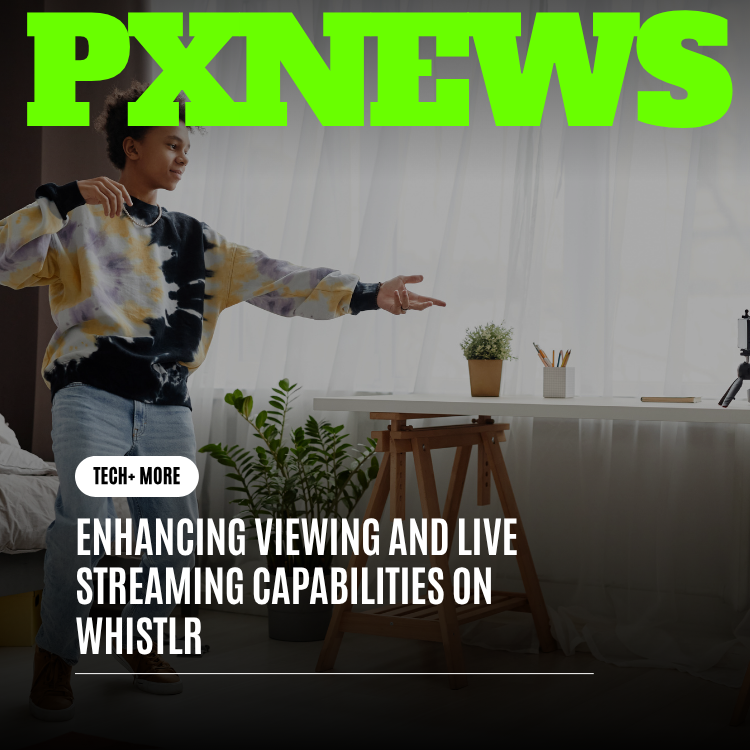
Going live is only half the equation — the other half is what it feels like to be on the other side of the screen, tapping into a stream the moment it starts and staying locked in until it ends. This update is entirely about that other half. Whistlr has overhauled the viewing experience for live streams: faster and more reliable playback, chat and reactions that keep pace with the broadcast instead of lagging behind it, a live discovery feed that actually surfaces what's happening right now, refinements to picture-in-picture, and replay highlights that pick up the moment a stream ends. The goal is simple — make watching live on Whistlr feel as alive as being there.
It's easy to think of live streaming as a creator feature, but a stream is nothing without the people watching it. Every Gem sent, every Live Shopping sale, every WildDraw vote depends on viewers being present, engaged, and able to actually experience the stream the way the creator intended. This update doesn't touch Creator Studio or the broadcasting tools at all — it's focused entirely on the watching experience, because a smoother, faster, more alive way to watch live content is what turns casual scrollers into the kind of audience that shows up, sticks around, and supports the creators they love.
Why the Viewing Side Needed Its Own Update
Whistlr has already invested heavily in the creator side of live — Creator Studio's streaming command center gives broadcasters a guided setup, real-time controls, and post-stream analytics, and picture-in-picture already lets viewers keep a stream running in a floating window while they browse. Those pieces solved real problems. But they were built from the broadcaster's vantage point, or they solved one specific viewing problem in isolation. What hadn't gotten a dedicated pass was the full, end-to-end experience of being a viewer: finding a live stream worth joining, watching it without stutter or delay, feeling like your reaction actually lands in the moment, and having something to come back to once the broadcast ends.
That gap matters because viewing experience and creator success aren't separate problems — they're the same problem seen from two sides. A creator can run a flawless WildDraw battle or a perfectly timed Live Shopping drop, but if the stream buffers at the wrong second, if chat is thirty seconds behind what's on screen, or if a viewer simply never discovers the stream is happening, none of that creator effort converts into Gems, sales, or new followers. This update treats the viewer's experience as infrastructure for the entire creator economy on Whistlr, not as a nice-to-have layered on top of it.
"We kept measuring creator tools against creator outcomes, and we were missing half the picture. A stream is only as good as it feels to watch. If a viewer can't find it, can't keep up with it, or can't trust it'll play smoothly, every dollar of investment we put into Creator Studio is fighting an uphill battle. This update is us finally giving the viewing experience the same level of attention."
— Renata Sokolova, VP of Live Experience at ETAPX
Smoother Playback You Can Actually Rely On
The most fundamental part of watching anything live is that it has to simply work — no spinning buffer icon right as something interesting happens, no unexpected drop in quality, no stream that quietly stalls without telling you. This update strengthens the playback pipeline so streams adjust to real-world network conditions more gracefully, recovering from a weak signal or a brief connection hiccup without dumping the viewer out of the stream entirely.
In practice, this shows up as fewer hard stops and faster recovery when your connection wobbles, whether you're on home wifi, mobile data, or moving between the two mid-stream. Quality now adapts more smoothly to your actual bandwidth in the moment, so you're far less likely to get stuck staring at a frozen frame during exactly the part of a stream everyone's reacting to. Reliability is invisible when it works, which is exactly the point — you shouldn't notice the technology at all, only that the stream you tapped into just plays.
Chat and Reactions That Keep Pace With the Stream
Live only feels live if everything around the video feels live too. A stream with a noticeable lag between what's happening on screen and what's happening in chat breaks the illusion immediately — you laugh at a moment, and by the time your reaction posts, the conversation has already moved three topics ahead. This update tightens that gap considerably, so chat messages, reactions, and live vote or tally updates (the kind that power formats like WildDraw) land closer to real time with the video itself.
That synchronization matters more than it sounds like it should. A tighter chat loop means a joke lands while it's still funny, a reaction emoji shows up while the moment is still on screen, and a live vote count actually feels like it's tracking the battle as it happens rather than catching up to it seconds later. Low-latency interaction is what makes a stream feel like a shared room instead of a one-way broadcast with a delayed comment section bolted on, and that shared-room feeling is exactly what keeps people typing, reacting, and sending Gems instead of watching passively.
- Faster message delivery: Chat messages post and appear with noticeably less delay relative to the live video.
- Reactions that land on the beat: Taps and reaction animations sync more closely with what's actually happening on screen.
- Real-time tallies: Live vote counts and audience-driven moments, like a WildDraw battle's vote tracker, update fluidly instead of jumping in delayed batches.
Finding Live Streams That Are Actually Happening Right Now
One of the quieter problems with live content on any platform is discovery: a great stream is only valuable to the people who know it's happening. This update introduces a sharper, more dedicated live discovery experience that surfaces what's actually live at this exact moment, rather than mixing live content in with everything else and hoping it stands out.
The live tab now prioritizes genuine real-time signals — streams that are picking up momentum, streams from creators you follow that just started, and formats like WildDraw battles or Live Shopping events that are happening this instant. Instead of browsing a static list and wondering whether something is still going, you get a feed that reflects the truth of right now. That distinction is the whole point of live content: a recommendation that was accurate five minutes ago but is stale now isn't actually helping anyone find a stream worth joining.
Better discovery doesn't just help viewers find something to watch. It directly determines whether a creator's stream gets the early audience it needs to build momentum. The first few minutes of any live stream tend to set its trajectory — a stream that picks up viewers quickly tends to keep accelerating, while one that starts quiet often stays quiet. Sharper discovery gives more streams a fair shot at that early momentum instead of leaving it to luck or an existing following.
"I used to only catch streams from creators I already followed because that's all I'd ever see. Now I actually find streams that are happening right then, and I've discovered three creators this month just because their stream showed up at the right moment while it was actually live. I would have completely missed them before."
— Janelle Okafor, Whistlr user
Picture-in-Picture, Refined
Picture-in-picture already solved the core problem of choosing between watching a stream and using the rest of the app — once you start watching, the stream follows you as a floating player while you scroll, message, or explore. This update builds on that foundation rather than replacing it, focusing on how the floating player behaves now that more of the surrounding viewing experience has improved alongside it.
With playback more stable and chat running closer to real time, the floating player carries that same improvement with it — what you see in the corner of your screen while browsing is just as smooth and just as current as the full-screen view you stepped away from. The floating player also plays more smoothly alongside the new live discovery feed, so you can keep one stream running in PiP while browsing the live tab to find the next one, without either experience competing for your attention or your phone's resources. PiP was always about not having to choose between watching and exploring; this update makes sure everything PiP connects to is operating at the same improved level.
Replay Highlights the Moment a Stream Ends
Not every viewer can catch a stream the second it starts, and a live moment that's gone forever the instant the broadcast ends is a missed opportunity for everyone — the viewer who wanted to see it, and the creator who put the energy into making it. This update extends replay and highlight availability to more of what happens during a stream, so the best moments of a broadcast are there to revisit shortly after it wraps, not just for creators who manually clip them.
For viewers, that means a missed stream isn't necessarily a missed moment. You can catch the highlight of a tense WildDraw finish, a key Live Shopping reveal, or a standout reaction moment shortly after it happened, even if you weren't there for the live broadcast itself. That extends the value of every stream well past its live window, turning a single broadcast into content that keeps finding an audience for hours or days afterward.
- Faster highlight availability: Key moments from a stream are ready to watch shortly after the broadcast ends, not after a long processing delay.
- More of the stream is replayable: Replay coverage extends beyond a single manual clip, capturing more of what actually made the stream worth watching.
- A bridge to the next live moment: Replays surface alongside live discovery, so catching up on what you missed naturally leads into what's live right now.
Why a Better Viewing Experience Is Good for Everyone
It's worth being direct about why ETAPX is investing this heavily in the side of live streaming that doesn't show up in a creator's dashboard. Every improvement described here points at the same outcome: more time spent actually watching live content, with fewer drop-offs and fewer missed moments along the way. And time spent watching is the input that everything else in Whistlr's creator economy depends on.
More reliable playback means fewer viewers bounce off a stream out of frustration before a creator even gets to make their pitch. Tighter chat and reaction timing means viewers feel present enough to actually participate — and participation is what turns into WTC Gems during a live moment or a WildDraw battle. Sharper discovery means more streams get a real audience instead of going unnoticed, which means more creators get a fair shot at a strong Live Shopping session. And better replay coverage means a great stream's value doesn't evaporate the second the broadcast ends — it keeps working for the creator afterward, bringing in views, follows, and interest that compound into the next live moment.
"None of these changes are flashy on their own — faster playback, tighter chat sync, a sharper live feed. But add them together and the app simply feels more alive. Viewers stay longer, they engage more, and that's the entire engine behind everything creators earn on Whistlr, whether that's Gems, Live Shopping sales, or a new follower discovering them through a WildDraw battle. Watching well is just as important as broadcasting well."
— Renata Sokolova, VP of Live Experience at ETAPX
Frequently Asked Questions
What's new for viewers in this Whistlr live streaming update?
This update improves stream playback reliability, brings chat and reactions closer to real time with the video, introduces a sharper live discovery feed showing what's happening right now, refines how picture-in-picture performs, and extends replay highlights so more of a stream is available to watch shortly after it ends.
Does this update change anything for creators broadcasting on Whistlr?
This update is focused on the viewing side of live streaming rather than the broadcasting tools in Creator Studio. That said, creators benefit indirectly, since a better viewing experience means longer watch times, more engagement, and more opportunities for Gems and Live Shopping conversions.
How does this update affect picture-in-picture?
Picture-in-picture itself works the same way it always has — start a stream, navigate elsewhere in the app, and it follows you as a floating player. This update improves the playback stability and chat timing underneath it, so the floating player is just as smooth and current as the full-screen view, and it works more smoothly alongside the new live discovery feed.
Can I watch a stream after it's already ended?
Yes. Replay highlights are now available more quickly after a stream ends and cover more of the broadcast, so you can catch up on key moments like a close WildDraw finish or a Live Shopping reveal even if you missed the stream while it was live.
How does Whistlr help me find live streams that are happening right now?
The live tab now surfaces streams based on real-time signals — what's gaining momentum, what just started from creators you follow, and live formats like WildDraw battles or Live Shopping events — so you see what's actually live at this moment instead of a static or outdated list.
Why does a smoother viewing experience matter if I'm not a creator?
A more reliable, lower-latency viewing experience simply makes watching live content more enjoyable — streams load and play more consistently, your reactions and chat messages land while the moment is still happening, and you're more likely to discover streams worth watching in the first place.
Live is only as good as it feels to watch, and this update is Whistlr's most direct investment yet in that side of the experience. Open the live tab, find something happening right now, and see how much more present a stream feels when playback is smoother, chat keeps pace, and the moment is never more than a tap away.