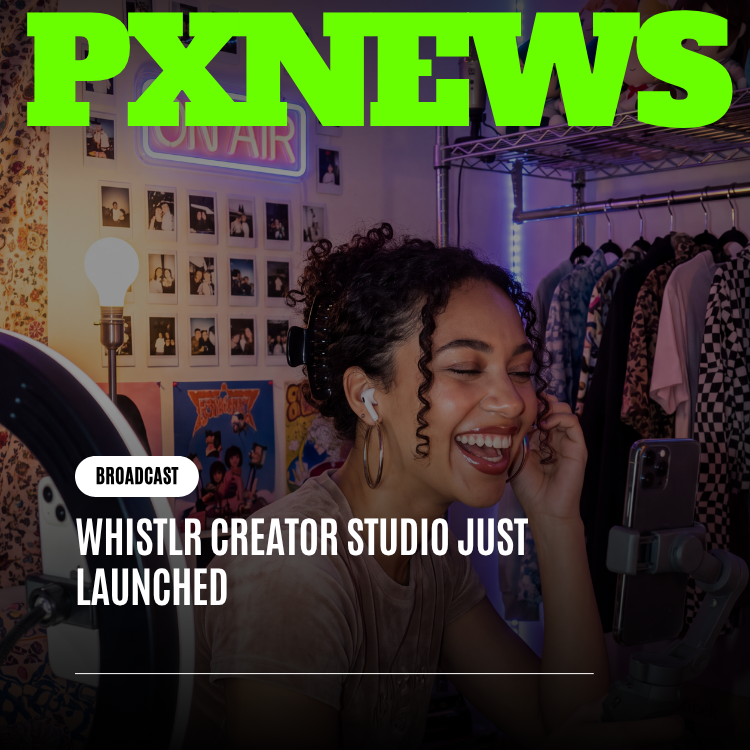
Creator Studio just launched — again, and for real this time, as something bigger than before. If that sentence made you pause, good, because it should: Creator Studio has lived inside the Whistlr app since December 2025, quietly becoming the analytics, scheduling, and monetization home for thousands of creators. What launched today is different in kind, not just in degree. Creator Studio has graduated from an in-app dashboard into its own standalone platform, with its own dedicated home at whistlr.studio, built and designed to feel like the headquarters of a real business rather than a tab you tap into between posts. This is the story of why that graduation happened, what actually changes, and why every creator who already trusted Creator Studio with their numbers has nothing to relearn and everything to gain.
We want to be upfront about the framing here, because SEO-chasing headlines love to overstate a "launch," and we'd rather earn your trust than your click. Creator Studio is not new. What is new is where it lives, how much room it has to grow, and what it signals about how seriously ETAPX takes the creators who've turned Whistlr into their livelihood. Read on for the full story of the move from in-app dashboard to standalone destination — and for exactly what it means for your day-to-day workflow starting today.
Let's Be Honest About the History First
Back in December 2025, ETAPX shipped Creator Studio as a toolset built directly into the Whistlr app — a single, unified place where creators could check advanced analytics, schedule content, manage monetization, and run live streams without stitching together a patchwork of outside apps and spreadsheets. It replaced the scattered workflow so many creators had been forced into, and it worked. Thousands of creators moved their entire operational routine into that dashboard, and it became the backbone of how serious Whistlr creators start their week: check retention, plan the calendar, review earnings, go live.
So no, "Whistlr Creator Studio Just Launched" is not a claim that nobody has heard of Creator Studio before. It's a claim about a genuine, structural milestone: Creator Studio has just launched as its own standalone platform, stepping out of the Whistlr app and into a dedicated space of its own at whistlr.studio. Think of it less like a grand opening and more like a business moving out of a spare room in someone else's house and into an office built specifically for what it does. The tools inside are proven. The address is new. And the room to grow from here is enormous.
"We've had people ask us why we'd bother re-launching something that already works. The honest answer is that it outgrew its home. Creator Studio wasn't struggling inside Whistlr — it was thriving so much that it needed more room than a settings panel inside a social app could ever give it. This is Creator Studio growing up, not Creator Studio starting over."
— AJ, Founder & CEO, ETAPX
Why Creator Studio Outgrew Being a Tab
Every product decision at ETAPX starts with watching how creators actually behave, and the behavior we watched over the past several months told a clear story. Creators weren't opening Creator Studio the way they open a notifications panel or a settings menu — quickly, reactively, then closing it and moving on. They were opening it the way a small business owner opens their accounting software: deliberately, at the start of a session, often with a cup of coffee and twenty uninterrupted minutes, to actually think about their business.
That's a fundamentally different kind of visit than anything else inside the main Whistlr app, and it exposed a real tension. Whistlr the app is built, correctly, around speed — open it, scroll, post, react, close it, come back later. Creator Studio, on the other hand, needed to support long, focused sessions: comparing months of retention data side by side, laying out a content calendar four weeks deep, reconciling Gem revenue against Storefront and Live Shopping income, reviewing brand partnership terms. Cramming that kind of deliberate, spreadsheet-adjacent workflow into the same navigation shell as a social feed meant Creator Studio was always fighting its surroundings a little. It had outgrown the metaphor of being "a tab."
The Business-Dashboard Problem
There's also a psychological dimension to this that's easy to underestimate. When your business tools live one swipe away from your social feed, it's hard to fully switch into business mode. A notification pulls you sideways. The visual language of a social app — feeds, avatars, reaction icons — keeps whispering "this is a fun app" even when you're staring at a revenue chart. Creators running five-figure-a-year operations off their Whistlr presence told us, in plain terms, that they wanted their business dashboard to feel like a business dashboard: calmer, more spacious, less like it's competing with a stream of Minis for their attention.
That feedback is exactly why the standalone launch isn't cosmetic. Creator Studio's new home was built to feel like a serious workspace — deliberately less "app," more "operating system for your creator business." Nothing about that changes what the tools do. It changes how it feels to sit down and use them for the amount of time a real business actually requires.
"A dashboard embedded in a social app has a ceiling. There's only so much complexity you can add before it starts hurting the experience of everyone who just wants to scroll and post. The moment we started sketching features creators were asking for — deeper reporting, more granular scheduling, richer partnership tools — we kept running into that ceiling. Standing Creator Studio up as its own platform removes it entirely."
— John Ridge, CTO, ETAPX
Introducing whistlr.studio: The New Home for Creator Studio
Starting today, Creator Studio lives at its own dedicated address: whistlr.studio. This is the single biggest visible change, and it's worth explaining exactly what it means in practice. Rather than navigating into Creator Studio as a section within the main Whistlr app, creators now have a destination built entirely around the business side of being a creator — no social feed competing for space, no notification badges pulling focus, no UI patterns borrowed from a consumer app that was never designed to host hours-long planning sessions.
Signing in at whistlr.studio uses the same Whistlr account and creator credentials you already have. There's no new signup, no separate verification process, and no second password to remember. Your account, your history, your data, and your settings all travel with you automatically. The move is architectural and experiential, not a fresh start you have to rebuild from zero.
What "Its Own Platform" Actually Means
- A dedicated address: whistlr.studio is now the home base for Creator Studio, purpose-built as a standalone destination rather than a nested section of the main Whistlr app.
- A business-first interface: The layout, navigation, and visual language are designed around focused, extended work sessions — the way you'd expect from dedicated business software, not a social feed.
- Room for features that never fit before: Deeper reporting views, expanded scheduling tools, and richer partnership and monetization workflows can now be built without competing for space or attention inside the main app's navigation.
- One login, zero migration: Your existing Whistlr creator account signs you straight in. Analytics history, scheduled content, Gem tiers, and monetization settings all carry over exactly as they were.
- Still fully connected to Whistlr: whistlr.studio isn't a separate ecosystem — it's the business layer that sits alongside the Whistlr app you post and stream from, reading and writing the same underlying account.
It's worth pausing on that last point, because it's the one creators ask about first: does going standalone mean Creator Studio is disconnected from Whistlr now? No. Your Whistlr presence — your posts, your streams, your followers, your Whistlr Studio editing tools — stays exactly where it is, inside the Whistlr app you already know. Creator Studio simply moved into its own building next door, with a hallway that still connects the two seamlessly.
Everything You Relied On Carries Over — Nothing Resets
We know the word "launch" can trigger a familiar dread: new interface, missing settings, a learning curve you didn't ask for, historical data that mysteriously doesn't show up on day one. None of that applies here. The standalone Creator Studio at whistlr.studio launched with full continuity from the in-app version creators have been using since December.
- Analytics history: Your retention curves, engagement trends, audience growth signals, and revenue attribution data are all present from day one — nothing resets to zero.
- Content scheduling: Anything already queued in your content calendar, along with your pinned posts and stream reminders, transferred over exactly as scheduled.
- Monetization setup: Your WTC Gem tiers, pricing, and Storefront configuration are unchanged and immediately active.
- Stream Manager settings: Your OBS Studio connection, scenes, and streaming configuration carry over — you don't need to reconnect or reauthorize anything.
- Collaboration and permissions: If you've added team members or delegated roles inside Creator Studio, those permissions and collaborators are intact on the new platform.
In other words, if you log into whistlr.studio today, it should feel less like starting over and more like walking into a bigger office and finding your desk already set up exactly the way you left it — just with a lot more room around it.
What's New in the Standalone Experience
Beyond the address change and the calmer, business-focused interface, the standalone launch brings real, tangible upgrades that simply weren't practical to build inside the constraints of the main Whistlr app's navigation.
A True Business Dashboard, Not a Panel
The home view inside the new Creator Studio is built as an actual command center: a single glance now surfaces your latest analytics trends, upcoming scheduled content, current Gem revenue, and any pending brand partnership activity, arranged with the kind of visual hierarchy you'd expect from dedicated business software. Where the in-app version had to compress everything into a compact dashboard tile, the standalone version has the literal screen real estate to lay things out properly — bigger charts, more context per metric, less scrolling to piece together the full picture.
Deeper Reporting Without the Squeeze
Analytics that previously lived in a scrollable panel now have room to breathe as full report views: side-by-side date-range comparisons, expanded retention breakdowns per post and stream, and clearer visual separation between vanity metrics and the numbers that actually predict revenue. Nothing about the underlying analytics engine changed — what changed is how much space it has to present what it already knows.
A Foundation for What Comes Next
This is the part that matters most for the long run. Every feature creators have asked for that didn't fit comfortably inside the old in-app footprint — richer partnership management, more sophisticated scheduling logic, expanded team collaboration tools for larger creator operations — now has a home that was actually built to hold it. The standalone launch isn't just a redesign of what already existed; it's ETAPX clearing the runway for the next stage of Creator Studio's development.
"Honestly my first thought was 'oh no, they moved everything and now I have to relearn it.' Then I logged in and it was just... all there. Same Gem tiers, same schedule, same analytics I'd been staring at for months. But it felt like I'd walked into an actual office instead of checking a widget between posts. I didn't expect the vibe shift to matter this much, but it genuinely changes how seriously I treat my Sunday planning session now."
— Priya Deshmukh, Whistlr creator
Why This Matters for Creators Treating Whistlr as a Business
The clearest way to understand why this graduation matters is to think about who Creator Studio actually serves. It was never built for someone posting a Mini once a week for fun — those creators are perfectly served by the main Whistlr app and Whistlr Studio's editing tools. Creator Studio has always been for the creator who checks their retention curve before deciding what to film next, who prices Gem tiers deliberately instead of guessing, who treats a brand partnership like a contract rather than a favor.
For that creator, the difference between "a dashboard inside my social app" and "a dedicated platform for my business" is not a cosmetic one. It's the difference between running your finances out of a notes app and running them out of real accounting software. Both can technically hold the numbers. Only one feels like it takes the business seriously — and increasingly, only one has the room to add the features a growing creator business actually needs.
This shift also reflects something ETAPX has believed since Creator Studio's original December 2025 launch: that a creator's independence is only as strong as the tools supporting it. A creator who deeply understands their numbers, controls their monetization, and runs a real content calendar is far less fragile than one relying on a single viral moment. Giving that operational layer its own dedicated home, rather than leaving it as a secondary feature of the social app, is a statement about how central that independence is to ETAPX's roadmap.
How to Start Using the Standalone Creator Studio Today
Getting to the new Creator Studio takes about as long as it takes to read this sentence. Head to whistlr.studio in any browser, sign in with your existing Whistlr creator account, and you'll land directly on your dashboard with everything already in place — no setup wizard, no re-verification, no rebuilding your Gem tiers from scratch.
- Existing creators: Simply sign in at whistlr.studio with your current Whistlr credentials. Your analytics, schedule, monetization settings, and streaming configuration are already there.
- New creators: Upgrade to a Creator account inside the Whistlr app first, the same free step that's always unlocked Creator Studio, and then sign in at whistlr.studio to start building your dashboard from day one.
- Team accounts: Collaborators and delegated roles set up inside the previous in-app version remain active — no need to reinvite team members or reassign permissions.
- Mobile access: The core Whistlr app continues to surface quick-glance creator notifications and shortcuts, while whistlr.studio remains the full, deep-work destination for the complete toolkit.
If you've never opened Creator Studio at all, this is also a natural moment to start. You're no longer stepping into a nested feature buried inside a social app's settings — you're logging into a platform built specifically to help you understand and grow your creator business from the very first session.
What This Signals About Where Whistlr Is Headed
Product graduations like this one don't happen by accident, and they're rarely just about interface polish. Standing up Creator Studio as its own platform is ETAPX committing real, ongoing investment to the business side of being a Whistlr creator — not as an afterthought bolted onto the social app, but as a first-class product in its own right, developed on its own timeline, with its own roadmap.
That distinction matters because it shapes what gets built next. Features that make sense for a dedicated business platform — deeper financial reporting, more sophisticated partnership tooling, expanded team and agency support for creators managing multiple accounts — are now easier to justify and easier to ship, because they no longer have to compete for space against features aimed at the much larger audience of casual Whistlr posters. Creator Studio graduating to whistlr.studio isn't the end of its story. It's ETAPX clearing the table for the next chapter.
Frequently Asked Questions
Wasn't Creator Studio already a thing? Why does this look like a launch announcement?
You're right, and we want to be direct about it: Creator Studio has existed inside the Whistlr app since December 2025, with professional analytics, content scheduling, audience insights, and monetization tools that thousands of creators already use every week. What "just launched" is not Creator Studio itself — it's Creator Studio graduating from an in-app dashboard into its own standalone platform at whistlr.studio. Think of it as a milestone in Creator Studio's growth rather than its debut. The tools are proven; the home they live in is brand new.
Do I need to migrate my data or set anything up again?
No. Signing into whistlr.studio with your existing Whistlr creator account brings your analytics history, content schedule, WTC Gem tiers, monetization settings, and Stream Manager configuration with it automatically. There's no export-import process, no re-verification, and no rebuilding anything from scratch.
Is Creator Studio still connected to the main Whistlr app?
Yes. Going standalone doesn't disconnect Creator Studio from Whistlr — it moved into its own dedicated space while remaining fully linked to your Whistlr account, your posts, your streams, and your audience. Your day-to-day posting and Whistlr Studio's editing tools still live inside the main Whistlr app exactly as before; Creator Studio at whistlr.studio is the business layer sitting alongside it.
What actually changes for creators who already use Creator Studio daily?
The tools themselves haven't changed in function — analytics, scheduling, monetization, and stream management all work the way they always have. What's different is where they live and how much room they have: a dedicated address at whistlr.studio, a calmer business-dashboard interface built for longer planning sessions, expanded reporting views, and a foundation for features that didn't fit inside the old in-app footprint.
Do I have to use whistlr.studio, or can I still find Creator Studio inside the Whistlr app?
whistlr.studio is now the full, dedicated home for Creator Studio's complete toolkit, and it's where you'll want to go for deep analytics review, scheduling, and monetization work. The main Whistlr app continues to surface quick creator notifications and shortcuts so you're never far from what's happening, but the full standalone experience lives at its new address.
Creator Studio didn't need reinventing — it needed room to grow, and now it has it. If you've been running your creator business out of the in-app dashboard since December, everything you built is waiting for you at whistlr.studio, just with a lot more space around it. If you haven't opened Creator Studio yet, there's never been a better moment to start.