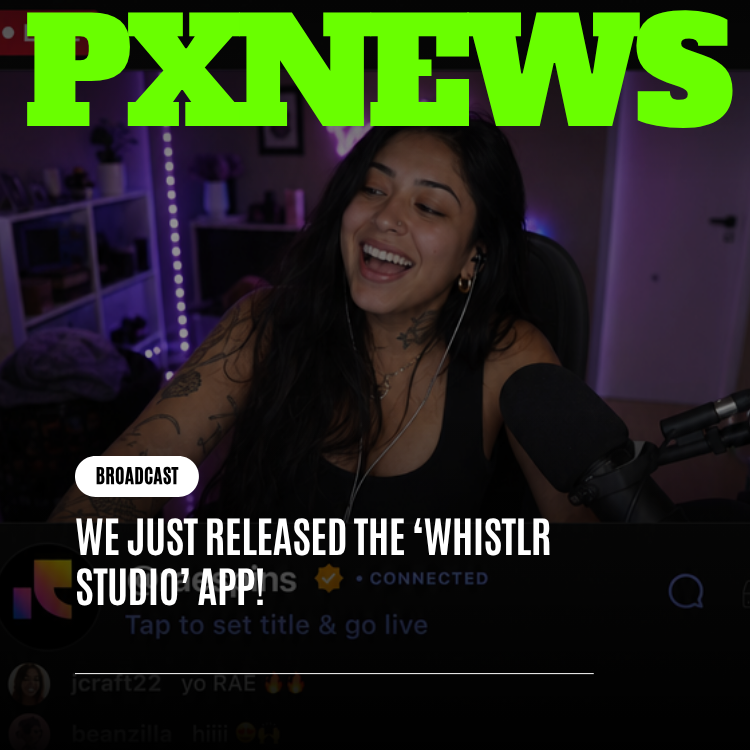
Whistlr Studio is no longer something you find inside Whistlr — it's something you can open on its own. Starting today, the creative toolkit that powers editing on Whistlr, the one built around the multi-track AI video editor, automatic captions, AI voiceover, and everything else creators use to turn raw footage into a finished Mini, is shipping as a standalone companion app. You can shoot, edit, caption, and polish without ever opening the main Whistlr feed, and when you're done, your content posts straight to your Whistlr account, no separate login, no second account, no extra setup. It's available on iOS starting today.
What Shipped Today
The Whistlr Studio app is exactly what it sounds like: the editing half of Whistlr, pulled out into its own dedicated app. Every core tool that lives inside Whistlr Studio today — the multi-track timeline, automatic captions, AI voiceover, transitions and animations, music and audio visualizers, and the built-in stock media library — is fully intact in the standalone app. Nothing was trimmed down or simplified to make the split possible. If you've used the editor inside Whistlr, opening the new app will feel immediately familiar, because it's the same editor, just no longer wrapped in the feed.
What changes is the context you're working in. Instead of tapping into the editor from inside the scrolling, notification-heavy environment of the main app, you open a dedicated space built for exactly one thing: making a piece of content, start to finish. There's no feed to get pulled into mid-edit, no incoming Circuits or SubCircuits messages competing for attention, no Moods or Blips updates sliding in while you're trying to nail a transition. It's a focused room for production, and nothing else.
This has been in the works since Creator Studio's move to its own standalone site at whistlr.studio earlier this year. That launch proved out the idea that pulling a self-contained tool out of the main app, into its own dedicated space, makes that tool better at its job rather than diminished by the separation. Whistlr Studio's app is that same idea applied to the creative side of the platform instead of the business side.
It's worth being precise about what "released" means here, because it's easy to misread this as a rebuild. It isn't. The Whistlr Studio app doesn't run on a different editor than the one already living inside Whistlr — it's the same toolkit, opened from a new front door. Projects behave the same way, tools sit in the same places conceptually, and the export presets produce the same output. The only thing that's genuinely new is that you no longer need to open the main Whistlr app to get to any of it. For a lot of creators, that single change turns out to matter more than it sounds like it should.
"Creator Studio taught us something important: when you give a tool its own front door, people use it more intentionally. They stop treating it as a menu item buried three taps deep and start treating it as a place they go to do a specific kind of work. We wanted that same shift for editing. Whistlr Studio deserved its own front door too."
— AJ, Founder & CEO, ETAPX
Whistlr Studio vs. Creator Studio: The Short Version
Because the names are close enough to trip people up, and because we know this has caused genuine confusion before, here's the distinction in one breath: Whistlr Studio is for making content — shooting, editing, captioning, exporting. Creator Studio is for running a creator business — analytics, scheduling, live streaming, monetization. Today's release gives Whistlr Studio its own app. Creator Studio already has its own site, at whistlr.studio. They are two different tools, for two different jobs, that happen to share a naming pattern that sounds more confusing than it is once you know which one does what. If you want the full breakdown of how they differ and how they work together, that's covered in depth elsewhere on PX News — this article is focused on what's new with Whistlr Studio specifically.
What's Inside the App
The standalone app carries over the complete Whistlr Studio toolkit. Nothing about the editing experience was rebuilt from scratch or reduced for the new format — it's the same production-grade toolkit, just accessible without the main app as a prerequisite.
- Multi-track timeline: Clips, audio, captions, and text each live on their own track, with trim, split, reorder, and layering controls, plus per-item adjustments for speed, brightness, blur, opacity, and crop.
- Automatic captions: Speech is transcribed into word-level, accurately timed captions with karaoke-style active-word highlighting, fully editable if the transcript needs a touch-up.
- AI voiceover: Type or paste a script, choose from a wide range of languages and voice types, and generate natural-sounding narration to drop straight onto the timeline.
- Transitions and animations: A library of draggable transitions with live preview thumbnails, plus entrance, loop, and exit animations for text and titles.
- Music and audio visualizers: Independent audio tracks for background music and sound, with animated visualizers — linear bars, radial bars, waveforms — that react to the audio in real time.
- Built-in stock media library: A searchable library of video and image assets, so a composition can be filled out without leaving the editor or hunting down a separate subscription.
Export presets cover Minis, feed posts, and stories out of the box, so the aspect ratio and format are already sorted by the time you're ready to publish — 9:16 for Minis and stories, 1:1 for feed posts, 16:9 for landscape. What you see on the timeline is what gets exported, so there's no surprise gap between the preview and the finished file.
The typical session in the app follows the same shape most creators already know from editing inside Whistlr, just without anything else competing for the screen. You start a new project, pull in footage shot on the spot or already sitting in your camera roll, and lay it out across the timeline. From there it's a matter of trimming the dead space, running automatic captions over the dialogue, dropping in a music bed, and layering a transition or two where the cuts need a little more polish. If a section needs narration instead of on-camera dialogue, the AI voiceover tool handles that without requiring a separate recording session. None of these steps require leaving the app or waiting on anything else to load — the whole loop, from raw footage to a finished export, happens in one continuous, uninterrupted sitting.
Why iOS First
Whistlr Studio's app is launching on iOS first, with Android to follow. This is consistent with how ETAPX has approached creative and professional tools before — Ocsidian is Apple-exclusive, and Influxx's native apps have led on Apple platforms as well. Serious creative tools tend to get built and tuned on iOS first at ETAPX, largely because the hardware and software combination on iPhone gives the smoothest experience for anything touching real-time video preview, scrubbing a timeline, and rendering effects live as you edit.
That doesn't mean Android creators are an afterthought. It means the iOS release gets the fullest possible attention before the toolkit gets adapted for the far more fragmented hardware landscape Android represents, so that when it does arrive there, it arrives solid rather than rushed.
This pattern will feel familiar to anyone who's followed ETAPX's other product launches. Ocsidian shipped as an Apple-exclusive experience from day one and has stayed that way by design. Influxx's ADE and Podz tooling built its earliest, deepest integrations on macOS and iOS before expanding its reach. The through-line across all of it is that when a tool depends heavily on smooth, real-time performance — scrubbing through footage, previewing an effect the instant it's applied, watching an audio visualizer track a waveform without a hint of lag — ETAPX would rather nail that experience on a single, well-understood platform than spread the same effort thin across many at once. Whistlr Studio's editor leans on exactly that kind of real-time responsiveness, which made the choice of where to launch first a straightforward one.
"We'd rather ship something excellent on one platform first than something mediocre on two platforms at once. iOS lets us push the editor hard and know exactly what hardware it's running on. That's the version we want creators judging Whistlr Studio by first."
— John Ridge, CTO, ETAPX
How Posting Back to Whistlr Works
The whole point of separating the editor from the feed is to make editing calmer, not to make publishing harder — so the connection back to your Whistlr account is as close to invisible as possible. Sign into the Whistlr Studio app with the same Whistlr login you already use, and your account is right there, no separate registration and no new password to create. Whistlr Studio is a companion to your existing account, not a parallel identity.
Once a Mini, post, or story is finished, exporting from Whistlr Studio hands it straight to your Whistlr account, ready to publish, with the caption, cover frame, and any tags you've set already attached. You can post immediately or save the finished export as a draft and publish later from inside the main Whistlr app — whichever fits how you actually work. Either way, there's no manual export-and-reimport step, no separate file to save and dig up later. Finish editing in Whistlr Studio, and your content is one tap away from being live on Whistlr.
Why This Matters for Creators
Ask any creator what pulls them out of a good editing session, and the answer is almost always the same: the feed. You open your creative tools to trim a clip, and three notifications, a Circuit reply, and a Waves recommendation later, you've lost the thread of what you were making. That's not a flaw specific to Whistlr — it's what happens when a creative tool lives inside a social feed by design. The feed is built to pull attention outward. Editing needs attention pulled inward.
Creator Studio's graduation to its own site solved this exact problem for the business side of being a creator — checking analytics or planning a stream no longer meant getting pulled back into the feed along the way. The Whistlr Studio app applies the same fix to the creative side. Open it, and there's nothing to scroll, nothing to react to, nothing waiting to interrupt a cut. Just the timeline, the clip, and the tools to finish it.
This matters most for the kind of focused, sit-down editing session that a quick post doesn't need but a real Mini often does — stitching together several clips, timing captions against a voiceover, picking the right transition for a beat. Those sessions benefit enormously from a space that isn't also trying to be a social feed at the same time. A quick reaction post might still get shot and posted from inside the main Whistlr app in seconds, and that's fine — the app isn't trying to replace every posting habit a creator already has. It's there for the sessions where the work deserves more than a few seconds of divided attention, and those sessions are exactly where a distraction-free space pays off the most.
There's also a quieter, more practical benefit that shows up over time: separating editing from browsing changes the relationship a creator has with their own process. When the editor and the feed share one app, "opening Whistlr to make a Mini" and "opening Whistlr to see what's new" are the same action, and it's easy for the second impulse to quietly swallow the first. Opening a dedicated app removes that ambiguity entirely. There's only one reason to open Whistlr Studio, and that clarity tends to make the habit of actually finishing an edit stick a lot better than good intentions alone ever did.
Creator Reactions
Whistlr Studio's app was tested with a group of creators ahead of today's public release, and the most common feedback echoed almost exactly what Creator Studio's early testers said when that tool went standalone: the separation itself is the feature.
"I didn't think I needed this until I used it. I open the main Whistlr app and I'm a scroller within ten seconds, it's just how my brain works. Having an app where the only thing I can do is edit means I actually finish the edit before I look at anything else. My Minis have gotten noticeably better just because I'm not half-distracted while making them."
— Priya Nandakumar, Whistlr creator
Other testers pointed to smaller, practical wins — being able to shoot and rough-cut something on the go without the main app's battery and data footprint, or handing the Whistlr Studio app to a collaborator to work on an edit without giving them access to the full Whistlr account and feed. None of that was the headline reason for building the app, but it's the kind of benefit that shows up once real creators start actually living in a dedicated tool.
"The thing that surprised me is how much faster I edit now, and it's not because anything about the timeline changed. It's that I'm not context-switching every ninety seconds. I used to bounce between trimming a clip and checking who commented on my last post. Now I just edit until the thing is done, then I go post it and catch up on everything else. It sounds small but it's genuinely changed how much I get made in a week."
— Marcus Delgado, Whistlr creator
What's Next
Today's release is the first version of the Whistlr Studio app, not the finished one. The immediate roadmap includes the Android release, along with continued refinement of the editor itself based on how creators are actually using it in a standalone context versus inside the main app — those usage patterns won't be identical, and the app will evolve to match how it's really being used.
Multi-device syncing for projects started on one device and finished on another is also on the near-term list, as is expanded collaboration support for creators who work with an editor or a small production team. Both of those features matter more in a standalone app than they ever did inside the main Whistlr experience, precisely because creators are treating Whistlr Studio as a dedicated production tool now rather than a feature they dip into between scrolling sessions — and dedicated production tools tend to get used across more devices, and by more than one person, than a feature buried inside a social feed ever does.
The bigger picture is one ETAPX has been building toward deliberately: Whistlr's ecosystem is increasingly made up of focused, best-in-class tools that connect back to one account, rather than a single app trying to do everything for everyone at once. Creator Studio proved that model for the business side. Whistlr Studio's app proves it for the creative side. Expect more of this pattern going forward, where a tool that's mature enough to stand on its own gets the chance to.
"Every time we've pulled something out and given it room to breathe, it's gotten better, and the main app has gotten simpler at the same time. That's not a coincidence. Focused tools are just better tools. We're going to keep doing this wherever it makes sense."
— Marcus Whitfield, Head of Product, ETAPX
Frequently Asked Questions
Is the Whistlr Studio app the same as Creator Studio?
No, and this is the single most common point of confusion. The Whistlr Studio app is a creative tool for shooting, editing, captioning, and exporting content — Minis, posts, and stories. Creator Studio, which already has its own site at whistlr.studio, is a completely separate business dashboard for analytics, scheduling, live streaming, and monetization. The two share a naming pattern, not a purpose. If you're looking to edit a video, you want Whistlr Studio. If you're looking to check performance or go live, you want Creator Studio.
Do I need a separate account to use the Whistlr Studio app?
No. The Whistlr Studio app uses the same login as your main Whistlr account. There's no new registration, no new password, and no separate identity to manage. It's a companion app to the account you already have.
Is anything missing from the app compared to the editor inside Whistlr?
No. The standalone app carries the complete Whistlr Studio toolkit — the multi-track timeline, automatic captions, AI voiceover, transitions and animations, music and audio visualizers, and the built-in stock media library are all fully intact. Nothing was reduced or simplified for the standalone release.
When is the Whistlr Studio app coming to Android?
It's on the near-term roadmap. The app is launching on iOS first, consistent with how ETAPX has approached other creative and professional tools, so the editing experience can be tuned tightly before being adapted for Android's broader range of hardware. An Android release will follow.
How does my content get from the Whistlr Studio app back onto Whistlr?
Once you finish editing a Mini, post, or story, exporting it hands it straight to your Whistlr account with your caption, cover frame, and tags already attached. You can publish immediately from there or save it as a draft and post later from the main Whistlr app. There's no manual file transfer or reimport step involved.
Whistlr Studio's editor was always the part of Whistlr built for making something, not for scrolling through something — now it has a space of its own that matches that purpose. Download the app on iOS today, sign in with your existing Whistlr account, and the next Mini you make can start and finish somewhere quieter.