We're helping local businesses sell to their community in person, because the best sale a neighbourhood shop ever makes still happens face to face: across a counter, at a market table, or at a pop-up on a Saturday afternoon. Whistlr's job is to fill that moment with the right people. Nearby puts your business on a map of what's happening around you, Havens pin your shop, café, studio or stall to its real address, lives and location tags show people what's on right now, and Messages lets neighbours ask a question before they walk over. This article explains how local businesses sell on Whistlr, how to put your business on the Nearby map, how customers find you and get directions to your door, how to host a pop-up or in-store moment with Havens and lives, how to use your Storefront alongside your shop, and the safety tips that keep in-person sales friendly and secure for everyone.
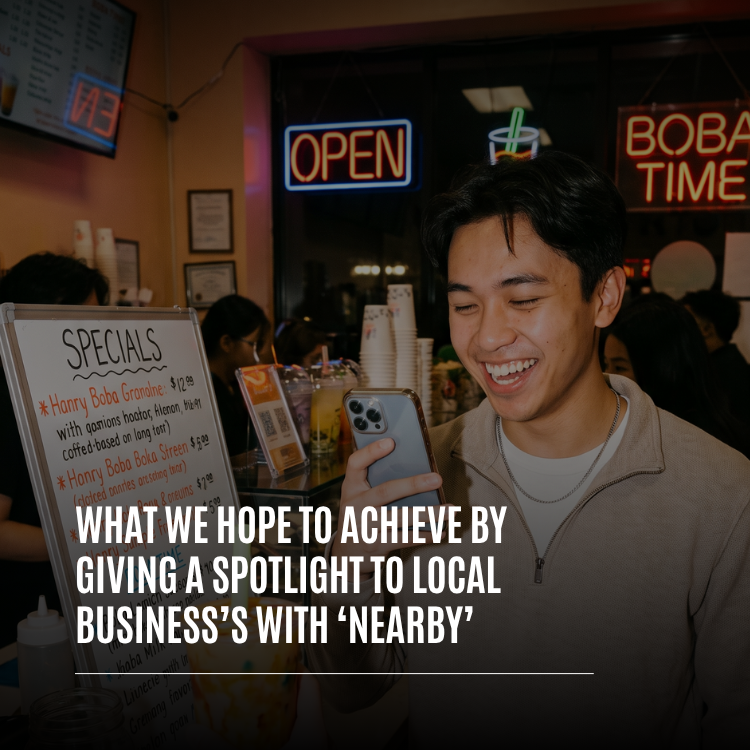
We've written on PX News about why we built Nearby to spotlight local businesses, about picking real places like restaurants and theaters on Nearby, and about our goal of helping local businesses grow. This piece is the practical playbook for one specific goal: turning the people near you on Whistlr into the people who come through your door and buy from you in person.
How Do Local Businesses Sell on Whistlr?
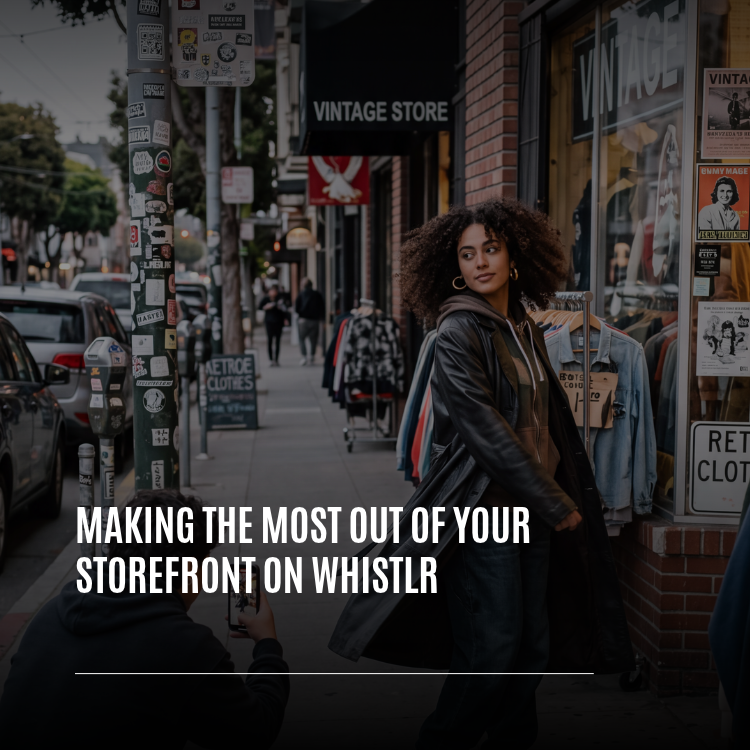
Local businesses on Whistlr sell in two ways that work best together. Online, a verified business account can open a Storefront, where people browse your products and check out right in the app. In person, Whistlr helps people nearby discover your business, decide to visit, and find their way to your door, where they buy from you the way your customers always have.
Whistlr's in-app pitch to business owners puts it simply: "Sell to your community, take orders and see what's working — all from a business account." For a shop with a real address, "your community" means the people who live and work a few streets away. These are the tools that connect you to them:
- Nearby: A map of Havens, lives and posts around each person, browsed with category chips like Business, Food, Fitness and Popular.
- Havens: Communities pinned to a real place. A Haven at your shop is your sign on the map, with its own feed, members and conversation.
- Live Havens: Go live from your business and choose Make this live a Haven to pin your stream to your location while you're on air.
- Location tags: You and your customers can tag your business on posts with Add location, so its name shows under the post.
- Messages: Neighbours can ask about stock, sizes or opening times before they make the trip.
- Your Storefront: An always-open shop on your profile for the people who want to browse first, or who can't make it in today.
- The Verified Business badge: A sign on your profile that customers are dealing with a real, verified business.
"A local business doesn't need the whole world to find it. It needs the people a few blocks away. We built Whistlr so the café, the barber and the record shop can reach those neighbours, and then do what they do best when someone walks in."
— AJ, Founder & CEO, ETAPX
Why In-Person Selling Still Matters for Local Businesses
Buying in person is about more than a transaction. A customer can try the jacket on, smell the coffee, hear the record, or ask the person who made the thing how it was made. They leave with it in their hands that day. And a business that meets its customers face to face builds the kind of loyalty that turns a first visit into a weekly habit.
What local businesses often lack isn't a great experience in the shop. It's a way to reach the people nearby who don't know the shop exists yet. That's the gap Whistlr fills:
- Discovery that starts with where people are: When someone opens Nearby, they see what's around them on a map, not what's popular in some other city.
- A fair shot for small businesses: Nearby's cards rotate so places a person hasn't seen yet come first, and the Popular chip ranks Havens by how many people are there right now. A busy afternoon can lift a small shop on the map.
- Free to show up: Creating a Haven and appearing on Nearby costs nothing.
- Word of mouth that travels: When customers tag your business on their posts and send your Haven to friends, your neighbourhood does your marketing for you.
How to Put Your Business on the Nearby Map
A Haven pinned to your business is the foundation of selling in person on Whistlr. It's how your shop appears on Nearby, and it gives your regulars a place to gather between visits. Setting one up takes a few minutes.
- Open Create and switch to Havens. Swipe along the bottom of the Create sheet to "Create a Haven" and tap Get started.
- Name it and describe it. Fill in "Name your Haven" with your business name, and use "What's happening here?" for a line about what you're known for.
- Tap Location. A sheet titled "Where is it?" opens with the line "Havens live on the Nearby map. Drop yours where people will gather."
- Choose how to place it. Tap "Use my current location" if you're standing in your shop, or choose a place to search for your business by name or address, so the pin lands right on your door.
- Pick a category. Choose the closest fit so people nearby can find it: Business for shops and services, Food & Drink for cafés and restaurants, Sports & Fitness for gyms and studios, Music or Entertainment for venues.
- Add a strong cover. Choose one video or up to four photos that show your space, your products and your people. Your cover is your shop window on the map.
- Keep it public. A public Haven can be found by anyone on Nearby, which is exactly what a business wants.
- Publish and post a welcome. Share your opening hours, what's new this week and what you're known for, then pin that post so it's the first thing visitors see.
If you have more than one location, give each its own Haven, each with its own regulars. As the owner, you can edit your Haven's cover, title and description at any time, so keep it current when your hours, menu or stock change.
You don't need a business account to create a Haven. A verified business account adds the Verified Business badge, your Storefront, Live Shopping and Gems, and you can apply from Whistlr for Business in Account Center whenever you're ready.
How Customers Find and Visit Local Businesses on Nearby
It helps to know exactly what your neighbours see when they discover you, because every detail is a reason to visit.
On the Map
Nearby opens on a map of the area, with Havens as pins and a row of cards to swipe through at the bottom. Category chips along the top filter the map, and they follow the area, showing the categories that actually have Havens nearby, busiest first. People can move the map and tap Search this area to explore a different part of town, which means someone planning a trip to your neighbourhood can find you before they arrive.
On Your Haven's Cover
When someone taps your pin or your card, your Haven opens as a full-screen cover:
- Your cover photo or video: Full bleed, front and centre.
- Your Haven's name and "Hosted by": So people know who's behind it.
- What's happening: A line that reads Live now, how many people are here now, when the Haven was last active, or Open now.
- Your address and distance: Your pinned address with how far away it is, or "Right here" if they're practically at your door. Tapping the address opens directions in their phone's maps app.
- Who's in: Faces of members and a count, which tells a newcomer this is a place real people go.
- Enter Haven and Bring someone: One button to step inside your Haven's feed, and one to invite friends along.
Bring Someone
Bring someone is how one customer becomes a group. It opens a send sheet on the Haven's cover where they can search their contacts, pick a few people, add a note and tap Send. Each person gets your Haven in a direct message. There's also a link to share it anywhere else. "Let's go here Saturday" is the kind of message that sells more than any ad.
"The moment that matters for a local business is when someone looks at the map, sees a place they'd love, and taps for directions. Everything about Nearby is built to get people from that tap to your front door, and ideally with a friend."
— AJ, Founder & CEO, ETAPX
How to Host a Pop-Up or In-Store Moment With Havens and Lives
Some of the best in-person sales happen at a moment: a fresh batch out of the oven, a new collection on the rail, a tasting, a trunk show, or a weekend stall at a market. Whistlr gives you a few ways to turn those moments into foot traffic.
Pin a Haven Where the Pop-Up Is
Selling somewhere other than your usual spot? Create a Haven pinned to the market, the venue or the hall where you'll be, describe what you're bringing and when, and post updates in its feed as the day goes on. People nearby see it on the map, and your regulars can tap Bring someone to invite their friends. When the pop-up is over, you can remove the Haven from the map.
Go Live and Make It a Haven
When something worth seeing is happening right now, go live from your business and choose Make this live a Haven. Your stream is pinned to your current location on Nearby for as long as you're live, so people a few streets away can watch what's happening and decide to come over. Once your Live Haven is running, you can see how many people came in from the pin. Tap End Haven to take the pin off the map while your live carries on, and the pin goes away on its own when your stream ends.
Show Products While You're Live
Business accounts can tap Pin a product during a live to put an item from their Storefront on screen. Viewers who can't make it in can buy while you talk, and viewers nearby can see exactly what's waiting for them on the shelf.
Announce It Ahead of Time
Post about your pop-up or in-store moment a few days ahead in your feed, in your Haven, and as a Mini. Tag the place with Add location so the venue's name shows under the post. Then post again on the day, and once more when you're open, so the people who saw the first post get a nudge.
How to Use Location Tags, Posts and Minis to Bring Neighbours Through the Door
Every post you make can point people to your shop.
Tag Your Business on Every Post From the Shop
When you write a post with photos or text, tap Add location and pick your business. If location access is already on, a row of nearby place chips sits under Add location, so tagging your own shop takes one tap. The place's name then shows under your name on the post. Ask your customers to tag you too. Every tagged post from a happy customer is a recommendation their friends can see.
Post What's on the Counter Today
Local customers love knowing what's new. Daily specials, a restock, a new arrival, a behind-the-scenes clip of something being made: short, regular posts give people a reason to drop by. Minis are perfect for this, because a few seconds of video shows a product better than any description.
Put a QR Code on Your Counter
Share Profile in Account Center gives your business its own QR code. Pick a color and an emoji, tap Download to save it, and print it for your counter, your window, your bags or your receipts. Customers can scan it with Scan a QR code in Whistlr to land on your profile, follow you and see your Store tab. It's the easiest way to turn today's walk-in into tomorrow's follower.
Reach More Neighbours With a Boost
When you want more people nearby to see a great post, Ad tools lets business accounts boost it from the app. Choose your goal, then build your own audience with the locations you serve, set a daily budget and choose how many days it runs.
How to Use Messages to Answer Questions and Plan a Visit
Before someone makes the trip, they often have one question. "Do you have this in a medium?" "Are you open late on Friday?" "Can I bring my dog?" A fast answer is often the difference between a visit and a maybe.
- Make yourself reachable: In Contact options, choose who can message you: Everyone, People you follow, Verified accounts only, or No one. Most local businesses choose Everyone so new customers can ask questions.
- Show your contact details if you want calls: Turn on Show phone number or Show email address to display them on your profile.
- Answer with a photo: Send a quick photo of the item on the shelf, the size label or the specials board. It's the next best thing to being there.
- Keep a group for your regulars: A group chat is a simple way to tell your best customers about new stock or a tasting before anyone else.
- Confirm the details in writing: If a customer asks you to hold something for them, agree on the item, the price and the time they'll come in, right in the chat, so there's no confusion at the counter.
Keep conversations about Storefront orders inside Whistlr too. Customers can tap Message on any order in My Orders, so the conversation stays connected to the purchase.
"Neighbours talk to neighbours. When someone messages a local shop and the owner answers with a photo of the exact thing they asked about, that customer is already halfway out the door. We want every local business on Whistlr to feel that close to its community."
— AJ, Founder & CEO, ETAPX
Browse Online, Buy in Person: Using Your Storefront Alongside Your Shop
Your Storefront and your physical shop aren't competitors. They're two ends of the same visit. Many customers like to browse on their phone first, then come in to see it, try it and take it home.
- Your Store tab is your window display: With a verified business account, your products appear in the Store tab on your profile and in your full Storefront, with photos, prices, colors and sizes. Someone who discovers you on Nearby can tap through to your profile and see what you stock before they visit.
- Online orders for people who can't make it in: When Allow checkout is on, customers can tap Add to bag or Buy now and check out in the app, and you manage the order in Orders & Fulfillment.
- Counter favorites: Some things are best bought in person, like fresh food or one-of-a-kind pieces. Post them as a photo or a Mini with your location tagged, and invite people to come by and grab one.
- Saved products bring people back: Shoppers can heart products and find them later in Product Favorites, which makes it easy for them to show you exactly what they came in for.
One rule keeps this working for everyone: anything a customer buys through your Storefront is paid for through Storefront checkout. Sales you make at your own counter are yours to ring up as you always have. What you should never do is ask someone who found a product in your Storefront to send payment through Messages or another channel instead. Storefront checkout is what gives your customers a receipt, order tracking and the Help button, and it keeps your account in good standing.
How Verification and Privacy Help Neighbours Trust Your Business
In-person selling runs on trust in both directions. Customers want to know your business is real, and they want to know Whistlr won't expose them for using it.
The Verified Business Badge
When your business account is verified, the Verified Business badge appears on your profile. For a customer deciding whether to visit a shop they found on a map, that badge says they're dealing with a real, verified business. There's no follower minimum, so a brand-new shop can verify on day one.
Posts, Not People
Nearby shows posts and places, never people. Nobody can see where a customer is, location stays off unless a person turns it on, and a place appears on a post only when someone chooses to tag it. Live Havens show you counts, like how many people came in from your pin, not names or locations. That's why customers feel comfortable using Nearby to find you, and it's why the map stays full of people looking for places like yours.
Havens Are Real, Public Places
Every new Haven comes with a short guideline: "Havens are real places people can show up to. Keep them public, safe and welcoming — no private homes or unsafe meetups." For businesses, that means pinning Havens to your shop, your stall or a public venue, never to a private address.
Safety Tips for Selling in Person
The vast majority of people you'll meet through Whistlr are exactly who they say they are: neighbours who want what you sell. A few simple habits keep it that way for you, your staff and your customers.
- Sell from your business or a public place: Your shop, a market, a busy café or a well-lit public space. Never invite a customer you've only met online to your home, and never go to theirs.
- Prefer daytime and opening hours: Busy times with other people around are the safest times to meet someone new.
- Bring a friend: If you're running a stall or meeting a customer away from your shop, have someone with you, and tell a friend or colleague where you'll be.
- Keep the conversation in Whistlr: Talk in Messages until you know someone, rather than handing out a personal number or address. It also keeps a record of what you agreed.
- Confirm payment before you hand anything over: At your counter, make sure the payment has actually gone through on your own register. A screenshot of a payment is not a payment. For Storefront orders, check that the order shows as paid in Orders & Fulfillment.
- Watch for scam signs: Be wary of anyone who offers to overpay and asks for change back, asks you to pay a fee to receive their money, insists on gift cards, pressures you to act right now, or asks for a password or verification code. No genuine customer needs any of those.
- Keep Storefront sales in checkout: If someone found an item in your Storefront and asks to pay you some other way, point them back to checkout. It protects both of you.
- Report and block: If someone behaves badly, use the report and block options in the profile or post menu. Reporting a scam helps protect every other business on Whistlr.
- Trust your instincts: If something feels off, it's always fine to say no, end the conversation and walk away.
Tips for Local Businesses Selling to Their Community in Person
- Pin the exact spot: Put your Haven on your front door, not the middle of town, so the distance people see is real.
- Choose an honest category: Food for places to eat, Business for shops and services, Fitness for gyms and studios.
- Make your cover your shop window: Show the space, the products and the people. One great video or four strong photos.
- Pin a welcome post: Opening hours, what you're known for and what's new, right at the top of your Haven.
- Go live when it's busy: A Live Haven during a rush, a launch or a tasting shows people nearby that something is happening right now.
- Tag your shop on every post: And thank customers who tag you.
- Print your QR code: Put it by the till and on your bags so every visitor can follow you.
- Answer messages fast: A quick reply with a photo is often what gets someone out the door.
- Use your Storefront as a window: Keep your Store tab current so people can browse before they visit.
- Keep your Haven current: Update your cover and pinned post when hours, menus or stock change.
Frequently Asked Questions
How do local businesses sell on Whistlr?
Local businesses sell on Whistlr online through a Storefront on their business profile, and in person by using Nearby, Havens, lives, location tags and Messages to bring customers through their door. Many businesses do both: customers browse the Storefront, then come in to buy.
How do I get my business on the Nearby map?
Create a Haven pinned to your business. Open Create, switch to Havens, name it, tap Location and either use your current location or search for your business, pick a category, add a cover and publish. Your Haven appears on Nearby for people in the area.
Does it cost anything to appear on Nearby?
No. Creating a Haven and appearing on Nearby is free. Nearby's cards rotate so newer places get a turn, and the Popular chip ranks Havens by how many people are there right now.
Can customers get directions to my business from Whistlr?
Yes. When someone opens your Haven on Nearby, the cover shows your address and how far away you are. Tapping the address opens directions in their phone's maps app.
How can I promote a pop-up or in-store event on Whistlr?
Create a Haven pinned to the pop-up's location, post about it ahead of time and on the day, and tag the place on your posts. When it's happening, go live and choose Make this live a Haven so people nearby can see it on the map. Customers can tap Bring someone to invite friends.
Can people see my customers' locations on Nearby?
No. Nearby shows posts and places, never people. Location stays off unless someone turns it on, and Live Haven stats show counts, not names or locations.
Can customers buy online and visit my shop too?
Yes. With a verified business account, your products appear in the Store tab on your profile and in your Storefront, where customers can check out in the app. Things you'd rather sell at the counter can be shared as posts with your location, so people know to come in.
Can I take payment through Whistlr messages?
No. Messages are for questions, details and relationships. Anything bought from your Storefront is paid for through Storefront checkout, and in-store sales are rung up at your own counter as usual.
What's the safest way to meet a customer I met on Whistlr?
Meet at your business or another busy public place during the day, bring a friend if you're away from your shop, keep the conversation in Whistlr, and confirm payment has gone through before handing anything over. Report and block anyone who behaves suspiciously.
Do I need a business account to use Havens?
No. Anyone on Whistlr can create a Haven. A verified business account adds the Verified Business badge, a Storefront, Live Shopping and Gems, and you can apply from Whistlr for Business in Account Center.
Your next regular is probably a few streets away right now, scrolling Nearby. Pin your business to the map, post what's on the counter today, go live when it's busy, and give your neighbours every reason to come in and say hello. Open Whistlr and put your shop where your community can find it.