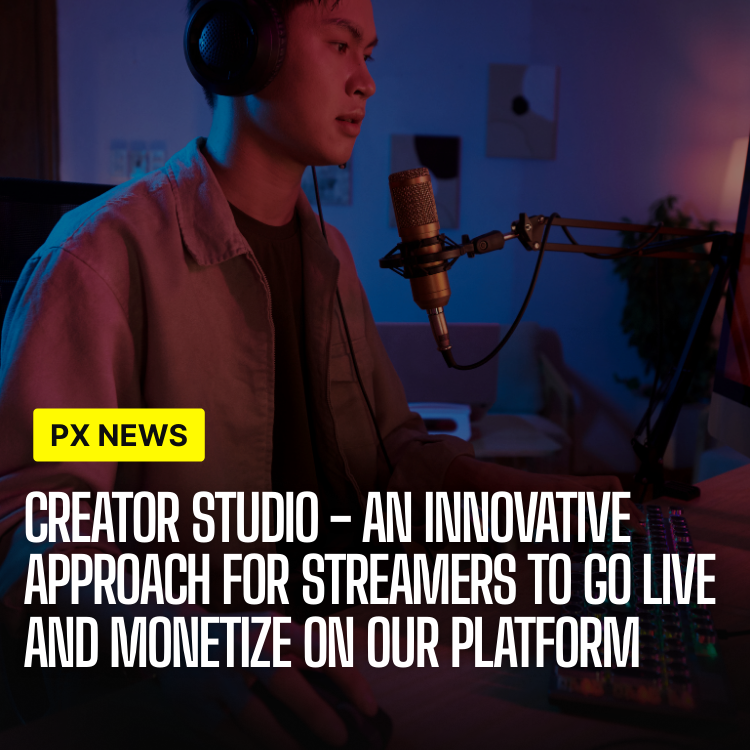
Today, we're excited to announce the launch of Creator Studio, a comprehensive suite of professional tools designed specifically for content creators on Whistlr Network. This marks a significant milestone in our commitment to empowering creators with the resources they need to build sustainable creative businesses—not just grow an audience, but actually run a business around the work they love.
Creator Studio brings enterprise-level analytics, monetization tools, and content management capabilities directly into the hands of every creator on our platform. Whether you're just starting out or managing a large creator business, these tools provide the insights and control you need to succeed.
Why We Built Creator Studio
For years, creators have been asked to stitch together a workflow from a dozen disconnected apps: one tool for scheduling, another for analytics, a spreadsheet for income, a separate dashboard for streaming, and yet another inbox for brand deals. Every handoff between those tools is a place where time leaks and context gets lost. Creator Studio exists to close those gaps, replacing a tangle of tabs with a single command center built around how creators actually work.
The deeper goal is independence. A creator who understands their numbers, owns their schedule, and controls their monetization is far less fragile than one who depends on a single viral post or a single platform's whims. Creator Studio is designed to make that kind of durable creative business the default on Whistlr rather than a privilege reserved for those who can afford a manager and a media team.
What's Included in Creator Studio
Creator Studio offers a complete toolkit for professional content creation:
- Advanced Analytics: Deep insights into audience engagement, growth trends, and content performance
- Content Scheduler: Plan and schedule posts across all feeds with an intuitive calendar interface
- Monetization Dashboard: Track earnings, manage subscriptions, and analyze revenue streams in real-time
- Stream Manager: Professional broadcasting tools with multi-camera support and real-time chat moderation
- Collaboration Tools: Invite team members and manage permissions for business accounts
- Brand Safety Controls: Advanced content moderation and audience filtering options
The platform integrates seamlessly with OBS Studio, allowing creators to use their existing streaming setups while accessing Whistlr's advanced features.
"Creator Studio represents our vision for the future of content creation. We're not just providing tools—we're building an entire ecosystem that supports creators at every stage of their journey."
— Alex Chen, VP of Creator Products, ETAPX
A Closer Look at the Analytics
Numbers only help if they tell you what to do next. Creator Studio's analytics are built around that principle, surfacing the handful of signals that actually move a creative business instead of drowning creators in dashboards. Beyond raw view counts, the suite highlights audience retention curves, the moments where viewers drop off, and the formats that consistently turn casual viewers into returning fans.
- Retention mapping: See exactly where attention rises and falls inside each post or stream, so you can refine pacing and structure.
- Audience growth signals: Understand which content brings in new followers versus which content deepens loyalty among existing ones.
- Best-time guidance: Scheduling recommendations based on when your specific audience is most active and responsive.
- Revenue attribution: Connect earnings back to the posts, streams, and subscriptions that generated them.
Crucially, Creator Studio is built to resist the trap of vanity metrics. The dashboard is designed to answer "is my work connecting and earning?" rather than "how big is the number?"—a distinction that keeps creators focused on sustainable growth instead of chasing fleeting spikes.
Built for Creators at Every Stage
Creator Studio is not a one-size-fits-all product. A first-time streamer and a creator running a small media company have very different needs, and the suite scales with both.
- New creators: Get a guided starting point with simple analytics, easy scheduling, and clear first steps toward monetization.
- Growing creators: Layer in deeper insights, audience segmentation, and consistent publishing routines to build momentum.
- Established creators and teams: Use collaboration tools, role-based permissions, and white-label options to run a professional operation with a team behind it.
- Business accounts: Combine creator workflows with brand-safety controls and partnership tooling for larger campaigns.
"Before Creator Studio I was running my whole channel out of three apps and a notebook. Now I plan my week, watch my retention, and check my earnings in one place. It gave me back the time I used to spend just keeping things organized."
— Lena Ortiz, Whistlr creator
Early Access Results
During our three-month beta period, over 5,000 creators tested Creator Studio. The results exceeded our expectations:
- Average engagement rates increased by 47% using the analytics insights
- Creators saved an average of 8 hours per week using the content scheduler
- Monetization grew by 65% for beta participants
- Stream quality improved with 99.9% uptime for broadcasts
Creator Studio is now available to all verified creators on Whistlr Network. Business accounts receive access to advanced features including team collaboration and white-label options.
Best Practices for Getting the Most Out of Creator Studio
The creators who see the biggest gains tend to treat Creator Studio as a weekly habit rather than an occasional check-in. A few patterns come up again and again among top performers:
- Review before you create: Start each planning session in analytics, not in the editor. Let last week's retention data shape what you make next.
- Batch and schedule: Use the content scheduler to plan a full week at once, freeing your best creative hours for actual production.
- Protect your brand early: Set up brand-safety and advertiser controls before you scale, not after a mismatch happens.
- Diversify revenue: Watch the monetization dashboard for which streams—subscriptions, tips, sponsored content—are growing, and lean into the mix that fits your audience.
- Bring in help when ready: As you grow, use collaboration tools to delegate editing or moderation so you can stay focused on creating.
Frequently Asked Questions
Who can use Creator Studio?
Creator Studio is available to all verified creators on Whistlr Network. Business accounts unlock additional capabilities, including team collaboration and white-label options.
Does it cost extra?
The core Creator Studio toolkit is available to verified creators as part of the platform, with advanced team and business features reserved for business accounts.
Can I keep using OBS Studio with Creator Studio?
Yes. Creator Studio integrates seamlessly with OBS Studio, so you can keep your existing streaming setup while gaining access to Whistlr's advanced stream management, multi-camera support, and chat moderation tools.
Will Creator Studio help me make money, or just track it?
Both. The monetization dashboard tracks earnings across subscriptions and other revenue streams in real time, while the analytics suite helps you understand which content and formats actually drive that income so you can grow it deliberately.
What's coming next?
This launch is just the beginning. We're already working on AI-powered content suggestions, advanced audience segmentation, and deeper integration with third-party creator tools.
This launch is just the beginning. We're already working on AI-powered content suggestions, advanced audience segmentation, and deeper integration with third-party creator tools. The future of content creation starts here.