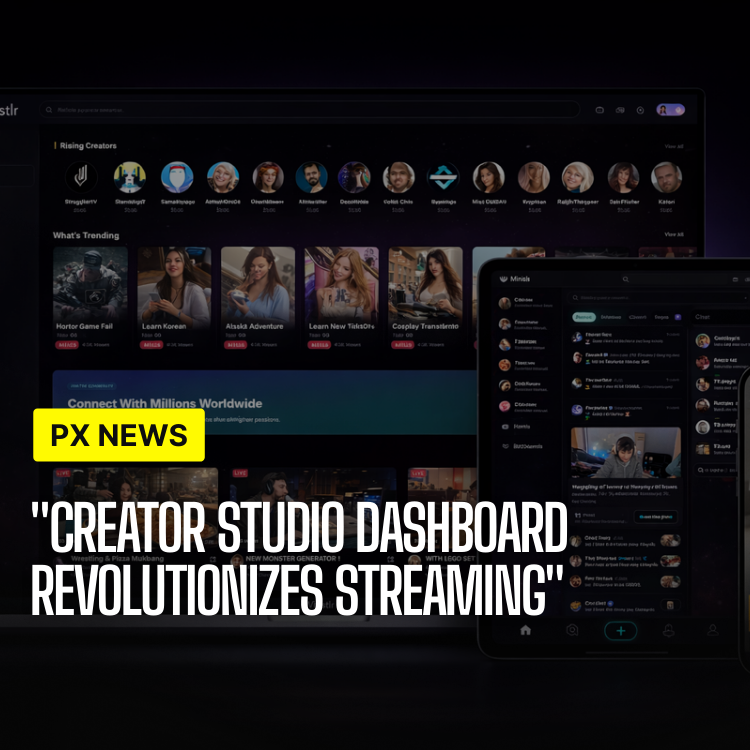
ETAPX today unveiled the Creator Studio Dashboard, a powerful streaming integration that enables creators to authenticate their streaming platform accounts and broadcast directly into Whistlr Network using OBS Studio. The dashboard provides real-time chat management, direct viewer interaction, and integrated monetization through a gem-based system that allows viewers to support creators during live streams. In short, it brings the entire streaming workflow—from going live to getting paid—into a single command center built around the way creators actually work.
The integration represents a significant advancement in live streaming capabilities, bringing professional broadcasting tools directly into the Whistlr ecosystem. Creators can now manage their entire streaming workflow from a single dashboard, eliminating the need to switch between multiple applications and platforms.
"We've built something that gives creators the professional tools they need while keeping everything integrated within Whistlr," said David Park, Lead Engineer for Streaming Infrastructure. "The dashboard isn't just about streaming—it's about creating a complete streaming experience with chat, monetization, and audience interaction all in one place."
OBS Studio Integration
The Creator Studio Dashboard integrates seamlessly with OBS Studio, the industry-standard open-source broadcasting software used by professional streamers worldwide. Creators can connect their OBS Studio setup directly to Whistlr, enabling them to stream using their existing professional broadcasting configuration. The integration supports all OBS Studio features including scene switching, source management, filters, and plugins, ensuring creators don't have to compromise on their production quality.
Setting up the integration is straightforward. Creators download a Whistlr plugin for OBS Studio, authenticate their Whistlr account, and configure their stream settings. The plugin provides a custom streaming server endpoint that routes content directly into Whistlr's infrastructure, ensuring low latency and high-quality video delivery. Once configured, creators can start streaming with a single click, bringing their professional OBS setup into the Whistlr ecosystem.
Why Meet Creators Where They Already Are
A recurring mistake in streaming products is forcing creators to abandon the tools they've spent years mastering. Professional streamers build elaborate OBS Studio setups—custom scenes, overlays, alerts, and source configurations—that represent a real investment of time and craft. Asking them to throw all of that away in favor of a proprietary, locked-down broadcaster is a non-starter, no matter how slick the new tool looks.
The Creator Studio Dashboard takes the opposite approach. By integrating with OBS Studio rather than replacing it, Whistlr lets creators keep their existing production quality and simply point it at a new destination. There's no learning curve to climb and no quality to sacrifice. That respect for a creator's existing workflow is what makes the dashboard feel like an upgrade rather than a compromise.
Streaming Platform Authentication
Creators can authenticate their existing streaming platform accounts directly within the Creator Studio Dashboard. This authentication enables creators to import their existing audiences, maintain their streaming history, and leverage their established presence on other platforms while building their Whistlr audience. The authentication process uses secure OAuth protocols, ensuring that account credentials remain private and secure.
Once authenticated, creators can view their cross-platform analytics, manage their streaming schedule across platforms, and coordinate content strategy. The dashboard provides unified insights that combine data from authenticated platforms with Whistlr-specific metrics, giving creators a complete picture of their streaming performance. This integration recognizes that many creators stream on multiple platforms and provides tools to manage that complexity efficiently.
Direct Streaming to Whistlr
The dashboard enables creators to stream directly into Whistlr Network without requiring external streaming software beyond OBS Studio. Streams appear automatically in followers' feeds, reach relevant communities, and integrate seamlessly with Whistlr's social features. The streaming infrastructure is built on Whistlr's low-latency network, ensuring that viewers experience minimal delay and high-quality video.
Streams broadcast through the Creator Studio Dashboard maintain all of Whistlr's unique social features. Viewers can see their relationship context with the streamer, interact through Whistlr's real-time chat system, and engage with content that feels integrated into their social feed rather than isolated in a separate streaming interface.
Integrated Chat Management
The dashboard includes a comprehensive chat management interface that allows creators to interact directly with viewers during streams. The chat panel displays messages in real-time, with minimal latency ensuring that conversations feel natural and responsive. Creators can respond to messages, moderate chat, and engage with their audience without leaving the dashboard interface.
Chat moderation tools enable creators to manage their community effectively. Automated moderation filters can catch spam and inappropriate content, while manual moderation tools allow creators to time out or ban users as needed. Chat commands enable viewers to interact with streams through custom commands, creating interactive experiences that go beyond simple Q&A sessions.
The chat interface supports rich formatting, emoji reactions, and viewer mentions, creating an engaging communication experience. Creators can pin important messages, highlight viewer contributions, and create chat-based polls or games that enhance viewer engagement during streams.
Gem-Based Monetization
The Creator Studio Dashboard introduces a gem-based monetization system that allows viewers to support creators during live streams. Viewers can purchase gems through the platform and send them to creators during streams, with each gem representing monetary value that creators earn. The system functions similarly to virtual gift systems on other streaming platforms, providing a familiar and engaging way for viewers to show appreciation.
When viewers send gems, creators earn revenue based on the gem value. The dashboard displays gem earnings in real-time, showing creators exactly how much they're earning during each stream. Gem transactions appear in the chat interface, creating visible recognition for viewers who support creators, while also encouraging other viewers to participate.
Creators can customize how gems appear in their streams, set up gem goals for specific projects or milestones, and create special effects or animations that trigger when viewers send gems. This customization enables creators to make gem interactions feel unique to their brand and content style, creating memorable experiences for viewers.
"The gem goals completely changed my streams. Setting a visible target gives my community something to rally around, and watching the animations fire off when someone sends gems makes the whole thing feel like a shared celebration instead of a transaction."
— Tasha Lin, Whistlr Creator
Real-Time Analytics
The dashboard provides real-time analytics during streams, giving creators immediate feedback on their performance. Viewer counts, engagement metrics, gem earnings, and chat activity are all displayed in real-time, enabling creators to adjust their content strategy on the fly. Historical analytics show trends over time, helping creators understand what content resonates with their audience.
Revenue tracking shows gem earnings, subscription revenue, and other monetization streams in a unified view. Creators can see which streams generate the most revenue, what times of day attract the most viewers, and which content types drive the highest engagement. This data enables data-driven decisions about streaming schedules, content strategy, and audience engagement.
Turning Analytics Into Better Streams
Numbers on a dashboard only matter if they change what a creator does next, and the Creator Studio Dashboard is designed to make that loop tight. Watching engagement rise and fall in real time during a stream lets creators read the room as it happens—doubling down on a segment that's landing or pivoting away from one that isn't, rather than discovering after the fact that they lost the audience twenty minutes in.
Over longer horizons, the historical view turns scattered intuition into a strategy. Patterns emerge: which days draw the biggest crowds, which content types reliably drive gems, which moments tend to spark chat. Creators who lean on this data tend to stream smarter, not just more—scheduling around their real audience and shaping content around what genuinely resonates.
- Live course-correction: Real-time engagement signals let creators adjust mid-stream instead of guessing.
- Schedule optimization: Historical viewer patterns reveal the days and times worth showing up for.
- Content insight: Knowing which formats drive engagement and gems sharpens what to make next.
- Unified revenue view: Seeing gems, subscriptions, and other streams together clarifies what actually pays off.
Getting Started
To begin using the Creator Studio Dashboard, creators first upgrade to a Creator account, which is free. They then navigate to Creator Studio in the Whistlr app and complete their creator profile. The dashboard guides creators through connecting OBS Studio, authenticating streaming platform accounts, and configuring their streaming settings.
Once set up, creators can start streaming immediately, with all features including chat management, gem monetization, and analytics available from the first stream. The dashboard is designed to be intuitive for creators familiar with streaming platforms while remaining accessible to those new to live streaming.
Frequently Asked Questions
Do I have to give up my existing OBS Studio setup?
Not at all. The dashboard integrates with OBS Studio rather than replacing it, so your scenes, overlays, filters, and plugins all carry over. You install a Whistlr plugin, authenticate, and point your existing setup at Whistlr.
Does it cost anything to start streaming?
No. You begin by upgrading to a Creator account, which is free. Chat management, gem monetization, and analytics are all available from your very first stream.
How do creators actually earn money on the dashboard?
The primary in-stream method is the gem-based system: viewers purchase gems and send them during streams, and each gem represents real value the creator earns. Earnings appear in real time, and the dashboard also tracks subscription and other revenue in a unified view.
Can I stream to other platforms as well as Whistlr?
Yes. You can authenticate existing streaming platform accounts within the dashboard, bring over your audiences and history, and coordinate your schedule and content strategy across platforms using unified cross-platform analytics.
Is the dashboard suitable for someone new to live streaming?
Yes. While it offers professional-grade tools for experienced streamers, the setup is guided step by step and the interface is designed to stay accessible for first-time creators.
Future Enhancements
ETAPX is continuously enhancing the Creator Studio Dashboard with new features. Planned improvements include advanced scene composition tools, enhanced chat bot capabilities, more sophisticated gem effects and animations, and deeper analytics integration. The platform is also exploring multi-stream capabilities that would allow creators to broadcast to multiple platforms simultaneously while managing everything through the Whistlr dashboard.
The Creator Studio Dashboard represents Whistlr's commitment to providing creators with professional tools that integrate seamlessly into their existing workflows. By combining OBS Studio integration, cross-platform authentication, integrated chat, and gem-based monetization, the dashboard creates a comprehensive streaming solution that helps creators build sustainable careers while maintaining the social connection that defines Whistlr Network.