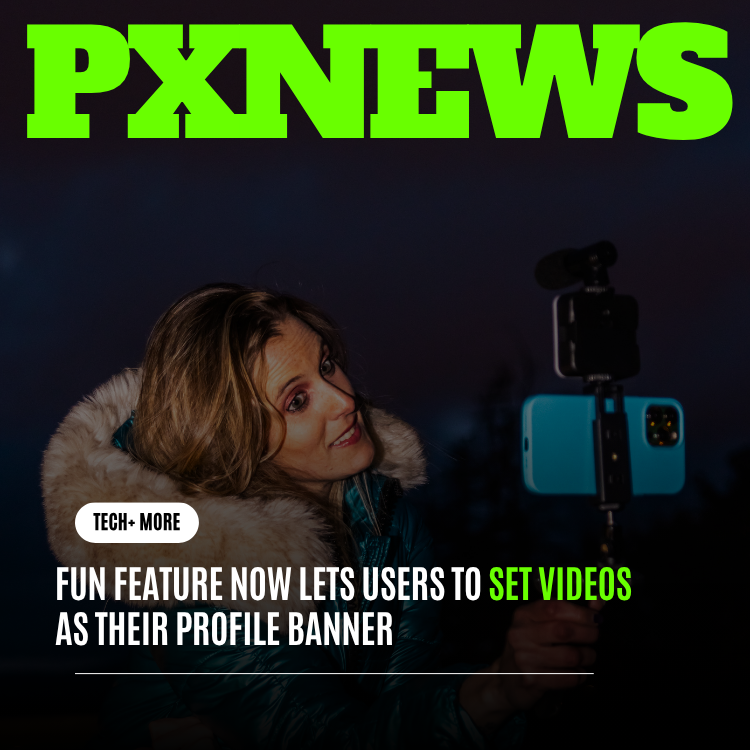
Whistlr is adding video profile banners, giving users a more dynamic way to introduce themselves at the top of their profile. Instead of relying only on a static image, users can now set a short video banner that reflects their personality, creative style, business identity, or current campaign.
Profiles are often the first place people decide whether to follow, message, collaborate, or buy from someone. A video banner gives users a richer first impression and helps creators communicate motion, energy, and tone in a way a still image cannot.
What Video Banners Add To Profiles
Users can upload a short video clip, crop it for the banner area, preview the loop, and decide whether audio is muted by default. The banner appears at the top of the profile and can be changed as often as the user wants. Creators can use it to showcase recent work, businesses can highlight products, and everyday users can use it as a personal mood board.
- Short looping video: Add motion to the top of a Whistlr profile.
- Profile customization: Match the banner to a creator brand, campaign, event, or personality.
- Safe playback: Videos are optimized for fast loading and muted by default.
- Creative control: Users can crop, preview, replace, or remove the video banner at any time.
Why Motion Changes A First Impression
A still banner can show a single, frozen moment. A video banner can show a feeling. Motion captures attention in a way static imagery cannot, and it conveys things a photo struggles to express: the energy of a live performance, the rhythm of a workflow, the atmosphere of a place. In the few seconds a visitor spends deciding whether to follow, that extra dimension of information does real work.
There is a reason movement has become central to how people present themselves online. We read motion intuitively, picking up tone and personality from how something moves before we consciously analyze it. A looping clip at the top of a profile taps into that instinct, letting a visitor sense who someone is rather than only see a snapshot. The profile stops being a poster and becomes something closer to a brief, living introduction.
Why It Helps Creators
For creators, a profile banner can act like a visual trailer. Musicians can show performance clips, filmmakers can display cinematic reels, streamers can highlight their setup, and educators can preview the topics they cover. The banner becomes a fast way to communicate what new visitors should expect.
Video banners can also support launches and campaigns. A creator promoting a new series can update their banner around the release. A business can feature a seasonal product. A community leader can promote an event. The profile becomes more current and more connected to active work.
Ways To Use A Video Banner
The feature is deliberately open-ended, but a few patterns show how different users can put it to work.
- Musicians: A few seconds of a live performance or studio session to convey sound and stage presence.
- Filmmakers and editors: A cinematic clip that doubles as a portfolio teaser for new visitors.
- Streamers: A glimpse of the setup, overlays, or signature energy that defines their broadcasts.
- Businesses: A seasonal product, a new launch, or a quick look at what the brand offers.
- Everyday users: A personal mood board of clips that capture interests, travels, or simply a current vibe.
"A profile should feel alive. Video banners help users show energy, style, and context before someone even scrolls."
— Whistlr Design Team
Tips For A Great Video Banner
Because the banner loops and plays without sound by default, the clips that work best are chosen with those constraints in mind. A little intention goes a long way.
- Make it loop cleanly: Choose a clip whose beginning and end flow together so the repeat is not jarring.
- Lead with your strongest seconds: Put the most striking moment early, since visitors may only watch briefly.
- Design for muted playback: Rely on visuals rather than sound, because most viewers will see it silent.
- Keep the framing simple: Mind that the banner is wide and cropped, so avoid clips where key action sits at the edges.
- Refresh it for moments that matter: Update the banner around launches, events, or new work to keep the profile current.
Performance And Accessibility
Because video can affect page speed, Whistlr is optimizing banners for lightweight playback. The platform compresses uploaded clips, limits duration, and uses responsive delivery so profiles still load quickly. Users on slower connections can expect the experience to degrade gracefully rather than block the page.
Whistlr is also building the feature with accessibility in mind. Motion settings, muted playback, and future caption support help ensure video banners enhance profiles without making them overwhelming. The goal is expressive customization that still feels fast, respectful, and easy to use.
Built To Stay Fast And Inclusive
Adding motion to a profile is only a win if it does not come at the cost of speed or accessibility, and that balance shaped how the feature was built. Rather than treating performance as an afterthought, Whistlr bakes in safeguards so that a video banner never makes a profile feel heavy. Clips are compressed and length-limited, and responsive delivery serves an appropriate version for each device and connection, so a visitor on a weak network still gets a profile that loads.
Accessibility is treated with the same seriousness. Motion can be a barrier for some users, which is why playback is muted by default and why the platform respects motion preferences. Planned caption support will extend that care further, ensuring that the personality a banner conveys is available to as many people as possible. The principle throughout is that expression and inclusion are not in tension; a well-built feature can deliver both.
Frequently Asked Questions
How long can a video banner be?
Banners are short by design. Whistlr limits the duration and compresses clips so the banner loads quickly and loops smoothly, keeping profiles fast even on slower connections.
Will my banner play sound automatically?
No. Video banners are muted by default for a respectful, accessible experience. Visitors are not surprised by audio, and you can plan your clip knowing most people will see it silent.
Can I change or remove my video banner later?
Yes, as often as you like. You can crop, preview, replace, or remove the banner at any time, which makes it easy to update around launches, events, or seasonal campaigns.
Will a video banner slow down my profile?
Whistlr optimizes banners specifically to avoid that. Clips are compressed, duration is limited, and responsive delivery adapts to the visitor's device and connection, so profiles still load quickly and degrade gracefully on slow networks.
Who is the video banner feature for?
Everyone with a profile, though creators and businesses tend to gain the most. Musicians, filmmakers, streamers, and brands can use it as a visual trailer or campaign space, while everyday users can treat it as a personal mood board that adds movement and personality.