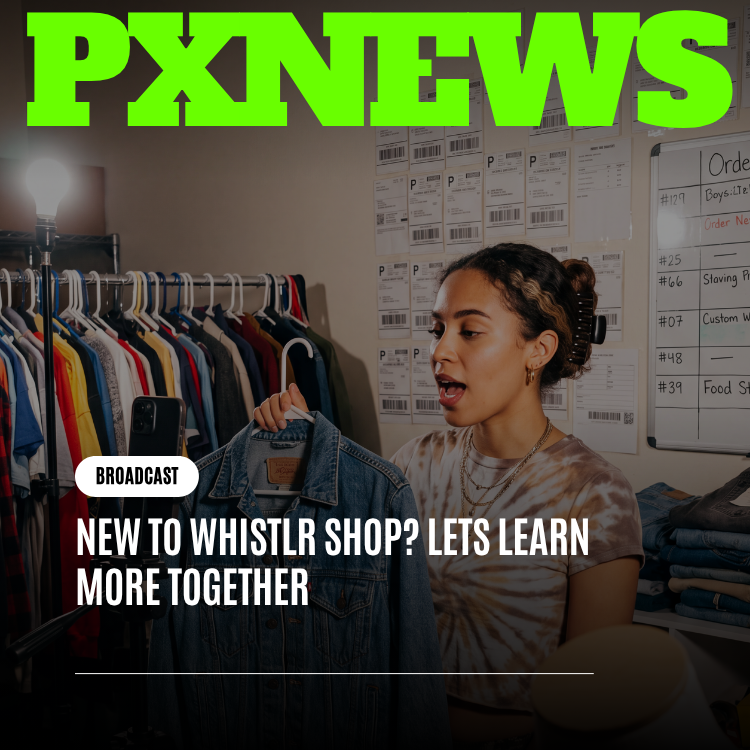
A Whistlr Go storefront is a real commerce engine living inside your profile and your content — a place to sell physical products with a synced catalog, order management, reviews, and direct payouts, kept entirely separate from in-app gifts like WTC Gems. But building a storefront is the easy part. Making one that actually converts browsers into buyers and looks unmistakably like you takes intention. This is a practical playbook for doing exactly that.
Most creators who open a storefront make the same mistake: they treat it like a chore to check off rather than a creative surface to design. They upload a few products with phone-camera photos, write a one-line description, and wonder why sales trickle in. Meanwhile, the creators who quietly build real income through Whistlr Go treat their storefront the way they treat their content — with a point of view, a visual identity, and a plan for how people discover it.
This guide covers both halves of that equation. First, what a Whistlr Go storefront actually is and why it belongs in your monetization mix. Second — and this is the part most guides skip — exactly how to build one that makes a strong, memorable first impression and keeps people coming back.
What a Storefront Actually Is
Whistlr Go is a full commerce engine, not a "link in bio" workaround. It lives inside your profile and your content, meaning the distance between someone discovering you on a Mini or a live stream and someone buying from you is measured in taps, not browser tabs. The shop surface strictly separates real merchandise from in-app gifts, so your storefront only ever shows what you're actually selling — clean, uncluttered, and unmistakably commerce rather than tipping.
Underneath, you get an actual merchant back office: a synced products system for your catalog, order tracking and fulfillment, a customer relationship view, a transparent earnings dashboard showing gross sales, fees, and net, a disputes area for handling chargebacks properly, and a reviews system that collects and displays social proof. Payouts run on your own connected Stripe account, so money you earn moves to your bank in one to two business days when you choose to withdraw it — no monthly cliff, no holding period.
"A storefront isn't a feature you bolt onto a creator profile. It's a business you build inside one. The moment we stopped thinking of Whistlr Go as 'commerce tools' and started thinking of it as 'a shop that happens to live where your audience already is,' the whole design changed — catalog, photography guidance, reviews, all of it."
— Renata Calloway, Head of Commerce at ETAPX
Why a Creator Wants One
Tips and gifts are reactive — they depend on a live moment and a generous impulse. A storefront is durable. It earns while you sleep, it doesn't require you to be on camera, and it converts your most loyal viewers into repeat customers rather than one-time tippers. It's also the piece of your monetization mix that scales independent of your streaming schedule: a well-built catalog keeps selling on a Tuesday afternoon when you haven't gone live in three days.
There's also a compounding effect that's easy to underestimate. A storefront gives your content commercial purpose beyond entertainment. A Mini stops being just a Mini — it becomes a product demo. A live stream stops being just a hangout — it becomes a launch event. Once you have something to sell, every other piece of your presence on Whistlr gets a second job, and that second job is often the more profitable one.
None of that works, though, if the storefront itself doesn't make people want to buy. That's the part worth slowing down for.
Step One: Catalog Presentation and Product Photography
The single biggest lever on a new storefront's performance is photography, and it isn't close. Viewers have been trained by years of polished e-commerce to make split-second judgments based on image quality alone. A blurry, dim, or cluttered product photo signals "amateur" before anyone has read a word of your description — and a clean, well-lit one signals "legitimate" just as fast.
- Shoot in consistent, even light: Natural window light or a simple ring light beats overhead fluorescents every time. Avoid harsh shadows and mixed color temperatures across photos in the same listing.
- Use a clean, repeatable background: Whether it's a plain wall, a seamless backdrop, or a styled flat-lay surface, repeating the same background across your catalog makes your shop feel curated rather than thrown together.
- Show scale and context: Include at least one photo of the product in use or worn, not just isolated on a backdrop. Buyers want to picture the thing in their own life, not just admire it in a vacuum.
- Shoot multiple angles: Front, back, detail shots of texture or stitching or finish, and a true-to-color shot taken in daylight. Returns and disputes drop sharply when buyers know exactly what they're getting.
- Keep your live products genuinely live: Use the draft versus live distinction deliberately — don't let half-finished listings with placeholder images go public. A storefront with three excellent listings outperforms one with fifteen mediocre ones.
You don't need a professional studio. You need consistency, decent light, and the discipline to reshoot a photo that doesn't meet your own bar. Treat your product shots with the same care you'd put into a thumbnail for a Mini — because functionally, that's exactly what they are.
Step Two: Writing Descriptions That Actually Sell
A product description has one job: answer the questions a buyer would ask if they were standing in front of you. Most creators either write nothing ("Cool hoodie, available now") or write marketing copy that sounds like it came from a stranger. Neither converts as well as a description written in your actual voice.
- Lead with the specific, not the generic: "Heavyweight 16oz fleece, brushed inside, runs slightly oversized" beats "Comfortable and stylish hoodie" every time. Specificity reads as honesty.
- Answer sizing and fit up front: Sizing confusion is the number one driver of returns and disputes. State exactly how a piece fits and recommend sizing up or down if it runs that way.
- Write like you talk on stream: If your content voice is funny and a little irreverent, your product copy should be too. A description that sounds like your captions builds the same trust your content already built.
- Tell the story behind the product when there is one: Why you made it, what inspired the design, what's limited about it. A backstory turns a commodity into something a fan wants to own specifically because you made it.
- Be upfront about materials, care, and shipping expectations: Clear care instructions and realistic shipping timelines prevent the support tickets and disputes that quietly eat your margin.
The goal isn't to sound like a copywriter. It's to sound like yourself, just more deliberate about it — the same shift that happens between a rough draft and a polished Mini.
Step Three: Branding Consistency Across Your Profile and Your Shop
One of the fastest ways to undercut a storefront is to let it feel like a separate business from the creator people followed in the first place. If your content has a clear visual identity — a color palette, a tone, a logo, a font you use in your overlays — your storefront should borrow all of it.
- Match your product photography style to your content's visual language: If your Minis are warm and saturated, shoot products that way too. If your brand is minimal and high-contrast, carry that into your flat-lays.
- Use consistent naming conventions: If a fan knows you for a specific catchphrase or running bit, naming a product after it does more for brand recall than a generic title ever will.
- Tie merchandise to recognizable moments from your content: A design that references a specific stream moment, a recurring joke, or a community milestone feels personal rather than generic — and personal sells better to an audience that already knows you.
- Keep your storefront's "voice" identical to your captions and bios: Inconsistent tone between your profile and your shop is the single fastest way to make a storefront feel bolted-on instead of native.
Think of your storefront as another piece of content you publish — one that happens to generate revenue directly. The creators who win here don't have a "shop persona" distinct from their "creator persona." They have one identity that simply extends into a shelf of products.
"I redid all my product photos to match the lighting in my Minis and renamed two items after running jokes from my streams. Same products, same prices. Sales nearly doubled in three weeks because the shop finally looked like it belonged to me instead of looking like a stock template."
— Priya Okafor, Whistlr creator
Step Four: Using Live Shopping to Launch With Impact
A storefront that just quietly exists in your profile will get steady, modest traffic. A storefront that launches loud, through a live shopping event, gets a spike that can define the product's entire trajectory. Live shopping combines the urgency of a real-time broadcast with the conversion of a product page, and Whistlr surfaces active selling streams in a browsable destination — meaning a strong launch can pull in buyers who don't already follow you.
- Treat a launch like an event, not an announcement: Schedule it, tease it across your content in the days before, and give people a specific reason to show up live rather than buy later.
- Demonstrate, don't just describe: Show the product on camera, answer questions live, react to chat in real time. Seeing a real person use something builds more trust in ninety seconds than a paragraph of copy builds in a week.
- Create real scarcity: A limited first run, a launch-day price, or a live-only bundle gives viewers a reason to act during the stream instead of telling themselves they'll come back later — most never do.
- Stack revenue during the broadcast: A live shopping stream doesn't replace your tipping economy — it runs alongside it. Keep Gems active during the same broadcast so you're earning from both purchases and tips in a single session.
- Re-use the energy afterward: Clip the best moments from the live launch and post them as Minis pointing back to the now-live product. The broadcast becomes promotional fuel that keeps working after it ends.
The first impression a product makes often happens in the first sixty seconds of a live drop, not the first scroll past a static listing. If you only do one thing differently when you launch something new, make it this.
Step Five: Reviews and Social Proof
New visitors to your storefront are making a trust decision before a purchase decision, and nothing builds trust faster than seeing other real people vouch for what you sell. Whistlr Go's built-in reviews system exists for exactly this, and the creators who treat it as a growth lever rather than an afterthought see it compound.
- Ask for reviews explicitly: Most satisfied buyers won't leave a review unprompted. A simple ask — on stream, in a follow-up message, in the product's care card — multiplies your review count fast.
- Respond to every review, good or bad: A thoughtful reply to a critical review often does more for buyer confidence than ten five-star reviews with no engagement behind them.
- Surface your best reviews in your content: Screenshot a great review and feature it in a Mini or a Thought. Social proof that lives only inside your storefront works far less hard than social proof your whole audience sees.
- Use early reviews to fix real problems fast: If multiple early buyers flag the same sizing or quality issue, treat that as actionable product feedback, not just feedback to manage. Fixing it protects every sale that comes after.
A storefront with a handful of detailed, responded-to reviews will consistently outsell one with a larger but silent review count. Depth and responsiveness read as legitimacy; raw volume alone doesn't.
Step Six: Pricing and Bundling Strategy
Because your earnings dashboard separates gross sales, fees, and net earnings down to your effective take-home rate, you have what you need to price with intention instead of guessing. Use that visibility actively.
- Price to your actual community, not a generic market rate: The right price is the one your specific audience can comfortably and repeatedly pay — that number varies enormously between a college-aged gaming audience and a working-professional lifestyle audience.
- Build at least one anchor and one entry-point product: A higher-priced flagship item makes your mid-tier products look reasonable by comparison, while a true low-price item gives hesitant first-time buyers an easy way to try you.
- Bundle to raise average order value: Pairing a hero product with a smaller complementary item, at a slight discount versus buying both separately, increases what each buyer spends without discounting your flagship item directly.
- Reserve real discounts for real moments: A live-only bundle price or a milestone-celebration discount keeps a markdown meaningful instead of training your audience to wait for one constantly.
- Revisit pricing using your actual data: If your average order value is consistently above a product's price point, that's a signal you may be leaving margin on the table, not a fluke to ignore.
Step Seven: Fitting the Storefront Into Your Whole Monetization Mix
A storefront performs best when it isn't carrying your entire business alone. It's one layer in a stack that also includes WTC Gems, live shopping, and brand partnerships, and each layer makes the others stronger.
- Gems build the relationship that makes people want to buy from you: A community that already supports you through tips is primed to become a community that buys your products — tipping trains an audience to think of you as someone worth backing financially.
- Live shopping is your highest-conversion sales channel: Use it specifically for launches, restocks, and clearing limited inventory, while letting the storefront itself handle steady, ongoing sales in between events.
- Brand partnerships and your storefront prove each other's value: A brand evaluating you as a partner will look at your storefront's reviews, repeat customers, and average order value as evidence you can actually move product — not just generate impressions.
- Your earnings dashboards talk to your business decisions: Check your Whistlr Go earnings alongside your Creator Studio earnings regularly. A pattern where Gems spike but storefront sales lag (or vice versa) tells you exactly where to focus your next month of content.
The creators who earn the most on Whistlr are rarely the ones with the single best-designed storefront. They're the ones who treat the storefront as one deliberately built piece of a larger, deliberately sequenced business.
"We see it constantly in the data: creators who launch products through live shopping and keep their Gems active in the same stream out-earn creators running either one alone, by a wide margin. The surfaces were built to be used together, and the creators who figure that out early have a real head start."
— Desmond Achebe, VP of Creator Economy at ETAPX
A Quick Storefront Audit
Before you call a storefront finished, run through this list honestly. Each item maps directly back to a section above, and each one is something a first-time visitor will notice in the first few seconds.
- Photography: Is every live listing shot in consistent light against a consistent background, with at least one in-context shot?
- Descriptions: Does every listing answer fit, materials, and shipping clearly, in your actual voice?
- Branding: Would a fan immediately recognize the storefront as yours, even with your name covered?
- Proof: Are you actively asking for reviews and responding to the ones you get?
- Pricing: Do you have at least one anchor item and one accessible entry point, and have you checked your real take-home rate?
- Activation: Have you launched anything through a live shopping event, rather than only posting it quietly to your shop?
Frequently Asked Questions
What is a Whistlr Go storefront, exactly?
A Whistlr Go storefront is a full commerce engine built into your Whistlr profile and content for selling physical products. It includes a synced product catalog, order and fulfillment tracking, customer management, a transparent earnings dashboard, dispute handling, and reviews — completely separate from in-app gifts like WTC Gems. It's a real merchant back office living inside a social app.
How is a storefront different from WTC Gems?
WTC Gems are a tipping and gifting currency viewers send during streams and content moments — a reactive, in-the-moment form of support. A storefront is a durable sales channel for actual physical products that keeps earning independent of whether you're live. Whistlr deliberately separates the two surfaces so your shop never gets cluttered with gift items, and most established creators run both together.
Do I need professional photography to make my storefront look good?
No, but you need consistency and good light. A storefront shot with a phone in even natural light, against a repeated clean background, with at least one in-context photo per product, will outperform a storefront with inconsistent, dim, or cluttered images regardless of camera quality. Consistency reads as professionalism even without professional equipment.
What's the best way to launch a new product on Whistlr?
Launch it through a live shopping event rather than quietly publishing the listing. Tease it in your content beforehand, demonstrate the product live, answer questions in real time, and consider a launch-day price or limited first run to create genuine urgency. Live shopping is surfaced in a browsable destination on Whistlr, so a strong launch can also reach buyers who don't already follow you.
How many products should I have in my storefront when I start?
Fewer, excellent listings beat a large, uneven catalog. A storefront with two or three products that have great photography, clear descriptions, and a few real reviews will convert better and feel more trustworthy than one with fifteen half-finished listings. Use the draft-versus-live distinction to keep anything unpolished out of public view until it's ready.
How does a storefront fit with brand partnerships?
A storefront with real sales history, reviews, and repeat customers becomes evidence you can show brands that you drive actual conversion, not just impressions. Brands evaluating a partnership increasingly look for creators who can move product, and a well-run storefront is the clearest proof of that capability you can offer.
A storefront is never really "done" — it's a living piece of your creative output, same as your content. Treat the photography, the copy, the branding, and the launches with the same care you put into your best Mini, and the impression it leaves will match. If you haven't built one yet, start small, get verified, list one product you're genuinely proud of, and launch it live. The rest of the playbook gets easier from there.