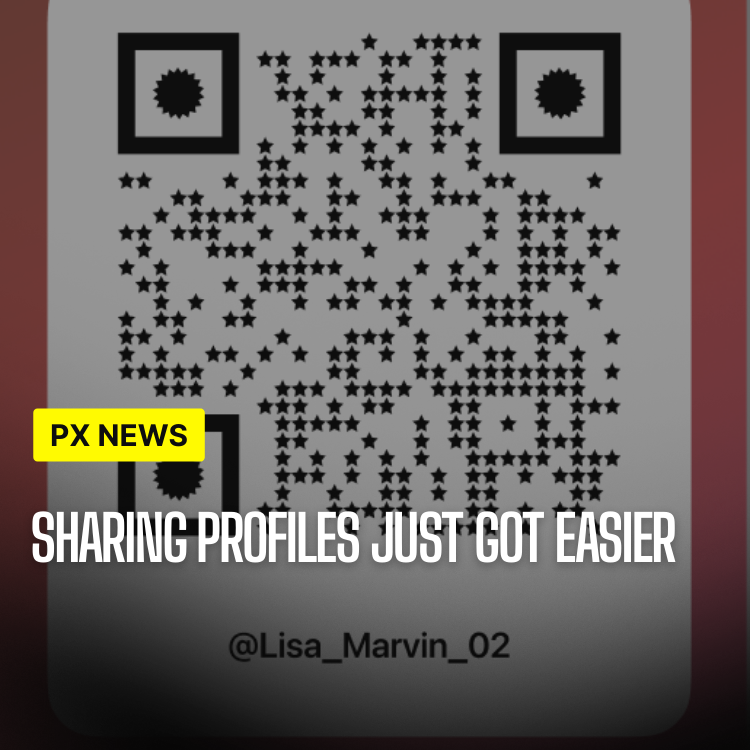
Sharing Profiles represent a revolutionary approach to social media identity. Instead of a single profile that everyone sees the same way, you can now create multiple profile views tailored to different audiences, communities, or purposes. This feature gives you unprecedented control over how you present yourself and your content to the world—letting one account hold the many sides of a real person without forcing everything into a single feed.
The concept of Sharing Profiles recognizes that we're all multifaceted individuals with different interests, relationships, and contexts. Why should your professional network see the same content as your close friends? Why should your gaming community see your photography work? Sharing Profiles solves this problem elegantly.
The Problem With One-Size-Fits-All Profiles
For most of social media's history, identity online has been flattened into a single stream. You either share something with everyone or you don't share it at all. That model quietly forces an uncomfortable choice: water down what you post so it's safe for every audience at once, or maintain a tangle of separate accounts that are exhausting to juggle.
Neither option reflects how people actually live. The version of yourself you bring to a work conference is not the same one you bring to a weekend hangout, and that's not inauthentic—it's normal. Sharing Profiles is built on the simple observation that context is part of identity, and the tools you use to express yourself should respect that instead of erasing it.
Multiple Profile Views
Create different profile views for different contexts:
- Personal Profile: Share with close friends and family
- Professional Profile: Showcase your work and professional achievements
- Creator Profile: Highlight your content creation and creative work
- Community Profiles: Specialized profiles for specific communities or interests
- Custom Profiles: Create profiles for any purpose or audience
Content Control
Control what each profile shows:
- Selective Content: Choose which posts appear on which profiles
- Profile-Specific Bio: Write different bios for different profiles
- Custom Profile Pictures: Use different profile pictures for different contexts
- Privacy Settings: Set different privacy levels for each profile
Audience Management
Manage who sees which profile:
- Profile Sharing: Share specific profiles with specific people or groups
- Default Profiles: Set default profiles for new connections
- Profile Discovery: Control which profiles are discoverable
- Relationship-Based Views: Automatically show appropriate profiles based on relationship
How Sharing Profiles Work Under the Hood
The magic of Sharing Profiles is that everything still lives in one account. You don't log out, you don't switch credentials, and you don't manage a pile of passwords. Instead, each profile view acts as a curated lens onto your single identity, drawing from a shared library of content but showing only the slices you've assigned to it.
When someone visits your profile, Whistlr quietly resolves which view they should see based on your settings and your relationship to them. A colleague lands on your professional view; a close friend lands on your personal one. The handoff is invisible to the viewer, which is exactly the point—each audience simply sees the version of you that fits, without ever realizing other versions exist.
"One identity, many lenses. We built Sharing Profiles so the system does the contextual sorting for you—so people see the right version of you automatically, instead of you policing every post."
— Whistlr Product Team
Use Cases
For Creators
Creators can separate their personal and professional content:
- Keep personal life separate from creator brand
- Showcase different types of content to different audiences
- Maintain professional image while being authentic personally
- Target specific content to specific follower segments
For Professionals
Professionals can maintain separate personal and work identities:
- Keep work content separate from personal interests
- Share professional achievements with colleagues
- Maintain personal connections separately
- Control what employers and clients see
For Communities
Community members can create specialized profiles:
- Gaming profile for gaming communities
- Photography profile for photography groups
- Fitness profile for fitness communities
- Any specialized interest profile
Privacy Benefits
Sharing Profiles enhance privacy:
- Contextual Sharing: Share appropriate content in appropriate contexts
- Reduced Oversharing: Avoid sharing everything with everyone
- Professional Boundaries: Maintain boundaries between personal and professional
- Control: Complete control over who sees what
Best Practices for Setting Up Sharing Profiles
The feature is flexible enough to support almost any setup, but a little planning goes a long way. The most successful Sharing Profiles tend to start with a clear sense of audience: who is this view for, and what do they actually want from you? Answering that first makes every other decision easier.
- Start with two: Begin with a personal view and one focused view, then expand only when a real audience emerges.
- Name the purpose, not the platform: Define each profile around a community or goal so its content stays coherent over time.
- Set sensible defaults: Choose which view new connections land on so you aren't sorting people manually.
- Revisit periodically: Audiences shift, so review what each profile shows every few months and prune what no longer fits.
Getting Started
To create Sharing Profiles:
- Navigate to your profile settings
- Select "Sharing Profiles"
- Create a new profile
- Customize the profile view
- Select content to include
- Choose who can see this profile
Frequently Asked Questions
Do I need separate accounts to use Sharing Profiles?
No. Sharing Profiles live inside a single Whistlr account. You create multiple views from one login, which means no extra passwords and no logging in and out to switch contexts.
Can people tell I have other profile views?
No. Each visitor simply sees the view you've assigned to their relationship or to the public. The existence of your other profiles isn't surfaced to them, so each audience experiences the version meant for them.
Can the same post appear on more than one profile?
Yes. Content lives in a shared library, so you can assign a single post to multiple views or keep it exclusive to one. You decide where each piece of content shows up.
What happens to a profile if I delete it?
Deleting a profile view removes that lens, but it doesn't delete the underlying content unless you choose to. Your posts remain in your library and can still appear on your other profiles.
Is there a limit to how many profiles I can create?
Most users will only ever need a handful, and the feature is designed to stay manageable. Start with the views you actually need and add more as distinct audiences emerge.
Future Enhancements
We're working on additional Sharing Profile features:
- Profile templates for common use cases
- Advanced audience targeting
- Profile analytics
- Cross-profile content sharing
Start creating Sharing Profiles today and take control of how you present yourself online.