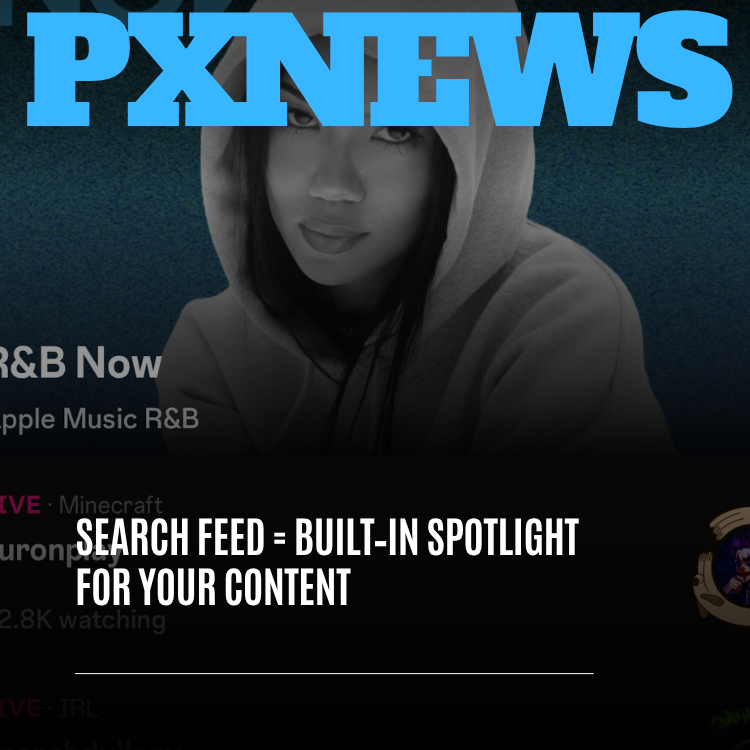
Search used to be the most boring screen in any social app: a blank bar, a blinking cursor, and a wall of nothing until you already knew exactly what you wanted. On Whistlr, that screen is gone. The Search feed now greets you with something worth looking at before you type a single letter — live streams happening right now, music playlists worth pressing play on, creators on the rise, and posts people are actively looking for. For viewers, it's a faster way to find what you're in the mood for. For creators, it's something even bigger: a built-in spotlight for your content, sitting inside one of the most intentional screens in the entire app.
This is a deep look at what the Whistlr Search feed is, how it works, why it matters so much for discovery, and — most practically — how creators can make sure their streams, Minis, posts, and profiles show up there. If you've ever wondered how people who don't follow you yet are supposed to find you, this is the screen that answers the question.
What Is the Whistlr Search Feed?
The Whistlr Search feed is the screen you land on when you tap search, which lives at the right edge of the top navigation bar. Instead of an empty page waiting for a query, it's a living, browsable feed of what's happening across Whistlr — organized so you can scan it in seconds and jump straight into something good.
Open it on any given day and you'll see a mix that reflects the whole platform rather than one slice of it:
- Live streams happening right now: Clearly marked LIVE rooms with their category — gaming, IRL, music, and more — along with how many people are watching, so you can tell at a glance where the energy is.
- Music to press play on: Playlists and tracks from Waves, including Apple Music-powered collections, surfaced right alongside everything else so music discovery doesn't require a separate trip.
- Creators worth meeting: Profiles that are gaining momentum, especially ones outside your usual circle, so you have a real chance to find someone new before everyone else does.
- Content people are searching for: Minis, posts, and moments that are actively being looked up, so you can see what's catching curiosity across the community.
- Search when you want it: The search bar is still right there at the top. When you know exactly what you're after — a creator, a Circuit, a song, a topic — type it and go straight to it.
The simplest way to describe the change: search on Whistlr used to be a tool. Now it's a destination. It still does the tool part perfectly well, but it also rewards you for simply opening it.
"The moment someone taps search, they're telling you something important: they want to find something. That's one of the most intentional moments in any app, and for years the industry greeted it with a blank page. We wanted that moment to meet people halfway — to show them what's alive on Whistlr right now, and to give creators a real shot at being what they find."
— AJ, Founder & CEO, ETAPX
Why a Search Feed Instead of a Blank Search Page
There's a simple reason search screens have historically been empty: they were designed around the assumption that you already know what you're looking for. You type a name, you get a result, you leave. That works fine when you're hunting for one specific account. It works terribly for the far more common situation where you open the app with a vague itch — "I want to watch something," "I want new music," "I want to see who's live" — and no specific query in mind.
Whistlr has been moving away from that blank-page model for a while. When the old "Explore" and "For You" tabs were retired in favor of clearly named destinations like Trending, Discover, Waves, Flow, Circuits, and Highlights, the goal was to replace a black box with real places people could choose between. Search sits at the right edge of that same bar for the moments when you want to go straight for something. The Search feed extends that thinking: even the screen built for finding specific things should help you find things you didn't know to look for yet.
It also reflects a broader shift in how people actually use search on social platforms. A growing share of people — especially Gen Z and millennial users, who make up most of Whistlr's community — treat social search as a starting point for discovery, not just a lookup tool. They search for vibes, moods, and topics as much as for names. A search screen that only responds to precise queries leaves most of that intent on the table.
Browsing and searching, in the same place
The Search feed doesn't force you to choose between browsing and searching. You can scroll through live rooms and playlists for a minute, then type something specific the moment an idea sparks. Or you can arrive with a query in mind, find it, and then notice a live stream right below that you didn't know you wanted. Both paths are valid, and both are designed to feel natural.
How the Search Feed Works for Viewers
From the viewer's side, the Search feed is built around speed and clarity. You shouldn't have to decode anything to figure out what's worth tapping.
Live rooms you can read at a glance
Live streams in the Search feed are clearly labeled, with the stream's category and a live viewer count right there. That combination tells you almost everything you need: what kind of stream it is, and whether it's a cozy small room or a packed event. Whether you're in the mood for a Minecraft build, an IRL stream from someone out in the world, or a live music set, you can find it without guessing.
Music without leaving the moment
Waves brought Apple Music into the fabric of Whistlr, and the Search feed puts that music front and center. Playlists and collections show up as naturally as streams and creators, so you can go from "I need something to listen to" to pressing play in a tap. It's one more way Whistlr treats music as part of the social experience rather than a separate app you have to switch to.
Creators and content you haven't met yet
One of the quiet goals of the Search feed is to widen your world a little. Alongside what's popular, it gives real room to creators and content outside the accounts you already follow. That's consistent with how Whistlr approaches discovery generally: you should be able to find fresh voices without having to hand your entire experience over to an opaque recommendation engine.
"I used to only open search when I needed to find a specific person. Now I open it just to see who's live. Half the streamers I watch now, I found because they were sitting right there on the search screen with a few hundred people in the room."
— Jordan, Whistlr user
Why the Search Feed Is a Built-In Spotlight for Creators
Here's the part creators should pay close attention to. Every creator faces the same fundamental challenge: getting discovered by people who don't follow you yet. Your followers already see your content. Growth depends on reaching everyone else. And the Search feed is one of the most valuable places on Whistlr to reach them, for a few reasons.
First, the people on this screen are in an active, intentional mindset. They didn't land here by accident — they tapped search because they want to find something. That's a fundamentally different audience from someone passively half-scrolling a feed. When your live stream, your Mini, or your profile appears in front of someone in that mindset, the odds that they tap, watch, and follow are meaningfully higher.
Second, the Search feed gives visibility to what's happening now. A live stream doesn't have to wait to become a highlight to get noticed. When you go live, your room can appear among the live streams on the Search feed, where viewers actively looking for something to watch can see your category and your room at a glance. That's a direct, real-time path from going live to being found.
Third, it rewards being findable. Search is where clear titles, strong captions, well-described profiles, and consistent topics pay off most directly. The creators who make it easy to understand what their content is about are the creators search can confidently put in front of the right people.
"Discovery shouldn't only belong to creators who already have an audience. The Search feed is one of the places we're most deliberate about giving smaller and rising creators a real window — a live room with a few dozen people can sit right next to a packed one, and someone looking for exactly that vibe can find it."
— Renata Osei, VP of Product, ETAPX
How to Get Your Content Into the Whistlr Search Feed
There's no magic trick for showing up in search, and no one should promise you one. What there is, is a set of practical habits that make your content easier to understand, easier to match to what people are looking for, and more likely to be surfaced when it's relevant. Here's a creator's checklist.
1. Write titles people would actually search for
Your stream title, Mini caption, or post description is often the first thing search uses to understand what your content is. Be clear before you're clever. "Late-night lo-fi beat making, taking requests" tells both search and a potential viewer exactly what they're getting. A title that's pure inside joke might delight your regulars, but it gives someone new nothing to latch onto.
2. Pick the right category when you go live
Live streams in the Search feed display their category, which means that category is doing real work for you. Choose the one that honestly describes your stream. A viewer scanning for gaming streams or IRL content should be able to find you in the place they expect.
3. Make your profile describe you
Your profile is your storefront in search. A clean profile description that says who you are and what you make helps search match you to people looking for exactly that. Whistlr's cleaner profile design gives your identity room to breathe — use it to be specific about your niche.
4. Stay consistent in what you cover
Consistent topic signals help search understand what you're about over time. That doesn't mean you can never post outside your lane, but a creator who reliably covers a recognizable set of topics builds a clearer identity that search can confidently connect to the right audience.
5. Go live on a rhythm
Because the Search feed spotlights what's live right now, regular streams give you regular chances to be discovered there. A predictable schedule also means viewers who found you once through search know when to come back.
6. Make content worth staying for
Getting found is only the first step. Whistlr's discovery surfaces increasingly pay attention to what people actually stick with, finish, and return to — the same philosophy behind the rebuilt Trending tab. Content that earns a watch-through holds up far better than content engineered only to win the first three seconds.
- Be descriptive: Clear titles and captions beat vague or clickbait ones.
- Categorize honestly: The right live category puts you where the right viewers are looking.
- Polish your profile: A specific profile description helps search match you to intent.
- Show up regularly: Consistent streams and posts create more chances to be found.
- Earn the watch: Content people finish and come back to keeps paying off after discovery.
Using Creator Insights to Understand Your Search Traffic
You don't have to guess whether search is working for you. Creator Insights in Creator Studio shows where your audience is actually coming from — whether people find your content through search, profiles, feeds, reposts, or recommendations. That breakdown turns search from a mystery into something you can measure and improve.
If search is already a strong source of traffic for you, that's a signal your titles, captions, and topics are doing their job, and it's worth leaning in. If it's a small slice, that's useful information too. Try clearer titles, more consistent topics, or a sharper profile description, then compare how search traffic shifts over time. Creator Insights also highlights which titles, captions, and topics help people find your content, so you can see exactly which choices are pulling their weight.
There's a bonus here, too. The same habits that help your content get understood inside Whistlr search — clear titles, focused topics, well-written profile descriptions — also improve how your work is understood by external search engines over time. Being findable is a skill that pays off in more than one place.
Search Feed vs. Trending vs. Discover: What's the Difference?
Whistlr has several discovery surfaces, and it's worth being clear about how they differ so you know where to go — and, as a creator, where your content can shine.
- Trending: What's catching fire across Whistlr right now, increasingly shaped by what people actually watch through and come back to, not just what grabs a fast reaction.
- Discover: A destination built for wandering — fresh voices, creators outside your usual circle, and happy surprises that make you hit follow.
- Highlights: A curated stop for standout clips and peak moments when you've only got a few minutes.
- Search feed: The screen for intent. It surfaces what's live, musical, and actively being looked for — and it's the place to go straight to something specific the moment you know what it is.
These surfaces complement each other rather than compete. Trending shows you the pulse of the whole community. Discover invites you to wander. The Search feed meets you at the moment you're actively looking, which makes it uniquely valuable both for people trying to find something and for creators trying to be found.
Built Around People, Not Just Popularity
It would have been easy to build a search screen that simply showed the biggest accounts and the most-watched streams every time. That approach tends to make discovery a closed loop: the popular get more popular, and everyone else fights over the scraps. Whistlr's approach to discovery has always pushed against that.
Friend-first discovery says a recommendation from someone you actually know matters more than an algorithm's guess about a stranger. The rebuilt Trending tab says what people genuinely finish and return to matters more than what merely makes them flinch. The Search feed carries the same values into the moment of intent: show people what's genuinely alive and relevant, give rising creators a real window alongside established ones, and respect the fact that the person tapping search came here to find something worth their time.
That balance is part of why a live room with a modest audience can sit on the same screen as a packed one. Viewer counts help you read the room; they don't decide on their own whether a stream deserves to be seen.
Privacy and Control in Search
A more visible search experience also raises a fair question: what if you don't want to be found? Whistlr's approach to discovery has always respected your choices about who sees what. The Search feed spotlights content and creators that are already public on the platform. Private spaces stay private, and your privacy settings continue to shape how your account and content appear to others.
For creators, that means the spotlight is something you opt into through what you share publicly — your live streams, public posts, Minis, and profile. For everyone else, it means discovery happens without compromising the private, personal side of Whistlr that makes it feel like a friend-first platform in the first place.
What's Next for Search on Whistlr
The Search feed is rolling out now, and it's a foundation the team intends to keep building on. Search is one of the most-used entry points in any social app, and making it genuinely useful — for both the people searching and the creators being searched for — is ongoing work, not a one-time launch.
Expect continued refinement in how live streams, music, creators, and content are balanced on the screen, and in how well search understands what people mean, not just what they type. As always, the direction will be shaped by how people actually use it and what they tell us along the way.
"Search is where intent lives. Every improvement we make there compounds, because it helps people get to what they want faster and helps the right creators get found by exactly the people looking for them. This version gets the foundation right, and we're going to keep making it smarter."
— John Ridge, CTO, ETAPX
Frequently Asked Questions
What is the Whistlr Search feed?
The Whistlr Search feed is the screen you see when you tap search in the top navigation bar. Instead of a blank page, it shows a browsable feed of live streams happening now, music playlists, rising creators, and content people are actively looking for, with the search bar still available at the top for specific queries.
How do I get my content to show up in Whistlr search?
Use clear, descriptive titles and captions, choose the right category when you go live, write a specific profile description, and stay consistent in the topics you cover. Going live regularly also gives you more chances to appear among live streams in the Search feed. There's no guaranteed trick, but these habits make your content easier for search to understand and match to people looking for it.
Do live streams appear in the Search feed?
Yes. Live streams are one of the core parts of the Search feed. They're clearly marked as live, labeled with their category, and show a live viewer count, so viewers can quickly find a stream that matches what they're in the mood for.
Can small creators be discovered through the Search feed?
Yes. The Search feed is designed to give rising and smaller creators a real window alongside established ones. A live room with a modest audience can appear on the same screen as a packed one, and clear titles and categories help the right viewers find it.
How can I see if people are finding me through search?
Creator Insights in Creator Studio shows where your audience comes from, including search, profiles, feeds, reposts, and recommendations. It also highlights which titles, captions, and topics help people find your content, so you can measure and improve your search visibility over time.
How is the Search feed different from Trending?
Trending shows what's catching fire across Whistlr right now, weighted toward content people genuinely watch through and return to. The Search feed is built for moments of intent: it surfaces what's live, music, and what people are actively looking for, and lets you jump straight to something specific by searching.
The people tapping search are looking for something worth their time. With the Search feed, there's a real chance that something is you — so make it easy for them to find.