
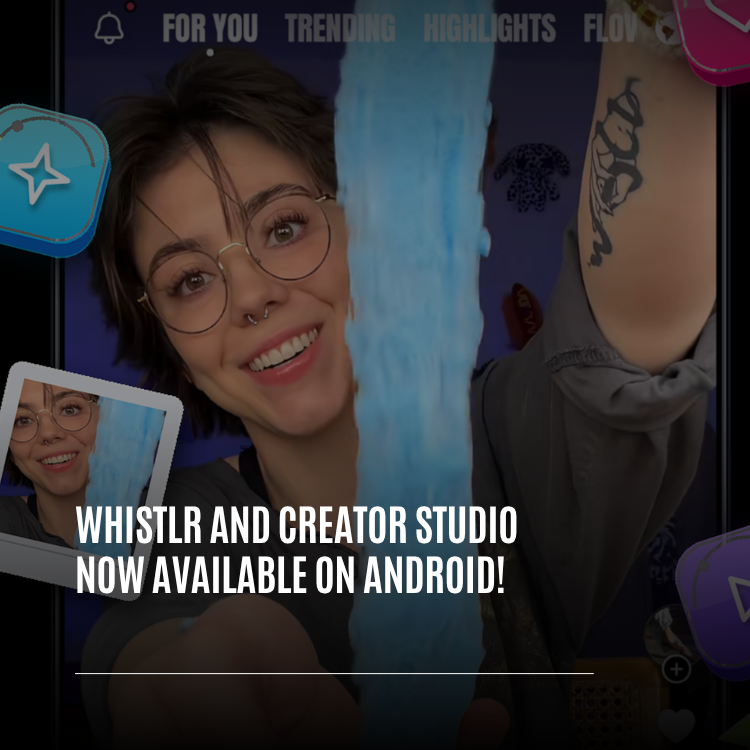
Whistlr and Creator Studio on Android are finally here, and they're the same apps people have been using on iPhone, not cut-down versions built on the side. The Creator Studio app, listed on Google Play as "Whistlr - Creator Studio," went live on October 31, 2026, and you can download it today. The new Whistlr app for Android, version 6.1, was submitted to Google Play on October 30 and is in Google's review right now. It's set as a full rollout, so the moment Google approves it, it's live for everyone at once. Both apps bring their current iOS design and features to Android, and Whistlr covers everything from the Trending and Browse feeds to Minis, Rooms, live streams, Messages, and the camera and editor, with Android work underneath so they behave the way an Android phone should. Your account comes with you, because one ETAPX account works across everything we make. This article explains what's in each app, what Android version you need, what's different on Android, how to download Whistlr and Creator Studio on Android, and why this doesn't contradict what we said in September about building for iOS 26 first.
We want to be precise about status, because "now on Android" can mean a lot of things. Creator Studio for Android is out. Whistlr for Android is waiting on Google's review, and we'll know when it's approved the same way you will: it shows up on Google Play. Everything we describe below is in the builds we sent to Google. Where something is still being tested or isn't included on Android, we say so. If you've followed PX News, you'll also remember our September article about pushing Whistlr development to iOS 26. We'll come back to that directly, because this launch is the result of that decision, not a reversal of it.
What's Launching: Whistlr and Creator Studio on Android
Two apps are arriving on Android together, and they do different jobs. If you're new to the difference, here's the short version.
- Whistlr for Android (version 6.1): The main Whistlr app, where you scroll, post, watch, chat, and join Rooms. It's a full update of the Android app, rebuilt to match the iPhone app screen for screen.
- Creator Studio for Android: The companion app for creators and businesses. On Google Play it's called "Whistlr - Creator Studio," and on your home screen it shows up as Whistlr Studio. It's where you go live, manage your community, check analytics, and track earnings.
Both apps are free. Both connect to the same account. And both were built the same way: we started from the finished iOS app and brought it across whole, then did the Android-specific work on top so it feels at home on an Android phone.
On whistlr.studio, the Download button in the header now opens a get-the-app sheet that announces the launch. It has an iOS and Android switch, a QR code you can scan with your phone's camera, and a link straight to the right store. If you open it on a phone, you get a "Get it on Google Play" button instead of the code.
Is Whistlr Available on Google Play Right Now?
Here's exactly where each app stands as of November 3, 2026.
Creator Studio: Live on Google Play
The Creator Studio app was submitted on October 31 and is live on Google Play now under the name "Whistlr - Creator Studio." It's free and contains ads. Search for it on Google Play, or use the Download button on whistlr.studio.
Whistlr 6.1: In Review With Google
The Whistlr app for Android, version 6.1, was sent to Google for review on October 30. It's a full rollout, not a staged one, so we're not holding anything back once it clears. As soon as Google approves it, it's available to everyone on Google Play at the same time. We don't control how long review takes, and we'd rather tell you that than give you a date we can't promise. When it's live, we'll say so here on PX News.
"I'd rather say 'it's in review' than pretend it's out and have people searching Google Play for something that isn't there yet. Studio is live today. Whistlr is done on our side and waiting on Google. The second it clears, it's yours, all of it, for everyone at once."
— AJ, Founder & CEO, ETAPX
What Changed Since "iOS 26 First"
In September we published "Why We Decided to Push Whistlr Development Strictly to iOS 26." We said new Whistlr features would be designed for iOS 26 first, and we were honest that Android users should expect a real gap. Some people reasonably read that as Android being left behind for good. So it's fair to ask how we got from there to a full Android launch two months later.
The short answer: the decision itself didn't change. How we bring the work to Android did.
The iOS Work Became the Foundation
The problem we described in September was building every feature twice: once for a wide range of Android hardware and once for iOS, with each version slowing the other down and the result landing somewhere in the middle. Focusing on iOS 26 fixed that. Our team designed one version of each screen, aimed at the best experience we could build, and finished it.
Once the iOS app was finished and stable, we didn't rebuild it for Android feature by feature. We brought the whole app across in one move. The Android app now uses the same screens, the same layouts, and the same design as the iPhone app. Instead of the old pattern, where Android had its own versions of screens that drifted further from iOS over time, the Android app renders the iOS design and only differs where Android genuinely works differently: permissions, notifications, the back gesture, the system bars, the keyboard, and tablets.
That's why this was possible at all. If we'd kept splitting every feature across two platforms, we'd still be halfway through both. Designing once on iOS gave us something complete to bring over.
What Stays the Same
We're not going to pretend this means every feature will land on both platforms on the same day from now on. New features will still be designed on iOS first. What's new is that Android now catches up in full batches instead of drifting. The first full catch-up came in early October, and a second one on October 29 brought Android up to Whistlr 6.1, the same version number as iOS. That's the pattern we expect to keep: iOS leads, and Android follows with the whole app, not a subset.
"In September I said the goalposts moved for Android, and they did. What I didn't know yet was how fast we could bring a finished app across once we stopped building everything twice. Focusing on iOS gave us one version worth copying. So we copied all of it. Android isn't getting the leftovers. It's getting the same app."
— AJ, Founder & CEO, ETAPX
What's Inside the Whistlr Android App
Whistlr 6.1 for Android is the iPhone app on Android. Rather than list every screen, here's what you'll find in the main areas.
Feeds, Minis, and Discovery
- Trending and Browse: The single-column Trending feed with the Stories and Discover rails on top, and the two-column Browse grid, just like iOS.
- Minis: Short videos and photo posts in a full-screen swipe feed, with the same player work that makes swipes start quickly.
- Waves, Flow, Notes, and Highlights: The other Home tabs come along too, including Highlights, which opens news links in an in-app browser.
- Search and Explore: Search, hashtag results, and Explore tiles that open videos in the Minis viewer and text posts in post detail.
Live, Rooms, and Messages
- Live streams and theater: Watch lives in a full-screen theater feed, step to the next stream, and join the chat.
- Rooms: Start or join audio Rooms. The microphone keeps running when you switch to another app, and a notification lets you leave the room without opening Whistlr.
- Messages: Your inbox, chats, and inbox notes, with the chat box staying above the keyboard.
- Live shopping: Products pinned in a live show the right prices, and the product sheet closes with a downward flick.
Camera, Editing, and Your Profile
- Camera effects: Filters, face effects, background separation, and recording through effects came across in the native catch-up.
- Editing tools: Story, timeline, and image editing, plus speech transcription for captions.
- Your profile: Profiles with Halo, Profile Skins and their fonts, Highlights, and Account Center.
- Extras: App icons and app sounds from iOS are included too.
Guests Can Look Around First
Like the iPhone app, you can open Whistlr on Android without an account and watch. Guests can browse, watch lives, and listen in public Rooms. When you try to comment, follow, message, or join, Whistlr shows a sign-up sheet.
What's Inside the Creator Studio App for Android
Creator Studio for Android is the Studio iOS app with Android's platform work on top. If you've used Creator Studio on whistlr.studio or on iPhone, it'll feel familiar right away. The Google Play listing groups it around three kinds of people, and a lot of creators are all three.
If You Create
- Post now or schedule: Upload and post right away, or pick a day and time and line up a week of posts at once.
- Edit in the app: Trim, cut, add text, sound, captions, filters, and effects, then pick a cover and post.
- One comment inbox: Every comment across every post in one place, where you can reply, pin, filter, and delete.
- Analytics: Views, watch time, shares, saves, follower growth, who your audience is, and when they're online.
If You Stream
- Go live: Stream from your phone's camera, or connect streaming software with your own stream key.
- Run the show: Watch chat, spotlight comments, and welcome new viewers while you're on air.
- Bring on guests: Go live with co-hosts and other creators.
- See how it went: Live numbers while you're on, and a breakdown after you end, including what you earned.
If You Run a Business
- Live shopping: Pin products during a stream so viewers can buy without leaving.
- Know your customers: See who's watching, who's buying, and what they respond to.
- Track your money: Earnings, where they came from, and where your payouts stand, on one screen.
The Creator Studio Android app also has the sidebar for every account, so the whole app is reachable from one menu.
"A lot of our creators run their whole business from a phone, and a lot of those phones aren't iPhones. Telling them to go find a laptop to check their earnings or start a stream was never a good answer. Studio on Android means the tools follow the creator, not the other way around."
— AJ, Founder & CEO, ETAPX
What Android Version Do You Need for Whistlr?
This is the part we want to be most upfront about, because it means some phones can't install the new apps.
- Android 12 or newer: Both Whistlr 6.1 and Creator Studio need Android 12 or later.
- A 64-bit phone: Both apps are built for 64-bit (arm64) Android devices only.
- Built for current Android: The apps target Android 16, the version Google Play requires for new updates.
Raising the minimum is a trade-off, and it isn't small. Google Play's own preview showed that this Whistlr release supports fewer devices than the older Android version did. We made that call because the features in 6.1, like the camera effects, live video, and smooth video feeds, need modern hardware and modern Android to work well. We'd rather ship an app that runs properly on the phones it supports than one that technically installs everywhere and struggles. If your phone can't install it, Google Play will tell you on the listing page.
On availability, Creator Studio is listed in 177 countries and regions, the same set as Whistlr.
What's Different About Whistlr on Android
The design is the iOS design, but a lot of work went into making it behave like an Android app. Here's what you'll notice.
Built for How Android Works
- Back gesture and Back button: Back closes the comments sheet, then the keyboard, then the reply box, in that order. On Home's other tabs, Back returns you to Trending first. Leaving the app sends it to the background instead of closing it, so it reopens quickly.
- Side drawer: On iPhone the drawer opens from the screen edge, which Android uses for Back. On Android you can swipe right from anywhere on Search and Profile to open it.
- Full-screen layout: Screens and sheets draw behind the system bars properly, without headers hiding under the status bar.
- Keyboard: Text boxes in chats, live chat, Rooms, and notes stay above the keyboard.
- Permission prompts: The app asks for camera, microphone, location, and notifications when you use a feature that needs them.
Tablets and Foldables
On Android tablets and open foldables, Whistlr uses a two-pane layout with the side drawer and lets you rotate the screen. Phones keep the standard layout.
Faster on Real Phones
We tuned the release on a mid-range Android phone, not a flagship. In that pass, the stuttering frames while swiping through Trending dropped by close to half, Search got noticeably smoother, and hidden tabs stopped quietly using processor time in the background. That's battery you get back.
Safer Live Video and Rooms
Following the work we described in our Black October security article, the Android apps connect to live video, calls, and Rooms using short-lived passes issued by our servers each time you join, instead of relying on keys stored inside the app. Our servers decide who gets in:
- Private Rooms: Only the host and invited people can enter.
- Public Rooms: Anyone can listen, and guests listen only.
- Calls: Only members of the conversation can join.
- Host controls: Inviting someone to the stage, muting, and removing people can only come from the room's owner.
What Isn't on Android
One thing is deliberately left out. Creator Studio for Android doesn't include broadcasting your phone's screen. If you stream games, connect streaming software with your stream key instead.
Does My Whistlr Account Work on Android?
Yes. This is the part that should feel the least dramatic, and that's on purpose. In July we wrote "Why We Maintain Equal ETAPX Accounts Across All Our Platforms and Products," and the idea there applies here: a new app shouldn't mean a new you.
- Same account, every app: Whistlr on Android, Creator Studio on Android, the iPhone apps, and whistlr.studio all use the same account.
- Nothing resets: Your profile, followers, posts, comments, and shop are already there when you sign in.
- Switching phones: If you're moving from an iPhone to Android, you don't start over. Sign in on Android with the same account and pick up where you left off.
- Studio and Whistlr together: What you do in Creator Studio shows up on Whistlr, for the community you're already building.
One practical note before you switch from iPhone: open your account settings on your current phone and make sure you know how you sign in to your account, so you can sign in the same way on your Android phone.
How to Download Whistlr and Creator Studio on Android
How to Get Creator Studio on Android
- Open Google Play on your Android phone.
- Search for "Whistlr - Creator Studio."
- Tap Install. The app appears on your home screen as Whistlr Studio.
- Open it and sign in with your existing Whistlr account.
- Allow camera and microphone access when you go live for the first time, and notifications if you want alerts.
How to Get It From whistlr.studio
- Go to whistlr.studio on a computer and tap Download in the header.
- Switch the sheet to Android.
- Scan the QR code with your phone's camera. It opens the Google Play listing.
- On a phone, tap the "Get it on Google Play" button instead.
How to Get Whistlr 6.1 on Android
- Wait for Google's approval. We'll post on PX News when it's live.
- Open Google Play and search for Whistlr.
- Install it, or update it if you already have the older Android app.
- Sign in with the same account you use everywhere else, or look around as a guest first.
Tips for Getting Started With Whistlr on Android
- Check your phone first: You need Android 12 or newer on a 64-bit phone. Google Play shows whether your device is supported.
- Know how you sign in: Before moving from iPhone, confirm how you sign in to your account so it goes smoothly on Android.
- Allow permissions when asked: The camera, microphone, and notification prompts appear when you need them. Saying no just turns that feature off.
- Use Back naturally: It closes sheets and the keyboard one step at a time, and returns Home tabs to Trending.
- Find the drawer: On Search and Profile, swipe right anywhere to open the side drawer.
- Notifications with both apps: If you use Whistlr and Creator Studio on Android with the same account, notifications currently go to one Android app at a time, usually the one you set up most recently. We're aware of it.
- Stream games with software: Screen broadcasting isn't in Creator Studio for Android, so connect streaming software with your stream key.
- Try a tablet: On a tablet or open foldable, you get the two-pane layout.
What Comes Next for Whistlr on Android
The next step is simple: Google approving Whistlr 6.1. After that, the plan is the one we've already been following. New features are designed on iOS first, and Android catches up with the whole app in regular batches rather than piece by piece. Fixes found on Android, like the Back gesture and keyboard work, feed back into how we build. The Android apps are also built to receive smaller fixes over the air, the same way the iPhone app does, so not every fix has to wait for a full store update.
We're not going to promise that both platforms will always match on the same day. We said in September that there would be a gap, and there still will be, sometimes. What's changed is that the gap now closes instead of growing.
"I want the next person who picks up an Android phone and opens Whistlr to have no idea it was ever an iOS-first app. That's the bar. We'll keep designing on iOS first because it lets us finish things, and then we'll keep bringing all of it across. That's the promise I'm comfortable making."
— AJ, Founder & CEO, ETAPX
Frequently Asked Questions
Is Whistlr available on Android?
Whistlr 6.1 for Android was submitted to Google Play on October 30, 2026 and is in Google's review. It's set as a full rollout, so Whistlr on Android becomes available to everyone as soon as Google approves it. Creator Studio for Android is already live on Google Play.
Is Creator Studio available on Android?
Yes. Creator Studio for Android went live on Google Play on October 31, 2026, listed as "Whistlr - Creator Studio." It's free, it contains ads, and it shows up on your home screen as Whistlr Studio.
What Android version do I need for Whistlr and Creator Studio?
Whistlr and Creator Studio on Android both need Android 12 or newer on a 64-bit phone. Some older devices that ran the previous Android app won't be able to install the new version. Google Play shows whether your phone is supported on the listing page.
Is the Whistlr Android app the same as the iPhone app?
Yes. The Whistlr Android app uses the same screens and design as the iPhone app, brought across in full and updated to version 6.1, the same version as iOS. It differs only where Android works differently, like the Back gesture, permissions, the keyboard, and tablet layouts.
Can I use my existing Whistlr account on Android?
Yes. Whistlr and Creator Studio on Android use the same ETAPX account as the iPhone apps and whistlr.studio. Your profile, followers, posts, and shop are already there when you sign in. Before switching from iPhone, check how you sign in to your account so you can sign in the same way on Android.
Didn't ETAPX say Whistlr development was iOS 26 only?
In September we said new Whistlr features would be designed for iOS 26 first, and that's still how we build. Focusing on iOS gave us one finished version of the app, which we then brought to Android whole instead of rebuilding feature by feature. New features will still usually arrive on iOS first, with Android catching up in full batches.
How do I download Creator Studio on Android?
Open Google Play, search for "Whistlr - Creator Studio," and tap Install. You can also go to whistlr.studio, tap Download in the header, switch to Android, and scan the QR code with your phone. Then sign in with your existing Whistlr account.
Can I go live from the Creator Studio Android app?
Yes. In the Creator Studio Android app you can go live from your phone's camera or connect streaming software with your own stream key. Broadcasting your phone's screen isn't included on Android, so game streams use streaming software instead.
Does Whistlr work on Android tablets?
Yes. On Android tablets and open foldables, Whistlr uses a two-pane layout with the side drawer and supports rotating the screen. The tablet still needs Android 12 or newer and a 64-bit processor.
Whistlr and Creator Studio on Android are the same apps our iPhone users already have, brought across in full. Creator Studio is out today, and Whistlr is in review with Google. Download Creator Studio from Google Play now, and when Whistlr goes live, open Whistlr on your Android phone, sign in with the account you already have, and pick up right where you left off.