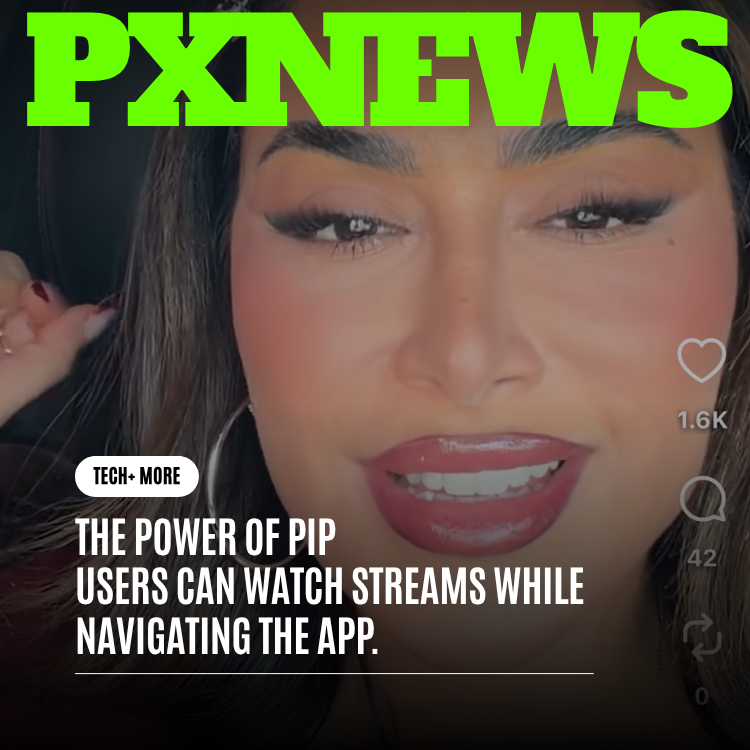
You're locked into a live stream, your favorite creator is mid-flow, and then it happens: a message pops up, or you remember you wanted to check something in your feed. On most apps, that tiny urge forces a brutal choice — stay and watch, or leave and miss the moment. Whistlr just made that choice disappear. With picture-in-picture, your live stream shrinks into a small floating player that follows you everywhere in the app, so you can browse, chat, and explore without ever stepping away from what's happening right now.
It's one of those features that sounds simple until you realize how much it changes the way you actually use a social app. Live is the most "you had to be there" thing on the internet. The whole point is that it's unfolding in real time — the reaction, the reveal, the moment a creator answers your question out loud. The second you have to leave to do anything else, you risk missing exactly the part you came for. PiP on Whistlr means you never have to gamble. The stream stays with you.
The Everyday Frustration PiP Finally Fixes
Think about how often you're watching something live and your attention gets pulled in two directions at once. A friend drops a message you want to answer. Someone in the chat mentions a creator you've never heard of, and you want to peek at their profile. Your feed has been refreshing in the background and you're curious what's new. All of these are normal, healthy impulses — they're the reason you opened a social app in the first place.
But on most platforms, every one of those impulses comes with a penalty. Tap away from the stream and it stops. Come back and you've missed thirty seconds, or the stream has ended, or the moment everyone's talking about already happened. So you train yourself to sit still, thumbs hovering, afraid to touch anything. That's not how a great app should feel. You shouldn't have to hold your breath to watch something live.
Whistlr's picture-in-picture removes the penalty entirely. Watching and using the rest of the app stop being mutually exclusive. You get both, at the same time, with no compromise and no anxiety about what you might miss.
How Picture-in-Picture Works in Whistlr
It couldn't be more natural to use, and that's by design. Start watching any live stream the way you always would. Then, whenever you feel the urge to do something else, just do it — tap into your feed, open a chat, jump to a profile. As you navigate away, the stream doesn't close. It gracefully shrinks down into a compact floating player that stays on top of everything else you're doing.
That little window goes with you everywhere inside Whistlr. Scroll your feed and it's there in the corner. Reply to a friend and it keeps playing over the conversation. Wander three profiles deep and the stream is still running, still live, still right where you left it. You're not watching a paused snapshot or a frozen thumbnail — it's the real, ongoing broadcast, continuing in real time while you do your thing.
- Start anywhere: Open any live stream as usual — no special mode to enable, no setting to dig for.
- Keep moving: Navigate to your feed, messages, profiles, or anywhere else in the app, and the stream shrinks into a floating player that follows you.
- Always live: The floating player keeps the broadcast going in real time, so you stay in the moment instead of watching it pass you by.
- One window, full freedom: A single, tidy player that stays out of your way while you use the rest of Whistlr exactly how you want.
Controls That Stay Out of Your Way
The floating player is designed around a simple idea: it should be invisible until you want it, and instantly front-and-center when you do. It sits quietly in the corner, small enough not to crowd whatever you're focused on, but always one tap from your full attention.
Want to dive back into the full experience? Tap the floating player and it expands right back to full screen, putting you back in the front row with the chat, the reactions, and every control you'd expect. Done watching for now? Swipe it away or tap to dismiss, and it's gone — no menus, no friction. The whole interaction is built to feel like second nature within a session or two.
"We kept coming back to one feeling: nobody should have to choose between watching a live moment and using the app they love. PiP is our answer to that. You open a stream, you keep living your life inside Whistlr, and the moment never leaves your side. The best features are the ones you stop noticing because they just work, and that's exactly what we were chasing here."
— Priya Anand, Live Product Lead at ETAPX
Smooth, Reliable, and Easy on Your Battery
Here's a thoughtful touch that you'll feel more than you'll see. Whistlr keeps a single stream playing at a time. When your floating player is going, that's the one stream getting your phone's full attention — nothing else is quietly competing for resources behind the scenes. The result is a player that stays smooth, stays responsive, and is noticeably kinder to your battery.
We made that decision on purpose, because a floating window that stutters or drains your phone in twenty minutes isn't a feature — it's a nuisance. By keeping things focused, PiP stays buttery while you scroll, snappy when you tap back to full screen, and gentle enough that you can keep a stream running through a long session without watching your battery icon nosedive. You get the freedom to roam the app with none of the cost you'd normally brace for.
Why Live Feels So Much Better Now
Live has always been about presence — being there as it happens, sharing a moment with the creator and everyone else watching at the same time. That shared "now" is what makes live special and what makes it impossible to fully recreate with a replay. The trouble was that staying present used to mean staying still. PiP changes the math.
Now presence and exploration coexist. You can be fully there for the stream and fully free to use everything else Whistlr offers. Catch up on your feed during a slow stretch. Fire off a reply without missing the punchline. Check out the new creator someone just hyped in the chat, all while the broadcast keeps rolling in the corner of your screen. The app stops asking you to pick a lane, and starts letting you do everything at once.
"I host long live sessions and the drop-off used to break my heart — people would leave to check a message and just never come back. Since PiP, my viewers stick around way longer because they don't have to leave to keep scrolling. The little floating window keeps them with me even when they wander off. It honestly feels like having the room stay full."
— Marcus Reyes, Whistlr creator
A Quiet Win for Creators
If you're the one going live, PiP is more than a nice viewer convenience — it's a meaningful shift in how your audience behaves. The biggest enemy of any live session is the silent exit: a viewer leaves to do one quick thing and the moment to return never comes. Every one of those exits chips away at your live crowd and your momentum.
With picture-in-picture, that exit doesn't have to happen. When viewers can browse, chat, and explore without abandoning your stream, they stay connected to you for longer. They keep hearing your voice, catching your reactions, and feeling the energy of the room even while they multitask. More watch time, fewer drop-offs, and a livelier chat — all from removing a single point of friction that used to cost creators their audience without anyone realizing it.
- Fewer silent exits: Viewers don't have to leave your stream to do something else, so they don't vanish mid-session.
- Longer watch time: The floating player keeps people tuned in while they browse, which keeps your numbers and your energy up.
- A warmer room: When people stick around, the chat stays active and the stream feels more alive for everyone who joins.
How PiP Fits the Rest of Whistlr
Picture-in-picture isn't a standalone gimmick — it's woven into the whole Whistlr experience. Because the floating player follows you everywhere, it naturally connects live streaming to everything else you already love about the app. Keep a stream running while you scroll your feed, react to a friend's post, send a message, or explore a new creator's profile. Live stops being a separate destination you visit and becomes something that travels alongside the rest of your time in Whistlr.
That's the bigger idea behind it. We want the things you do on Whistlr to feel connected rather than walled off from each other. Live and everything else shouldn't live in different rooms with a door that slams shut every time you move. PiP knocks down that wall, so the app feels like one fluid space you move through freely — with the moment always traveling with you.
Frequently Asked Questions
How do I turn on picture-in-picture for a stream?
There's nothing to turn on. Just start watching a live stream like you normally would, then navigate anywhere else in the app — open your feed, a chat, or a profile. The stream automatically shrinks into a floating player and keeps playing. It's built to just happen, so you can stay in the moment without hunting through settings.
Can I move the floating player or get rid of it?
Yes. The floating player is designed to stay out of your way, and you're always in control of it. Tap it to pop back to full screen whenever you want the full experience, or swipe it away to dismiss it when you're done. It's never more than one quick gesture from full attention or fully gone.
Will keeping a stream floating drain my battery?
It's built to be gentle on your phone. Whistlr keeps a single stream playing at a time, so the floating player stays smooth and easy on your battery instead of fighting for resources. You can keep a stream running through a long session without bracing for your battery to take a hit.
Does the stream stay live, or is it just a still image?
It stays genuinely live. The floating player isn't a frozen thumbnail or a paused clip — it's the real, ongoing broadcast continuing in real time. That's the whole point: you stay present for the moment as it actually unfolds, even while you're doing other things in the app.
Why does Whistlr only keep one stream playing at a time?
It's a deliberate choice that's all about your experience. By focusing on one stream at a time, the floating player stays smooth, responsive, and easy on your battery, rather than stuttering or draining your phone. You get a reliable, polished player that just works, every time you go live or tune in.
Picture-in-picture is one more step toward a Whistlr that moves the way you do — fluid, present, and never forcing you to choose between the moment and everything else. We're already exploring ways to make the floating player feel even more at home across the app, so keep an eye out. The best part of live is being there, and now you can be there without ever putting the rest of your world on hold.