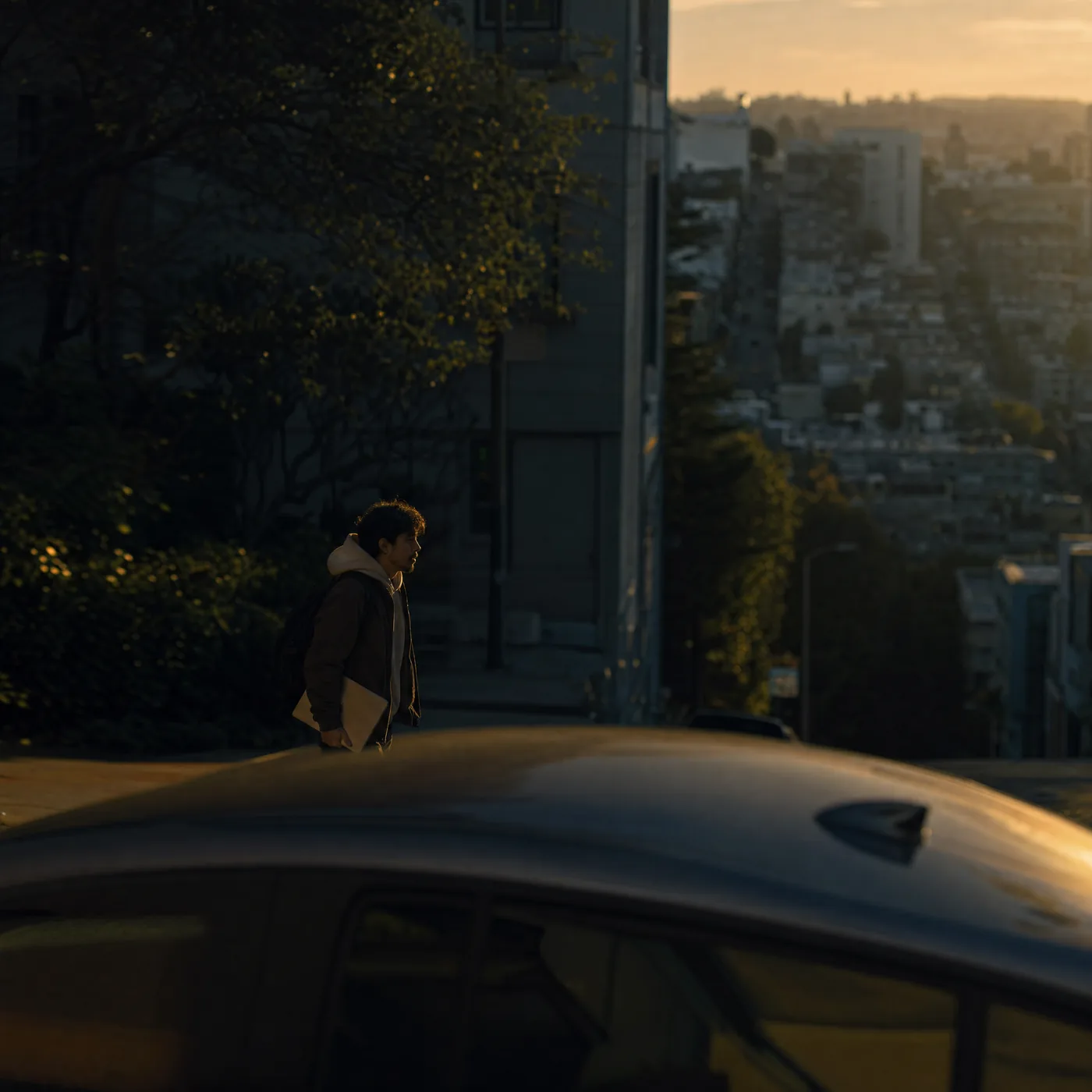
Minis have always been the fastest way to share a moment on Whistlr: vertical, full-screen short videos that you tap, watch, and swipe through. Now Minis are getting a glow-up. The Minis experience on Whistlr is rolling out with a cleaner full-screen viewer, search one tap away at the top of the screen, a row of fresh drops from the people you follow, and a posting flow that connects to the in-app AI video editor. None of it changes what Minis are. It makes every drop look better, load faster, and reach the right people. Here's what's new, how it works, and how creators can make the most of it.
What the Minis Glow-Up on Whistlr Actually Is
Short-form video isn't new, and Minis aren't new on Whistlr either. They've been at the heart of how people share moments and how new creators get discovered for a long time. What's changed is how much people use them. Creators who started with a single twenty-second clip now build Minis out of a dozen shots. Home cooks post recipes step by step, musicians clip the exact lyric that hits, and small businesses show products off in their own kitchens and studios. Viewers swipe through more Minis back to back than ever. The format grew up, and the space it lived in needed to grow up with it.
The glow-up is a refresh of the whole Minis surface, built around three goals:
- Let the video lead: A cleaner, less cluttered full-screen viewer, so the content takes up the screen and the interface stays out of the way until you need it.
- Make fresh drops easy to find: Search at the top of Minis, plus a row of recent drops from people you actually follow, so discovery doesn't depend only on whatever the feed serves next.
- Make posting a Mini feel like a drop: A smoother path from shooting and editing to publishing, so a new Mini lands looking the way the creator intended.
The glow-up is rolling out now across Whistlr on iOS, Android, and web. Everything you already know about Minis still works the same way. Your published Minis stay exactly as they are, your saved projects stay intact, and the swipe-to-the-next-video rhythm hasn't changed. What's different is how it looks and how easily you can get to the Minis you'll actually want to watch.
"Minis are where a lot of people first meet a creator on Whistlr, so how the space feels matters. We didn't want to reinvent the format, because people already love it. We wanted it to feel as good as the videos people are posting into it: cleaner, faster, easier to find your way around. It's a glow-up, not a makeover."
— Renata Osei, VP of Product, ETAPX
A Cleaner, Full-Screen Minis Viewer
The first thing you'll notice when you open Minis after the update is how much of the screen belongs to the video. The refreshed viewer strips back the interface around each Mini so the content comes first. Faces, food, products, and the room a creator is filming in all get the full frame. Controls are still there when you reach for them, but the video doesn't have to compete with them.
This matters more than it might sound. Research ETAPX has shared about Minis shows that viewers form an impression of a creator within the first few seconds of a video, from nonverbal cues like expression, tone, pacing, and setting. Every bit of clutter on top of a Mini competes with those cues. A cleaner viewer puts the creator front and center and lets the first seconds do their work.
What's different in the viewer
- More room for the video: Interface elements sit lighter on the screen, so vertical, full-screen content actually feels full-screen.
- A simple header: The top of the screen is clean: the Minis label, search on one side, and fresh drops from people you follow on the other.
- Clearer credits: When a Mini was made with collaborators, the "with" credit shows right in the player, so everyone who worked on it gets seen.
- The same swipe rhythm: Tap, watch, swipe, repeat. The gesture people already know didn't change.
Built to play instantly
A glow-up doesn't mean much if the video stutters. Minis are engineered for instant, full-screen playback, with preloading that starts the next video the moment you swipe. That work sits on top of the expanded servers ETAPX brought online behind Whistlr, which were aimed squarely at keeping Minis fast even during the busiest parts of the day. The refreshed viewer was designed to keep that speed intact, so a Mini posted two minutes ago should start as smoothly as one that's been up for a week.
Search Built Right Into Minis
One of the most requested changes to Minis was simple: let me look for something. Before the glow-up, Minis was mostly a lean-back experience. You opened it and watched what came next. That's still the default, and for a lot of people it's the whole appeal. But plenty of viewers show up with something specific in mind: a recipe they half-remember, a creator whose name they can't quite spell, a topic they want more of tonight.
The refreshed Minis header puts a search icon in the top corner of the screen, one tap from any video you're watching. You don't have to back out to another part of the app or lose your place to go looking for something. Search takes you across Whistlr's content and creators, and once you've found what you were after you can get right back to swiping.
For creators, this makes Minis more discoverable after the first day. A Mini that's easy to find through search keeps earning views long after it's out of anyone's immediate feed. That's one more reason to write clear captions and use words people would actually search for.
Fresh Drops From the People You Follow
The most visible new piece of the Minis header is the row of profile bubbles in the top corner. It's a quick way to see who you follow has dropped something new. Tap it and you go straight to recent Minis from those people instead of waiting for them to surface in the main flow.
This follows a principle that runs through everything Whistlr builds: people come before trends. Whistlr has always been a friend-first platform, and a discovery feed, however good, shouldn't be the only way to catch up with the creators and friends you chose to follow. The fresh-drops row gives those people a dedicated spot at the top of the screen, so a new Mini from a friend doesn't get buried under a clip from a stranger with a louder hook.
- For viewers: A fast way to catch up on the people you care about, without scrolling through everything else first.
- For creators: Followers who opted in to see your work now have a direct path to your newest Minis, right at the top of the screen.
- For friends: The Minis your actual friends post, like a clip from a trip or a joke that only makes sense to your group, are easy to find instead of being lost in the stream.
"I post recipe Minis from my apartment kitchen, and my regulars used to tell me they'd miss a new one for days because it got lost in their feed. Now they just tap the little bubbles at the top and there I am. Same week the update landed, my comments were full of people who'd actually caught the new drop the day it went up."
— Lena, Whistlr food creator
How to Post a Mini Drop, Step by Step
A glow-up for viewers only works if the Minis going into it look great, so the posting side matters just as much. Whistlr's in-app AI video editor already turns a raw clip into a polished Mini without leaving the app. Here's how a Mini drop comes together from start to finish.
Step 1: Shoot or upload your clips
Record straight in Whistlr or upload clips you've already shot. One continuous take works, and so does a sequence of eight, twelve, or twenty short clips for a day-in-the-life, a tutorial broken into steps, or a story told across scenes. If you prefer a dedicated creative space, the Whistlr Studio app is built for shooting, editing, captioning, and exporting Minis, posts, and stories.
Step 2: Arrange your edit on the timeline
The editor uses a real multi-track timeline. Clips, audio, captions, text, and visual elements each sit on their own track, and you can trim, split, reorder, and layer them. Minis default to 9:16 vertical, the natural home for full-screen short-form, and the same project can be reframed for other formats without starting over.
Step 3: Add captions, voice, and music
Auto-generated captions land on their own track, word-timed and ready to restyle. AI voiceover can speak a script in dozens of languages. Music, audio visualizers, transitions, and text animations all drop in from inside the editor. Captions deserve special attention in the glow-up era, since plenty of people watch Minis with the sound off, and clear on-screen text keeps them watching.
Step 4: Preview what you'll publish
The editor's preview shows exactly what's about to be published, frame for frame. When you export, the project renders into a clean, high-quality video file rather than a screen recording, so what viewers see in the refreshed full-screen viewer is the version you signed off on.
Step 5: Credit your collaborators and publish
If you made the Mini with someone else, add them as a collaborator before you post. Minis carry the same credit summary as posts and stories, so a co-made video shows "with" its collaborators right in the player. Then publish. Your Mini goes out to the Minis experience, to your profile, and to the fresh-drops row for the people who follow you.
How Minis Get Discovered After the Glow-Up
A better-looking viewer is only half of discovery. The other half is what actually surfaces, and that's been changing too. Whistlr's Trending tab has shifted away from treating a big first-second reaction as the whole story and toward noticing what people actually stay for, finish, and come back to. Content that gets watched to the end, re-watched, or sought back out after someone scrolled past is treated as a different kind of popular than content that grabs three seconds and loses you.
That philosophy fits Minis naturally, and it's good news for creators who put real craft into their drops. In practice, a few things matter most:
- Watch-through beats the hook alone: A strong opening still helps, but a Mini that pays off at the end will outperform one that's built only to interrupt a scroll.
- Re-watchable Minis travel further: A joke that lands better the second time, a technique you want to see again, or a moment someone sends to a friend all tell Whistlr the Mini delivered.
- Your followers see you first: The fresh-drops row gives people who already chose you a direct line to your new Minis, independent of whether a clip breaks out more widely.
- Search keeps working after day one: Clear captions and descriptive titles help a Mini keep getting found through search long after it's out of anyone's immediate feed.
- Communities carry Minis: Minis travel through Circuits and SubCircuits, onto profiles, and into Stories. A creator can build a real following inside a focused community before the wider feed ever notices.
"The glow-up isn't just visual. It's about making sure a great Mini has more than one way to reach the people who'd love it: the feed, search, the people who already follow you, and the communities you're part of. When a creator puts real work into a drop, we want that work to have a fair shot at being seen, and to be worth watching all the way through once it is."
— AJ, Founder & CEO, ETAPX
Collabs, Credits, and Minis Made Together
The cover of this story shows two creators in a kitchen, which is not a coincidence. More and more Minis aren't solo projects. Duos build videos out of each other's clips, friends film together, small teams split the work, and brands partner with creators on sponsored Minis. Whistlr's collaboration features were built for exactly that, and the glow-up makes collaboration more visible in the Minis viewer.
When a Mini has collaborators, credit shows in the player itself, not tucked away in a description. Viewers can see at a glance who made the video and tap through to each collaborator's profile, where their own Minis, streams, Stories, and storefront live under one account. For creators, that means a collab keeps paying off: every co-made Mini introduces each creator to the other's audience, with everyone's name intact.
Real multi-person editing on a single project, where creative partners, small teams, or brand partners work on the same edit together, is one of the directions ETAPX has previewed for the next version of the video editor. That's still in the works. For now, collaborator credits on published Minis already make sure the work of everyone involved is seen.
Tips for Making Your Minis Glow
The refreshed viewer rewards Minis that were made with care, and it doesn't require a studio. Here's what tends to work best for creators posting into the new experience:
- Frame for full-screen vertical: Shoot in 9:16 and keep important action away from the very top and bottom edges, so nothing important gets lost behind the controls.
- Lead with personality: Viewers form impressions within the first few seconds, so let them see you, your space, or the payoff early instead of a long intro.
- Caption everything: Auto captions take a couple of taps and make your Mini watchable with the sound off. Restyle them so they match your look.
- Keep a consistent style: Using the same caption style, color feel, and setting across your Minis helps followers recognize you as they swipe.
- Let it be a little imperfect: Authentic moments tend to connect better than over-produced ones. A real reaction beats a flawless take.
- Earn the ending: Build toward a payoff, whether it's a finished dish, a punchline, or a before-and-after, so people watch all the way through and want to watch again.
- Write searchable captions: Describe what's in the Mini in the words someone would type into search.
- Credit your people: Add collaborators every time. It's fair, it's visible, and it doubles the audience that sees the drop.
What the Minis Glow-Up Means for Businesses and Brands
Minis aren't only for personal creators. Small businesses and brands on Whistlr use them to show products in action, announce launches, and give customers a look behind the counter. A cleaner, full-screen viewer makes that content look more premium without anyone paying for a production crew, and search makes it easier for customers to find a business's Minis when they're looking for something specific.
Minis also connect directly to Whistlr's commerce features. Product tiles can appear on content, tappable straight into a product page, and a creator's or business's Storefront sits a tap away from their Minis on the same profile. Businesses can clip the best moments from a live launch and post them as Minis pointing back to the product. Whistlr also runs native ads inside the Minis experience through its campaign manager, and the refreshed viewer gives those placements the same clean, full-screen treatment as everything else in the stream.
For creators building a business on Whistlr, Creator Studio remains the home for managing Minis alongside Waves, Storefronts, and Live Shopping, including post-type analytics that show whether your Minis, lives, or feed posts drive the engagement that matters. After the glow-up, those analytics are a useful way to see how your drops perform in the new experience.
What's Next for Minis
The glow-up is a foundation. ETAPX has already shared a first look at where the Whistlr video editor is headed next: better handling for large multi-clip projects, real collaboration on a single edit, deeper personal style presets, and smarter assists for pacing and cuts that work as editable suggestions, not autopilot. None of that is live yet, and exact features and timing are still being worked out, but it points in the same direction as the glow-up. The tools and the space around Minis are both growing to keep up with how seriously people take the format.
On the viewing side, the work continues along the lines described here: keeping playback instant as Whistlr keeps growing, refining how Minis get discovered so the best work surfaces, and giving the people you follow a real place at the top of the screen. As always, the most reliable place to hear about what lands next is PX News and in-app announcements.
"Every piece of this refresh had to earn its spot by making Minis feel faster or clearer, never heavier. The viewer does less on screen so the video can do more, and all the engineering underneath exists to make sure that when you swipe, the next Mini is already there."
— John Ridge, CTO, ETAPX
Frequently Asked Questions
What are Minis on Whistlr?
Minis are Whistlr's vertical, full-screen short-form videos. They're built for instant playback: you tap to watch and swipe to the next one. Anyone can create Minis inside Whistlr using the in-app AI video editor or the Whistlr Studio app, and they appear in the Minis experience, on the creator's profile, and in front of the creator's followers.
What changed in the Minis glow-up?
The Minis experience got a cleaner full-screen viewer that gives more space to the video, a search icon at the top of the screen, a row of fresh drops from people you follow, and clearer collaborator credits in the player. The swipe-to-watch rhythm, instant playback, and all existing Minis and projects stay exactly the same.
How do I see new Minis from people I follow?
Tap the row of profile bubbles in the top corner of the Minis screen. It takes you straight to recent Minis from people you follow, so you can catch up on friends and favorite creators without waiting for their videos to come up in the main Minis flow.
How do I make a Mini on Whistlr?
Shoot or upload your clips in Whistlr, arrange them on the editor's timeline, add auto captions, voiceover, music, transitions, and text, preview the result, add any collaborators, and publish. Minis default to 9:16 vertical, and the editor renders a clean, high-quality video so what you preview is what viewers see.
How can I get more views on my Minis?
Focus on Minis people watch all the way through and want to re-watch. Whistlr's discovery weighs watch-through and re-watches, not just quick reactions. Lead with personality in the first seconds, caption everything, write searchable captions, keep a consistent style, and credit collaborators so each drop reaches more than one audience.
Is the Minis glow-up available everywhere?
Yes. The refreshed Minis experience is rolling out across Whistlr on iOS, Android, and web, and Whistlr features ship the same way in every region the app is available. If you don't see the new look yet, make sure your app is up to date. The rollout is reaching everyone.
Minis have always been about small moments that say a lot. With the glow-up, those moments get a cleaner stage, a faster path to the people who care about them, and a posting flow built to make every drop look its best. Open Minis, tap the bubbles at the top, and see who's dropped something new.