Private accounts on Whistlr just got a redesign, and the idea behind it is simple: a locked profile should protect what you share without feeling like a wall. When someone who isn't your friend yet opens your private Whistlr profile, they now see a hint of who you are, your profile photo behind a soft vignette, your post, peer, and friend counts, and a clear "This account is private" label, along with one obvious next step: send a friend request. Your posts and stories stay behind the lock until you approve them. This guide covers how Whistlr private accounts work, what people can and can't see on a locked profile, how friend requests and message requests work, the other privacy settings that pair well with a private account, and how to set it all up in a couple of minutes.
Privacy on social apps tends to come in two flavors. Either your profile is wide open to anyone, or it's locked down so hard that the people you actually want to connect with can't tell if they've found the right account. Neither feels great. We wanted Whistlr locked accounts to sit in the middle: private enough that your posts are only for the people you choose, and recognizable enough that a friend from school, a coworker, or someone you met at a show can find you, know it's really you, and ask to connect.
What Is a Locked Account on Whistlr?
A locked account is what most people call a private account. When you turn on Private account in your Whistlr settings, only people you approve can see your posts and stories and add you as a friend. Everyone else can still find your profile, but they see a locked view instead of your content, and they have to send a friend request to get in.
The setting itself describes it well: "When your account is private, only people you approve can see your posts and add you as a friend." That's the whole contract. You decide who gets in. Nobody gets added to your friends list, and nobody sees what you share, without your say-so.
Locked Accounts vs. Public Accounts
- Public account: Anyone can open your profile and see your posts, and anyone can add you as a friend instantly, without asking.
- Locked account: Anyone can find your profile and see the basics, but only friends you approve can see your posts and stories. New friends have to send a request you accept.
One quick note on language, since "locked" can mean two things. A locked account in this article means a private account, a choice you make in your settings. That's different from an account being locked by our safety team for breaking the Community Guidelines, which comes with its own screen and appeal process. If you chose to go private, nothing is wrong with your account. You've just closed the door and kept the key.
"Privacy shouldn't make you invisible. The people who care about you should be able to find you, recognize you, and ask to come in. What they shouldn't get is your posts, your stories, and your life before you've said yes. The new locked profile is built around that line."
— AJ, Founder & CEO, ETAPX
The New Locked Profile: A Hint, Not the Whole Picture
The biggest change is what someone sees when they land on your profile before you've approved them. The old locked view was a generic empty state that told people the profile was private and pointed them back to the feed. It protected your content, but it didn't help anyone confirm they'd found the right person. The new design keeps everything private that should be private, while giving visitors just enough to know who they're looking at.
What Visitors See on Your Locked Profile
- Your profile photo, full-screen: Your photo fills the screen behind a soft vignette that fades to black at the edges, so it reads as a preview rather than a gallery.
- A clear invitation: Across the top, a large headline reads "Send" followed by your name and "a friend request," with your name highlighted.
- Your counts: Near the bottom, visitors can see how many posts you've shared and how many peers and friends you have, which helps them recognize a real, active account.
- The lock itself: A lock icon with "This account is private" and a short explanation: only friends you approve can see your posts and stories.
- Two actions: The profile's own Add Friend button and a Message button, sitting side by side at the bottom of the screen.
What Stays Behind the Lock
Everything that makes up your actual profile stays hidden until you approve someone. Visitors who aren't your friends don't see your posts, your stories, or the content in your other profile tabs. Your private Havens stay limited to your mutuals, just as they always have. The locked view shows people who you are, not what you've shared.
That distinction matters. Your name, photo, and counts are the same kind of information someone needs to decide whether to send a request in the first place. Your posts and stories are the reason you went private. The new design keeps those two things cleanly apart.
Why We Redesigned the Locked Profile
Think about what happens when you land on a private profile that tells you nothing. You hesitate. Is this the right Jasmine, or a different one? Is this account still active, or abandoned years ago? Is it even a real person? Without any signal, it's easy to back out, and the friend request that would have connected two people who already know each other never gets sent.
That's a bad outcome for everyone. The person with the private account misses a connection they would have welcomed, and the person searching leaves thinking they couldn't find their friend. Privacy was working, but connection wasn't.
The fix wasn't to show more of your content. It was to show more of you. A recognizable photo answers "is this the right person?" Your counts answer "is this account real and active?" A big, clear request button answers "what do I do now?" None of those things reveal a single post or story, and all of them make it easier for the right people to reach you.
We also wanted the locked profile to look like it belongs on Whistlr, not like an error screen. The full-bleed photo, the vignette, and the large type make a private profile feel intentional, like a closed door with your name on it rather than a blank wall.
How Friend Requests Work on a Private Whistlr Account
Friend requests are the heart of a Whistlr private account, so we rebuilt that flow to feel immediate on both sides.
Sending a Request
When someone taps Add Friend on your locked profile, the request goes out instantly. The headline on their screen changes to "Request sent to" followed by your name, their button changes to Requested, and the explanation updates to let them know their request is in and that they'll see your posts and stories once you accept. There's no guessing about whether the tap worked.
Requests work the same way everywhere you can add someone. Tap the follow button on a private account's Mini, or on their profile preview, and you'll see Requested instead of Friends until they respond.
Changing Your Mind
If you send a request and then think better of it, tap Requested to withdraw it. The button returns to Add Friend, and the request is gone. Nobody is left holding a request you no longer mean.
Approving or Declining Requests
If you have a locked account, new friend requests show up in your notifications. Each request has two buttons: Confirm and Delete. Confirm adds that person as a friend and gives them access to your posts and stories. Delete removes the request. Take your time. There's no countdown on a pending request, and you never have to explain a decision.
The Moment You Say Yes
When you confirm a request, the change reaches the other person in real time. If they're looking at your profile when you accept, the locked screen fades away and your full profile is right there underneath. No refreshing, no backing out and coming back in. It's a small detail, but it makes accepting a friend feel like opening a door instead of submitting a form.
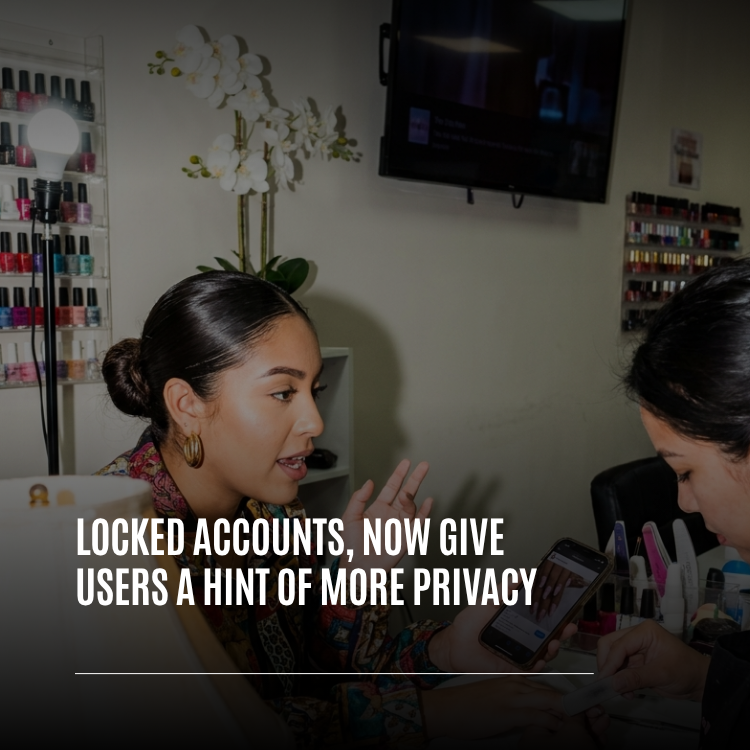
"I do nails, so half my followers are clients and the other half are actual friends. Going private used to mean clients couldn't even tell it was me. Now they see my photo and send a request, and I decide who sees my personal stuff. It feels a lot less like hiding."
— Jasmine, nail artist on Whistlr
Messages and Locked Accounts
Going private doesn't mean nobody can ever reach you. The Message button on your locked profile lets someone send you a note, which is useful when they want to introduce themselves before sending a request. Messages from people you aren't connected with don't land in your main inbox. They go to your Requests, where you can read them when you're ready, reply, or decline them.
If you want tighter control, Whistlr's Contact options let you choose exactly who can message you:
- Everyone: Anyone on Whistlr can send you a message, and messages from strangers land in your Requests.
- People you follow: Only people you follow can message you.
- Verified accounts only: Only verified accounts can reach you.
- No one: Turn off new direct messages entirely.
Contact options also include Allow group invites, which controls whether people can add you to group conversations. Turn it off and nobody can drop you into a group chat you didn't ask to join.
"The tricky part of a locked profile is showing enough without showing too much. We load the photo, the counts, and the request controls, and we simply don't load the posts, stories, or tabs for someone who isn't approved. When a request is accepted, the follow status updates in real time and the lock fades out over the real profile. The privacy line is drawn in what we fetch, not just in what we display."
— John Ridge, CTO, ETAPX
Who Should Use a Locked Account?
There's no right answer here, and plenty of people switch back and forth depending on what's happening in their life. A locked account tends to fit best if any of these sound like you:
- You post mostly for friends: Your stories are inside jokes, weekend plans, and photos meant for people who know you, not for the whole internet.
- You mix work and personal life: You want clients, customers, or coworkers to be able to find you, but you'd rather approve who sees your personal posts.
- You're taking a break from visibility: You want to stay on Whistlr and keep up with friends without your posts surfacing to strangers for a while.
- You've had an uncomfortable experience: Going private, alongside blocking or reporting, is a fast way to take back control of who sees what you share.
- You're just more private by nature: Some people simply prefer to know everyone who can see their posts. That's reason enough.
On the other hand, if you're a creator building an audience, a business selling through a Storefront, or someone who wants their posts to reach new people through Search and the feed, a public account is usually the better fit. You can still use the other privacy tools below to shape how people interact with you.
Privacy Settings That Pair Well With a Locked Account
A locked account controls who can see your posts and stories. Whistlr's Privacy and safety settings let you go further and fine-tune how people interact with you, whether your account is private or public.
How Others Can Interact With You
- Tags: Choose whether Everyone, Peers only, or No one can tag you.
- Mentions: Choose whether Everyone, Peers only, or No one can mention you.
Activity Status
- Show activity status: Decide whether others can see when you're active on Whistlr.
- Show last seen: Decide whether others can see when you were last active.
Sharing and Reuse
- Allow story resharing: Decide whether others can share your stories to their own stories.
- Allow downloads: Decide whether others can download your public content.
Discoverability
- Similar account suggestions: Decide whether your profile can be suggested to other people.
- Allow contact syncing: Decide whether people can find you using your contact information.
Close Friends for Your Most Personal Stories
Even among approved friends, some stories are meant for a smaller circle. Your Close friends list lets you share a story with just the people on it. They'll see a green ring around your profile picture and a Close friends badge on the story. Only you can see your list, and people aren't notified when you add or remove them, so you can adjust it whenever you like without any awkwardness.
Private Havens for Your Mutuals
When you create a Haven, you can set it to private so only your mutuals can see and enter it. Private Havens don't appear to people outside that circle, on your profile or anywhere else.
"Privacy isn't one switch, it's a set of dials. A locked account decides who's in. Close friends decides who sees your most personal stories. Tags, mentions, messages, and group invites decide how people can reach you. Together they let you build a Whistlr that feels right for you, without giving up the parts you love."
— Renata Osei, VP of Product, ETAPX
How to Make Your Whistlr Account Private
Switching to a locked account takes less than a minute, and you can switch back at any time.
- Open your settings. Go to your profile and open Settings.
- Go to Privacy and safety. This is where every privacy control on Whistlr lives.
- Turn on Private account. Under Account privacy, switch on Private account. The change takes effect right away.
- Check your profile photo. Since your photo is what visitors see on your locked profile, make sure it's one you're happy for people to recognize you by.
- Set who can message you. In Contact options, choose Everyone, People you follow, Verified accounts only, or No one, and decide whether to allow group invites.
- Review tags, mentions, and activity status. Back in Privacy and safety, set tags and mentions to the level you're comfortable with and choose whether to show your activity status and last seen.
- Build your Close friends list. Add the people you want to share your most personal stories with.
Switching to private doesn't remove anyone you're already connected with. Friends you've already approved keep seeing your posts and stories as before. The new rules apply to people who want to connect from now on.
Tips for Getting the Most Out of a Locked Account
- Pick a recognizable photo: Your profile photo is the main hint people get, so use one that friends will recognize at a glance.
- Keep your name clear: A display name people know you by makes it much easier for the right people to send a request.
- Check requests regularly: A quick look at your notifications keeps friends from waiting days to get in.
- Use Delete freely: You don't owe anyone an approval. If you don't recognize someone, delete the request.
- Watch your Requests inbox: Someone you know might message before sending a friend request, especially if they're not sure it's you.
- Pair it with Close friends: Use a locked account for your general circle and Close friends for the handful of people who get everything.
- Remember the tools still work: A private account doesn't replace blocking or reporting. If someone makes you uncomfortable, use those too.
Frequently Asked Questions
What is a locked account on Whistlr?
A locked account is a private Whistlr account. Only friends you approve can see your posts and stories and add you as a friend. Anyone else who opens your profile sees a locked view with your profile photo, your counts, and the option to send a friend request.
What can people see on a private Whistlr profile?
People who aren't your friends can see your profile photo, your name, your post, peer, and friend counts, and a "This account is private" label, along with Add Friend and Message buttons. They can't see your posts, stories, or the content in your profile tabs until you approve their friend request.
How do I make my Whistlr account private?
Go to Settings, open Privacy and safety, and turn on Private account under Account privacy. The change takes effect immediately, and you can turn it off again at any time.
How do I accept friend requests on a private account?
Friend requests appear in your notifications. Tap Confirm to accept a request and give that person access to your posts and stories, or tap Delete to remove it. If they're viewing your profile when you accept, the lock fades away and your profile appears for them right away.
Can I cancel a friend request I sent to a private account?
Yes. Tap the Requested button on their profile to withdraw your request. The button goes back to Add Friend, and the request is removed.
Can someone message me if my account is private?
Yes, unless you turn that off. Messages from people you aren't connected with go to your Requests instead of your main inbox. In Contact options, you can limit messages to people you follow, verified accounts only, or no one.
Do my existing friends lose access when I go private?
No. Switching to a private account doesn't remove anyone you've already approved. Your existing friends keep seeing your posts and stories, and only new connections need to send a request.
Is a locked account the same as a suspended account?
No. A locked account in this sense is a private account you choose in your settings. An account locked by our safety team for violating the Community Guidelines is different and shows its own screen with a way to appeal.
Privacy works best when it fits the way you actually live. With the new locked profile, the people who know you can still find you, recognize you, and ask to come in, while your posts and stories stay for the friends you choose. Open Privacy and safety today, turn on Private account if it fits, and set up the rest of your dials the way you like them.