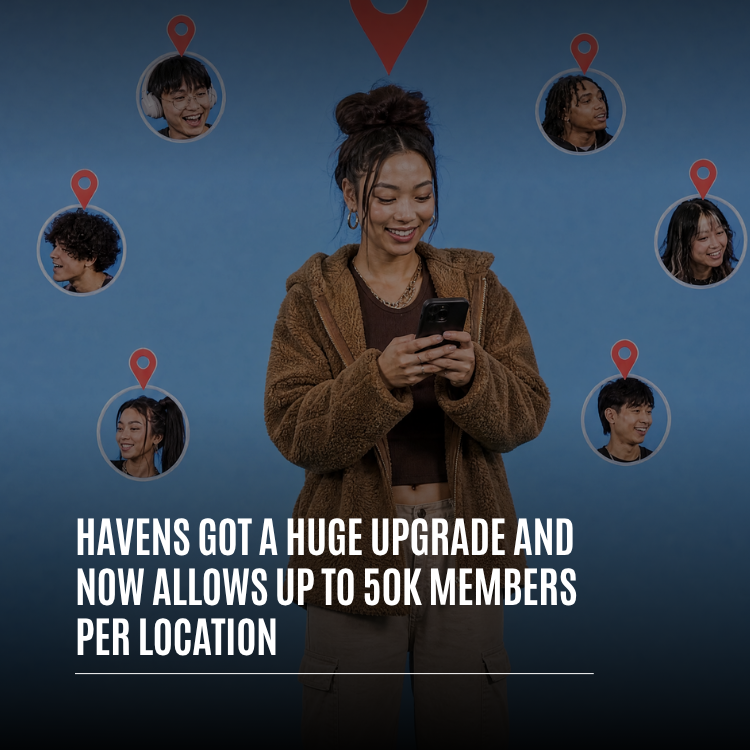
Havens on Whistlr just got their biggest upgrade yet. Every Haven, the community you pin to a real place on the map, can now hold up to 50,000 members per location. That means a single Haven can now hold a whole neighborhood, a college campus, a music scene, or the regulars of a stadium on game day, all gathered around the place they share. The upgrade goes beyond capacity, too. Whistlr Havens now show up on the new Nearby map, can carry a live stream or live audio room as it happens, can be kept private for your mutuals, and come with emoji reactions, a Havens tab on your profile, and follow alerts so people know when you start a new one. This guide explains what Havens are, what changed, how the 50K member limit works, and how to create, grow, and run a Haven that people in your area actually want to join.
Havens have been part of Whistlr for a long time, and if you've read PX News you've seen us write about Radar, map-based discovery, and why we think location belongs at the center of social. Havens are where that idea turns into something you can join. This article covers the latest round of work: the room to grow, the new ways to be found, and the controls that keep a big community feeling personal.
What Are Havens on Whistlr?
A Haven is a community pinned to a place. Someone drops a pin on the map, gives it a name, a description, a category, and a cover photo or video, and it becomes a gathering spot for anyone who cares about that place or what happens there. People join the Haven, post into its feed, react to each other, reply, and keep the conversation going long after the moment that started it.
Where a group chat is built around a list of people, a Haven is built around a location. That changes who shows up. The members of a Haven aren't just friends of the person who made it. They're the people who walk past that corner, eat at that taco spot, train at that gym, go to that school, or show up to that open mic every Thursday. The place is what brings them together.
Havens come in a few forms:
- Creator Havens: Community spaces anyone can start and pin to a spot, from a skate park to a study lounge to a favorite record store.
- Business Havens: Havens tied to local spots like restaurants, cafés, and shops, so the conversation about a place lives right on the map where it is.
- Live Havens: New with this upgrade. A host can pin a running live stream or a public live audio room to where they are, so people nearby can find it and jump in while it's happening.
"Havens started from a simple belief: the places in your life already have communities, they just never had a home on your phone. A coffee shop has regulars. A campus has a thousand small scenes. A city has neighborhoods with their own personality. We wanted to give every one of those places a front door, and with this upgrade we're making sure the door is big enough for everyone who wants to walk through it."
— AJ, Founder & CEO, ETAPX
The Big Change: Up to 50,000 Members per Haven
The headline of this upgrade is capacity. Each Haven can now hold up to 50,000 members, which means a single place on the map can support a community the size of a small city. For context, that's more than double the room in a Pod, Whistlr's Discord-style community spaces, which hold up to 20,000 members.
Why the 50K Member Limit Matters
Places don't stay small when they matter to people. A Haven pinned to a university can start with a dozen friends in the same dorm and, a semester later, include a large part of the student body. A Haven pinned to a concert venue can go from a few superfans to everyone who has ever been to a show there. A neighborhood Haven can grow every time someone new moves in. Before this upgrade, the most successful Havens were the ones closest to running out of room. Now they have space to keep growing without splitting the community into copies.
That last part is important. When a community outgrows its space, people usually make "Part 2" groups, and the conversation scatters. A higher member limit means one place can keep one community, with one feed and one history.
What "per Location" Means
The limit applies to each Haven, and every Haven is pinned to its own spot. So a creator, a business, or a campus group can hold up to 50,000 members in the Haven at one location, and a different Haven at a different location has its own room to grow. A business with several storefronts, for example, can give each spot its own Haven, each with its own regulars, and none of them takes space from the others.
Built to Stay Fast at Scale
A bigger member limit only helps if the Haven still feels quick to open. A lot of the work in this upgrade went into what happens behind the scenes. The Nearby map pulls the nearest public Havens in a single request and only loads what each card needs, so the map fills in fast even in a dense city. Haven feeds load their posts, members, and creator profile at the same time instead of one after another, and the members list warms up in the background so tapping it opens instantly. Member counts and join activity update in real time, so the numbers you see on a Haven are live.
"Raising a limit is the easy part. The hard part is making sure a Haven with tens of thousands of members opens as fast as one with ten. We rebuilt how Havens load on the map and in the feed so the experience doesn't change as a community grows. You shouldn't be able to tell from the speed whether a Haven is brand new or the biggest one in the city."
— John Ridge, CTO, ETAPX
Everything Else New in the Havens Upgrade
Room to grow is the headline, but most of this upgrade is about helping Havens get found and helping big communities stay friendly. Here's what else changed.
Nearby: A Map of Havens Around You
Nearby is the new map of everything happening around you: Havens, lives, and posts. Open it and you'll see Havens pinned across your area, shown with the faces of the people who host them, plus a card sheet at the bottom you can swipe through. Category chips across the map let you narrow things down, with All, Popular, and categories like Food, Music, Gaming, Fitness, Art, Shows, Tech, Lifestyle, Outdoors, and Business. Move the map somewhere new and tap "Show Havens in this area" to load what's there.
The cards rotate, too. Each time you open Nearby, you get a fresh pick of nearby Havens, leading with ones you haven't seen yet, so the same handful of spots don't take the top of the sheet every visit. For Havens, that means a new or smaller community gets a real turn in front of people nearby, not only the biggest one on the block.
Live Havens: Pin Your Stream to Where You Are
Live Havens connect two things Whistlr does well: going live and gathering around a place. When you're streaming, you can choose "Make this live a Haven" to pin your live stream to your current location on Nearby. Your stream keeps going as normal. The difference is that people nearby can now see it on the map and step right in.
Live Havens follow the stream. They show on Nearby only while you're live, and the pin comes off the map the moment your stream ends or you choose "End Haven." Public live audio rooms can be pinned the same way, so a group conversation happening at a park or a venue can be found by people in the area. Live Havens use your current location only. You can't pin a live to somewhere you aren't.
Hosts also get numbers that matter for local growth. A Live Haven shows you how many unique people opened your live from its Nearby pin, how many of them came in the last ten minutes, how many people are watching, and how many Whistlr users have a saved location within about five miles of you. It's a direct read on whether your local audience is showing up.
Private Havens for Your Mutuals
Not every Haven needs to be public. When you create a Haven, you can set it to private, and it will only be visible to you and your mutuals, the people who follow you and whom you follow back. Private Havens are a good fit for a friend group's regular hangout, a team's practice spot, or an event you only want your people to find. Live Havens can be private too, set to "Mutuals only," so a stream can be pinned for close friends without showing up for everyone on Nearby.
Emoji Reactions, Votes, and Replies
Big communities need fast, lightweight ways to respond. Haven posts now support emoji reactions using the same palette you use on regular Whistlr posts, and you can react to a Haven itself, not just the posts inside it. You can hold either a like or an emoji on a post, and switching between them is instant. Haven posts also support upvotes and downvotes, so members can signal which posts are most helpful in a busy feed, along with full comment threads for longer conversations.
A Havens Tab on Your Profile
When you have active Havens, your profile now shows a Havens tab so visitors can see the places you've started and join them directly. If you'd rather keep that private, you can hide the tab from Edit Profile, and other people will respect that setting.
Follow Alerts When Someone Starts a Haven
You could already turn on alerts for when someone you follow posts or goes live. Now you can also ask Whistlr to tell you when they start a Haven. For creators and local businesses, that's a big deal: the people who most want to hear about your new spot get a notification the moment it exists, which means a new Haven starts with members instead of an empty feed.
"Our run club Haven was getting close to full, and we were talking about splitting it by neighborhood, which nobody wanted. Now everyone stays in one place. I also pin our Saturday stream to the trailhead as a Live Haven, and it's wild how many people come in from the map. Half our new members found us because they were nearby while we were live."
— Talia, run club organizer on Whistlr
How to Create a Haven on Whistlr
Starting a Haven takes a couple of minutes. Here's how to set one up the right way from the start.
- Open Havens and tap to create. Start a new Haven from the Havens map.
- Add a cover. Tap to add a photo or video. You can choose one video or up to four photos. A strong cover is the first thing people see on the map, so pick something that shows the place and the vibe.
- Name it and describe it. Give your Haven a clear name and a short description of what it's about. Names that violate the community guidelines won't go through, so keep it clear and friendly.
- Pick a category. Choose the category that honestly fits, like Food & Drink, Music, Gaming, Sports & Fitness, Art & Creative, or Tech. Categories are how people filter Nearby, so the right one puts you in front of the right people.
- Drop the pin. Search for a city, address, or zip code, or drop the pin where you are. This is the location your Haven belongs to.
- Choose who can see it. Leave it public so anyone on Nearby can find it, or make it private so only your mutuals can see it.
- Publish and post first. Publish your Haven and write the first post yourself. A Haven with a welcome message and a pinned post feels alive from the first visit.
How to Join and Take Part in a Haven
For members, Havens are designed to be easy to step into. Tap a Haven pin on the map or a card in Nearby to open its feed. You'll see the cover, the description in "About this Haven," the member count, and the latest posts. Tap Join to become a member. Joining is what lets you post and send messages in the Haven, so if you see "Join to send a message," that's your cue.
Once you're in, you can post text, photos, videos, GIFs, and music, tag other people with mentions, and add hashtags so your post gets found. You can react with emoji, vote on posts, reply in threads, and save your favorite Havens so they're always a tap away. If you want to visit the place in person, Havens can show walking and driving routes with the distance, so it's easy to go from reading about a spot to showing up there. And if a Haven stops being for you, you can leave anytime.
How to Grow a Haven to Thousands of Members
A 50K member limit is an invitation, not a guarantee. The Havens that grow fastest tend to share a few habits. Here's what works.
Be Specific About the Place and the People
"Downtown Hangout" is easy to scroll past. "Late-night food spots near campus, updated daily" tells people exactly what they're getting. A specific name, description, and category make your Haven easier to find on Nearby and easier to say yes to.
Use Live Havens to Bring People In
Going live is one of the fastest ways to grow on Whistlr, and Live Havens add a local layer to it. When you pin your live to your location, people nearby can find your stream on the map in real time. Watch your Live Haven numbers to see how many people came in from the pin. Then point them to your main Haven so the people who found you live stick around after the stream ends.
Pin What Matters
As a Haven grows, newcomers need to understand it fast. Haven creators can pin posts to the top of the feed. Use that for a welcome post, house rules, a weekly schedule, or the event coming up this weekend. Haven creators can also edit the cover, title, and description anytime, so keep the details current and the top of the feed reflecting what's happening now.
Let Your Followers Know
Your existing followers are your first members. Encourage them to turn on follow alerts for new Havens, keep your Havens tab visible on your profile, and share your Haven in your posts and streams. The first hundred members are usually the hardest, and they almost always come from people who already know you.
"The best Havens feel like a place you'd want to visit even if you'd never been there. They have a clear purpose, a host who shows up, and members who help newcomers feel welcome. We built the tools, but the communities that grow to thousands of members are the ones where people genuinely look out for each other."
— Renata Osei, VP of Product, ETAPX
Who Whistlr Havens Are For
Havens work for anyone who has a place worth gathering around. The bigger member limit opens them up to communities that used to be too large to fit.
- Campus communities: Students can build one Haven for a whole school, with room for clubs, dorm life, events, and late-night study sessions in one feed.
- Neighborhoods and cities: Locals can share recommendations, news, lost-and-found, and what's happening this weekend, all pinned to the area they live in.
- Local businesses: Cafés, restaurants, gyms, and shops can give their regulars a home on the map and keep in touch between visits.
- Creators and streamers: Creators can turn a local following into a real community and use Live Havens to meet new viewers nearby.
- Venues and events: Concert halls, stadiums, galleries, and festival grounds can hold a community big enough for every fan who has ever shown up.
- Hobby and fitness groups: Run clubs, pickup leagues, skate crews, and photo walks can grow without splitting into copies.
Privacy and Safety in Havens
Bigger communities raise fair questions about privacy, and Havens were built with clear rules from the start. Nearby shows posts and places, not people. Nobody can see where you are, and Whistlr never shares your live location on the map. Location stays off unless you turn it on, and places only show on posts you choose to tag. The first time you open Nearby, a short two-step intro explains how it works and how location works before you start.
The location of a Haven is the location its creator chose to pin. Live Havens only use your current location, and only because you chose to pin your live there. The pin comes off the map when your stream ends or the moment you turn it off. Private Havens stay visible only to the creator and their mutuals, and reactions and posts inside a Haven follow the same visibility as the Haven itself, so you can only see or react to what you're allowed to see.
Haven creators have full control over their space. You can edit the details, pin and unpin posts, and if you ever need to, delete a Haven entirely to remove it from the map for everyone. Whistlr's community guidelines apply in Havens just like everywhere else on the platform.
Tips for Getting the Most Out of Havens
- Pick the exact spot: Pin your Haven where people actually gather, not just the center of town, so it shows up for the right people on Nearby.
- Choose an honest category: The category chips are how people browse Nearby. The right category puts you in the list your future members are already looking at.
- Lead with a strong cover: Your cover is your sign on the map. Use a clear photo or short video of the place and the people.
- Post on a rhythm: A weekly event, a daily recommendation, or a regular live stream gives members a reason to come back.
- Go live from the spot: Use Live Havens when you're at your location so people nearby can join in real time.
- Welcome new members: A quick reply to someone's first post does more to keep a community friendly than any rule.
Frequently Asked Questions
What is a Haven on Whistlr?
A Haven is a Whistlr community pinned to a real place on the map. Anyone can create one with a name, description, category, and cover, and people can join it to post, react, reply, and connect with others who care about the same place. Havens show up on the Havens map and the Nearby map.
How many members can a Whistlr Haven have?
Each Whistlr Haven can now hold up to 50,000 members per location. Every Haven is pinned to its own spot, and each one has its own room to grow, so a business or group with several locations can give each one its own Haven.
What is a Live Haven?
A Live Haven is a live stream or public live audio room that the host pins to their current location on Nearby. It shows on the map only while the host is live, and it comes off the map when the stream ends or the host chooses End Haven. People nearby can find it on the map and join the stream in real time.
Can I make a private Haven?
Yes. When you create a Haven, you can make it private so only you and your mutuals, the people you follow who also follow you back, can see it. Live Havens can also be set to Mutuals only.
Can other people see my location when I use Havens or Nearby?
No. Nobody can see where you are on Nearby, and Whistlr never shares your live location. Location stays off unless you turn it on, and places only appear on posts you choose to tag or Havens you choose to pin.
How do I find Havens near me?
Open Nearby to see a map of Havens, lives, and posts around you. Use the category chips to filter by things like Food, Music, Gaming, or Fitness, swipe through the cards at the bottom, or move the map and tap "Show Havens in this area" to explore somewhere else.
Do I have to join a Haven to post in it?
Yes. You can open and read a public Haven anytime, but you need to join it to post or send a message. Joining takes one tap, and you can leave whenever you like.
How do I get notified when someone starts a new Haven?
Turn on follow alerts for the person. Alongside alerts for new posts and live streams, you can now choose to be notified when they start a Haven, so you can join right when it opens.
Havens now have room for the whole community, and new ways for that community to find them. Open Nearby, see what's happening around you, and pin a Haven to the place your people already call home.