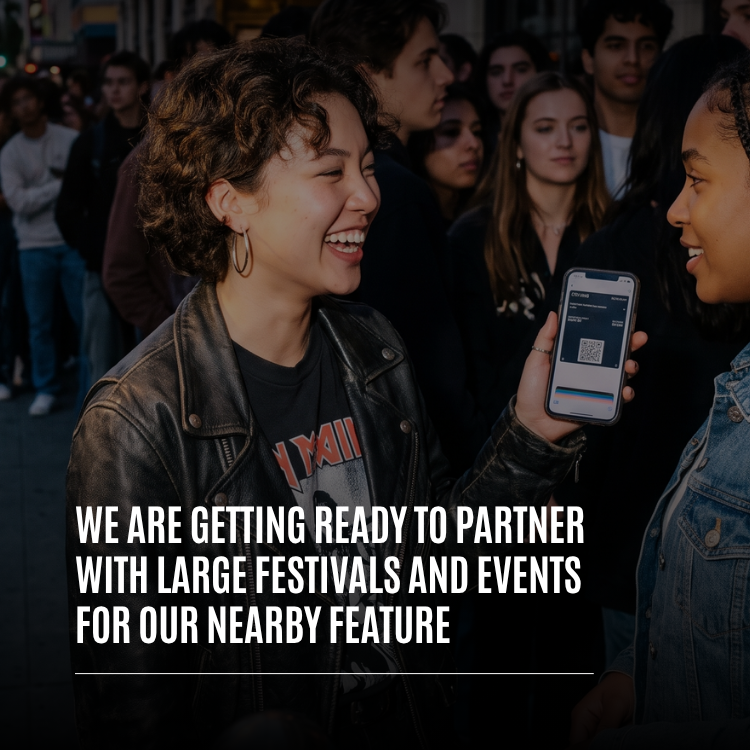
Whistlr Nearby was built for the places you go every day: the café on your corner, the campus quad, the park where your run club meets. But some of the most important places in anyone's year only exist for a weekend. A music festival, a food fair, a street celebration, a convention hall packed with fans. ETAPX is getting ready to partner with large festivals and events for Nearby, bringing Havens, Live Havens, and the Nearby map to the moments when tens of thousands of people share the same few city blocks. This article explains what Whistlr Nearby event partnerships are meant to look like, which real features they're built on, what organizers, artists, vendors, and attendees could get out of them, how privacy works in a crowd, and what you can already do at any event today, before a single partnership is announced.
To be clear up front: this is a look ahead, not an announcement of signed deals. We aren't naming festivals or venues here, and we won't until there's something real to share. What we can share is why we're preparing for this, what the work has looked like so far, and how the Nearby features already live on Whistlr fit together into something an event can use.
Why Whistlr Nearby Belongs at Large Festivals and Events
A festival is the most local thing there is, compressed into a few days. Everyone is in the same place, everyone wants to know what's happening right now, and almost nobody knows where to find it. The set you wanted to catch moved stages. The food truck everyone is talking about is somewhere behind the second tent. Your friends are "by the big screen," which describes half the grounds.
That is exactly the problem Nearby was designed to solve. Nearby is Whistlr's map of everything happening around you: Havens, lives, and posts. It turns "what's going on near me?" into something you can see at a glance. At a normal moment on a normal street, that's useful. At an event where tens of thousands of people are within walking distance of each other, it becomes one of the most practical tools a person can have in their pocket.
Events Already Have Communities, They Just Scatter
Every big event creates a temporary community, and most of that community disappears the moment it ends. People who stood next to each other for three days go home and never find each other again. The conversation about the event happens in a dozen disconnected places. Havens give that community a home that's tied to the place itself, so the people who were there can keep talking, posting, and planning long after the gates close.
"We built Nearby around a simple question: what's happening around me right now? There is no place where that question matters more than a festival. Thousands of people, a dozen stages, a hundred small moments happening at once. We want Nearby to be the map that helps people find those moments and the community that keeps them together after the weekend is over."
— AJ, Founder & CEO, ETAPX
What a Whistlr Nearby Event Partnership Would Look Like
We think of an event partnership as a way to set up Nearby properly for a specific event, using features that already exist, with the organizer's help. Nothing here depends on a feature we haven't built. It depends on organizing what's already on Whistlr around a place and a date. Here's the shape we're preparing for.
Official Event Havens Pinned Across the Grounds
A Haven is a community pinned to a real place on the map, with its own feed, members, reactions, and replies. Because every Haven is pinned to its own spot, an event doesn't have to squeeze everyone into one space. An organizer could set up a main Haven for the event as a whole, and then separate Havens for individual stages, food areas, art installations, or meeting points, each pinned exactly where it belongs on the grounds.
The recent Havens upgrade matters a lot here. Each Haven can now hold up to 50,000 members per location, and each Haven at a different location has its own room to grow. That means a main stage Haven and a second stage Haven don't compete for space. A large event could organize its community the way the event itself is organized: by place.
Live Havens From Every Stage and Corner
Live Havens are where events come alive on the map. When someone is streaming, they can choose "Make this live a Haven" to pin the live stream to their current location on Nearby. The stream keeps going as normal, and people nearby can see it on the map and join in. Public live audio rooms can be pinned the same way.
At an event, that could mean an official stream pinned at a stage, creators streaming walkthroughs of the grounds, artists going live from a signing table, or a group conversation in a live audio room pinned near the main gate for people trying to meet up. Live Havens only use the host's current location, so a pin on the map always means someone is actually there, streaming right now. The pin comes off the map the moment the stream ends or the host chooses "End Haven."
A Clear Category for Shows and Events
People browse Nearby with category chips across the map, including All, Popular, and categories like Food, Music, Gaming, Fitness, Art, Shows, Tech, Lifestyle, Outdoors, and Business. Events map neatly onto these. A festival's stage Havens might sit under Music or Shows, its food court under Food, its maker area under Art, and its vendor spaces under Business. When an attendee taps a chip, the map narrows to exactly the kind of thing they're looking for.
Popular, Ranked by Who's There Now
The Popular chip on Nearby ranks Havens by how many people are there right now, not by how many people joined at some point in the past. At an event, that turns into a live read on where the energy is. If a crowd is forming around a surprise set or a Haven is filling up with people near a particular stage, it rises in Popular as it happens. Each Haven's detail view also shows a "Here now" count, or for a live, how many people are watching, along with the distance from you.
- For attendees: A quick way to see which spaces are busiest at this moment and decide where to go next.
- For organizers: A real-time signal of where people are gathering inside the community, without tracking anyone individually.
- For smaller acts and vendors: A chance to rise on the map because people are actually showing up, not because of a big name.
What Festival and Event Partners Would Get From Nearby
Partnerships only make sense if they help everyone involved. Here's how we see the value for each group at an event.
For Organizers: A Living Map and Honest Local Numbers
Organizers spend months planning a layout that most attendees only understand by wandering around. Event Havens let that layout show up on the map in a way people can actually use, with each space carrying its own feed of updates, photos, and conversation. Organizers can pin important posts inside a Haven, like schedules, set-time changes, or reminders about where to find water and first aid, so they sit at the top of the feed where people will see them.
Live Havens also come with numbers that are useful at event scale. A Live Haven shows the host how many unique people opened the live from its Nearby pin, how many came in during the last ten minutes, how many people are watching, and how many Whistlr users have a saved location within about five miles. For an organizer streaming from a stage, that's a direct read on how much of the audience is finding the stream from the map, and how fast.
For Artists and Creators: Reach That Starts in the Crowd
An artist playing a festival has a rare advantage: thousands of potential new fans are within walking distance. Live Havens let an artist or creator turn that proximity into an audience. A creator streaming from backstage, a DJ previewing a set, or a performer going live from a pop-up stage can be found on the map by people who are a few minutes away and looking for something to do.
Follow alerts help that audience stick. Followers can choose to be notified when someone they follow posts, goes live, or starts a new Haven. An artist who starts a Haven for their set, or a creator who starts one for a meetup, can reach the people who most want to hear about it the moment it exists.
For Vendors and Local Businesses: A Storefront on the Event Map
Events are some of the best days of the year for food trucks, makers, and independent shops, and some of the hardest days to get noticed. A vendor Haven pinned to their booth puts them on the same map attendees are already using. Business accounts can go further with Live Shopping, which lets them spotlight products during a live stream, and a Live Shopping stream pinned as a Live Haven opens straight into the shopping experience when someone taps it on the map. Business hosts can also accept Gems on their live streams and public live audio rooms.
For Attendees: Finding the Moment, and Each Other
For people at the event, Nearby is about making the weekend easier and better. Tap a Haven pin or swipe through the cards at the bottom of the map to see what's around you. Havens can show walking and driving routes with the distance, so it's easy to go from seeing something on the map to standing in front of it. And because the Haven stays put after the event, the people you met in the crowd are still there in the feed afterward.
"A good partnership has to work for the person who planned the event, the artist on the stage, the vendor at the booth, and the attendee trying to find their friends. That's the test we're holding ourselves to. If any one of those people walks away thinking Nearby made their weekend harder, we haven't done it right."
— Renata Osei, VP of Product, ETAPX
Built for Big Crowds: Getting Nearby Ready for Event Scale
Large events are hard on any app. Lots of people, in a small area, all opening the same map at the same time, often on crowded mobile networks. Much of the preparation for event partnerships is about making sure Nearby holds up under exactly those conditions.
A Map That Loads Fast in a Dense Area
The Nearby map pulls the nearest public Havens in a single request and only loads what each card needs, so the map fills in fast even where there are a lot of Havens packed close together. That was designed for dense cities, and it's the same property that matters on festival grounds, where many Havens might be pinned within a few hundred meters of each other.
Pins That Show Up Even When the Network Struggles
Anyone who has been to a big event knows the moment when everyone's signal drops at once. Nearby keeps a saved snapshot of the last map you loaded, so pins and cards can appear right away from your device while fresh results load in the background. When the network is slow, you still see the map you had instead of an empty screen, and it updates as soon as new data arrives.
Live Counts That Stay Current
Member counts and join activity in Havens update in real time, so the numbers you see on a Haven are live. Haven feeds load their posts, members, and creator profile at the same time instead of one after another, so opening a busy event Haven doesn't feel slower than opening a small one. The goal is that you shouldn't be able to tell from the speed whether a Haven has fifty members or fifty thousand.
"Events are the stress test for anything location-based. Everyone is in the same place, opening the same map, at the same time, on the same overloaded cell towers. We've been designing Nearby around that worst case: one request for the nearest Havens, a saved snapshot so the map never starts blank, and live counts that keep up. If it works at a festival, it works anywhere."
— John Ridge, CTO, ETAPX
Privacy and Safety at Whistlr Nearby Events
Crowds make privacy more important, not less. Nearby was built around one rule from the start: posts and places, not people. That rule doesn't change at an event, and no partnership would change it.
- Nobody can see where you are: Nearby shows Havens, lives, and posts. It never shows people's live locations, and Whistlr never shares your live location on the map.
- Location stays off unless you turn it on: You choose whether to enable location, and you can browse and take part in Havens without it.
- Places only show where you put them: A place only appears on posts you choose to tag and Havens you choose to pin.
- Live Havens are opt-in and temporary: A Live Haven uses your current location only because you chose to pin your stream there, and it disappears from the map when your stream ends or you turn it off.
- Private options for your people: Havens and Live Havens can be set to private, visible only to you and your mutuals, the people who follow you and whom you follow back. That's useful for a friend group's meeting point or a crew working the event.
- A clear intro before you start: The first time you open Nearby, a short two-step intro explains what Nearby is and how location works.
Whistlr's community guidelines apply in event Havens just like everywhere else on the platform, and Haven creators, including organizers, can edit their Haven's details, pin and unpin posts, and remove a Haven from the map entirely if they need to.
What You Can Do at Any Event Today
You don't need to wait for an official partnership to use Nearby at an event. Every feature in this article is already live on Whistlr. If you're heading to a festival, concert, fair, or convention this season, here's how to make Nearby part of it.
For Attendees
- Sign in with Apple or Google. If you're new to Whistlr, download the app and sign in with your Apple or Google account.
- Open Nearby before you arrive. Read the short intro on how Nearby and location work, then explore the area around the venue so you know what's already pinned there.
- Use the category chips. Tap Music or Shows for performances, Food for where to eat, and Popular to see which spaces have the most people right now.
- Join the Havens you care about. Joining lets you post and send messages in a Haven, and saving it keeps it a tap away for the whole weekend.
- Set up a private meeting point. Create a private Haven pinned to an easy landmark so your mutuals can find it, and keep it as your crew's home base.
- Turn on follow alerts. Follow the artists and creators you came to see and turn on alerts for lives and new Havens so you know the moment they go live nearby.
For Organizers, Artists, Creators, and Vendors
- Create a Haven for each space that matters. Pin the main event, stages, food areas, or your booth exactly where they are, with a clear name, an honest category, and a strong cover photo or video.
- Pin the essentials. Put schedules, set times, and practical information in pinned posts so they're the first thing people see.
- Go live and make it a Haven. When you stream from the grounds, choose "Make this live a Haven" so people nearby can find you on the map.
- Watch your Live Haven numbers. Check how many people found your live from its pin and how many came in during the last ten minutes, and use that to decide when to go live next.
- Point live viewers to your Haven. Encourage people who find your stream on the map to join your Haven so they stay connected after the event.
"A few weekends ago I pinned my stream as a Live Haven while I was walking around a street fair, mostly as a test. People started showing up at my spot because they'd seen the pin. By the end of the day I had a Haven full of people I'd met in person, and we still post in it. When I heard Whistlr is preparing for festival partnerships, my first thought was that it makes total sense."
— Marisol, street food creator on Whistlr
What We're Looking For in Festival and Event Partners
We're being deliberate about who we work with first. We'd rather get a few partnerships right than rush into many. Here's what matters to us as we prepare.
- A shared focus on the attendee: Partners who care about the experience of the people at their event, not just reach or impressions.
- Room for local voices: Events that make space for smaller artists, local vendors, and community creators, because that's where Nearby does its best work.
- Respect for privacy: Partners comfortable with Nearby's posts-not-people rule. We won't build anything that shows attendees' locations.
- Commitment to safety: Organizers who take community guidelines seriously and want to use pinned posts and Havens to share practical, helpful information.
Tips for Getting the Most Out of Nearby at Big Events
- Load the map before you go: Opening Nearby near the venue before the crowds arrive gives you a saved snapshot to fall back on if the network gets slow.
- Pin at landmarks, not your tent: Use public, easy-to-find spots for Havens, and never pin anything to a private location.
- Keep streams honest: Live Havens only pin to where you actually are, so use them when you're at the spot and want people to come find you.
- Use private Havens for your crew: A private Haven for mutuals is an easy way to coordinate without broadcasting your plans.
- Stay after the event: The best part of an event Haven is that it lasts. Keep posting photos, clips, and plans for next year.
Frequently Asked Questions
Is Whistlr partnering with festivals and events?
ETAPX is getting ready to partner with large festivals and events for Whistlr's Nearby feature, but no specific partnerships are being announced in this article. We're preparing the features, performance work, and approach first, and we'll share partners only when there's something real to announce.
What is Nearby on Whistlr?
Nearby is Whistlr's map of everything happening around you: Havens, lives, and posts. You can browse it with category chips like Music, Shows, Food, and Popular, swipe through cards of nearby Havens that rotate each time you open it, and move the map to explore other areas. It shows posts and places, never people's live locations.
How would Nearby work at a festival?
At a festival, Nearby would show Havens pinned to stages, food areas, and booths, plus Live Havens from people streaming on the grounds. Attendees could filter by category, use Popular to see which spaces have the most people right now, and get walking routes with the distance to anything they see on the map.
Can a festival have more than one Haven?
Yes. Every Haven is pinned to its own location, and each one can hold up to 50,000 members. An event could have a main Haven plus separate Havens for each stage or area, and none of them takes space from the others.
Can people at an event see my location on Nearby?
No. Nearby never shows people's live locations, and Whistlr never shares your live location on the map. Location stays off unless you turn it on, and places only appear on posts you tag or Havens you pin. A Live Haven uses your current location only while you choose to keep your stream pinned there.
How do I pin my live stream to a festival on Nearby?
While you're live, choose "Make this live a Haven" to pin your stream to your current location on Nearby. People nearby can see it on the map and join. The pin disappears when your stream ends or when you choose "End Haven," and you can set it to Mutuals only if you want just your close friends to see it.
Is this a ticketing feature?
No. This is about Nearby, Havens, and Live Havens, not selling or scanning tickets. Event partnerships are focused on helping people find what's happening around them and stay connected to the community that forms at an event.
Can I use Nearby at an event right now?
Yes. Every feature described here is already live on Whistlr. Sign in with Apple or Google, open Nearby, join or create Havens around the venue, and pin your live streams as Live Havens when you're on the grounds.
Some of the best communities on Whistlr will start in a crowd. Open Nearby at your next festival, concert, or fair, pin the moment you're in, and keep an eye on PX News for what comes next as we get ready to bring Nearby to the biggest events of the year.