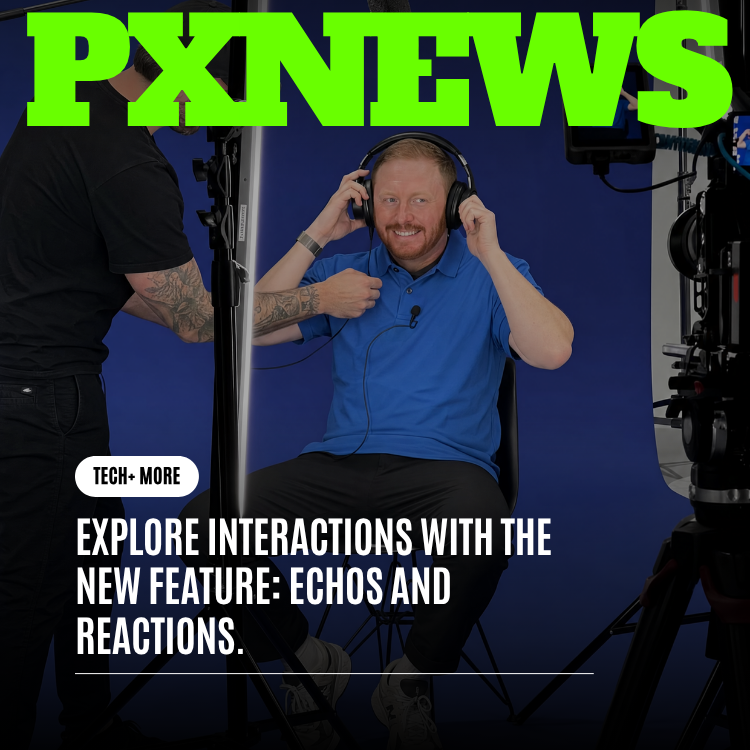
A like is easy to give and easy to forget. It tells a creator you scrolled past and tapped, but it doesn't tell them why, and it doesn't add anything to the moment. With two new ways to interact on Whistlr — React and Echo — we're moving past the passive tap. Now you can answer a video with a video of your own, or push something you love out into your own corner of the network so it travels further than its creator ever could alone. This is participation, not just approval.
For years, the standard set of reactions online has felt strangely thin. You could like, you could leave a comment, maybe drop an emoji. All of it sat outside the content, like sticky notes on the edge of a frame. Meanwhile the most interesting things happening in video culture — the duets, the stitches, the running jokes that build across dozens of creators — were people finding ways to respond inside the content itself. At ETAPX, we built React and Echo into Whistlr because that instinct to respond, remix, and amplify is the real heartbeat of how people watch video today. We just made it native, simple, and built for everyone.
From Watching to Participating
Here is the shift in plain terms. Liking and commenting are things you do about a video. Reacting and Echoing are things you do with a video. When you React, your camera and your voice become part of the conversation — your take sits right alongside the original, playing together as one piece. When you Echo, you take something you believe in and hand it to your own audience, giving it a second life and a wider stage.
That difference sounds small until you feel it. A comment disappears into a list. A Reaction becomes its own post that people watch, respond to, and share. An Echo doesn't just signal approval — it actually moves the video to new eyes. Both turn you from an audience member into a participant, and both turn a single video into the start of something bigger.
"We kept coming back to one question: why does responding to a video feel like such a dead end on most platforms? You watch something brilliant, you feel something, and the best you can do is type a sentence nobody reads. React and Echo are our answer. They let you put yourself in the conversation and lift the people you love into a brighter spotlight."
— Priya Raman, Head of Product at ETAPX
React: Answer a Video With a Video
React is the headline feature here, and it's deceptively deep. At its simplest, you tap React on any video and record your own response. But the magic is in how the two videos sit together. Instead of forcing one fixed style, Whistlr gives you four distinct layouts, each suited to a different kind of moment. You choose how your take and the original share the screen, and that choice changes the whole feel of what you're making.
- Side-by-side or top-and-bottom (the classic duet): You and the original creator play together at the same time, your video next to theirs or stacked above and below. This is the layout for singing along, dancing in sync, finishing someone's joke, or reacting in real time as their video unfolds beside you.
- Stitch: Play a clip of their video first, then cut to your take. Stitch is perfect when you want to set up context — show the thing you're responding to, then deliver your answer, your punchline, or your rebuttal. It reads like a natural back-and-forth.
- Green screen: Drop their video behind you so you can stand in front of it, talk over it, and point things out live. Great for breakdowns, hot takes, tutorials, and "wait, look at this part" moments where the original needs to be front and center while you narrate.
- Picture-in-picture: Your camera floats in a corner over their full video. This keeps the spotlight on the original while your face and voice ride along — ideal for commentary, gentle reactions, and watch-along energy without covering up what people came to see.
What ties all four together is a feeling of conversation. You're not shouting into a comment box. You're sitting down across from someone — a friend, a stranger, a creator you admire — and saying "here's my piece." A cooking video becomes a chain of people adding their own twist. A debate becomes a thread of Stitches volleying back and forth. A dance becomes a hundred duets. One idea, riffed and reshaped by everyone it touches.
"I used to leave long comments that maybe ten people saw. Now I Stitch the video, say my thing, and it becomes its own post. Last week I green-screened a recipe and the original creator Reacted back to me — we basically had a cooking conversation in public. That never would've happened with a thumbs up."
— Devon Cole, Whistlr creator
Why React Feels Like Collaboration, Not Competition
One worry people have with response features is that they take attention away from the original creator. We designed React to do the opposite. Every Reaction stays connected to the video that inspired it, so the original creator gets credit, gets discovered, and often gets a wave of new viewers arriving through your take. When you build on someone's video, you're not borrowing their spotlight — you're widening it and pulling them into yours.
That's remix culture working the way it should. The best creative communities have always been built on people responding to each other: answer songs, cover versions, call-and-response, inside jokes that grow with every retelling. React gives that energy a home. You can riff with close friends, jump into a trend with strangers across the world, or start a chain that strangers extend long after you've moved on.
Echo: The Share That Actually Spreads
If React is about adding your voice, Echo is about amplifying someone else's. When you find a video that genuinely moves you — something funny, beautiful, useful, or important — you Echo it, and it ripples out to your own followers. The name is the idea: a great moment, repeated outward, reaching further with every bounce across the network.
We called it Echo on purpose, because the old idea of "sharing" has quietly stopped meaning much. On a lot of platforms, sharing buries a video in a private message or a feed nobody checks. Echo brings it back to what sharing was supposed to be: a public act of belief that puts content in front of real people who trust your taste. When you Echo a creator, you're lending them your audience and telling your followers "this is worth your time."
- Amplify creators you believe in: Echo a rising creator and your followers discover them too. It's the most generous thing you can do with a tap — give someone else a bigger stage.
- Give great content a longer life: A video's first day shouldn't be its only day. Each Echo sends it rippling to a fresh audience who might never have crossed paths with it otherwise.
- Build a feed that reflects your taste: The things you Echo become part of how people see you. Your Echoes are a running statement of what you find worth amplifying.
"Echo is the kindest button on Whistlr. It costs you nothing and it can change someone's week. We've already watched small creators wake up to thousands of new viewers because one person with good taste decided to Echo them out. That ripple is exactly what we wanted."
— Marcus Lindqvist, Product Lead at ETAPX
The Redesigned Post Action Row
None of this matters if it's buried three menus deep, so we rebuilt the action row that sits on every post to put these tools where your thumb already lives. Bookmark, React, and Echo now sit together, front and center, right on the video. There's no hunting, no long-press secret menu, no guessing. The moment you feel something, the way to act on it is right there.
That placement is a statement of values. By giving React and Echo equal billing with the things you already do every day, we're saying that responding and amplifying are first-class actions — just as natural as saving something for later. The easier we make them, the more the network fills with conversation and discovery instead of silent scrolling.
"The new action row changed how I use the app honestly. React and Echo being right there means I actually use them. I Echo two or three videos a day now without thinking about it, and my followers keep thanking me for putting good creators on their radar."
— Aisha Brooks, Whistlr creator
What This Means for Creators
For anyone making videos on Whistlr, React and Echo quietly rewrite the math of reach. A single video is no longer a single shot at an audience. With React, one video can spawn a whole tree of responses, each one a new post that points back to you and carries your work to people who follow the responders. With Echo, your best moments can leap from one audience to the next, gathering momentum with every hop.
The result is more conversation, more discovery, and more credit flowing back to the people who made something worth responding to. A creator with a small but loyal following can suddenly find their video Echoed into communities they'd never have reached, or Reacted to by someone whose audience dwarfs their own. That's how careers start on Whistlr — not from one viral fluke, but from a network of people building on, amplifying, and answering each other's work.
Getting Started With React and Echo
You don't need to be a power user to dive in. Find a video you love, look at the action row right on the post, and the two new tools are waiting. Tap React, pick the layout that fits the moment, and record. Or tap Echo and watch your taste ripple out to your followers. The first time you do either, you'll feel the difference between watching content and being part of it.
Frequently Asked Questions
What is the difference between React and Echo on Whistlr?
React lets you record your own video response to someone else's video and choose how the two play together — as a duet, a stitch, a green screen, or picture-in-picture. Echo lets you re-share a video you love out to your own followers so it reaches a wider audience. React adds your voice to a video; Echo amplifies someone else's.
What are the four React layouts and when should I use each?
Side-by-side or top-and-bottom is the classic duet, where you and the original play together — great for syncing, singing, or reacting live. Stitch plays a clip of their video, then cuts to your take, ideal for setups and replies. Green screen puts their video behind you so you can talk over it and point things out. Picture-in-picture floats your camera in a corner over their full video, perfect for light commentary that keeps the original front and center.
Does Reacting or Echoing take credit away from the original creator?
No — it does the opposite. Every Reaction stays linked to the original video, so the creator gets visibility and often a wave of new viewers arriving through your post. Echo openly amplifies the original to your followers. Both are designed to send more attention and credit back to the person who made the video.
Where do I find React and Echo in the app?
We redesigned the post action row so Bookmark, React, and Echo now sit together right on every post. There's no digging through menus — the moment you want to respond or amplify, the buttons are right there under the video.
How can React and Echo help me grow as a creator?
They multiply your reach. One video can spark a tree of Reactions that each point back to you, and your best work can be Echoed from audience to audience, gaining momentum with every share. Together they turn a single post into ongoing conversation and discovery, helping new viewers find you through the people who respond to and amplify your work.
This is just the beginning of a more participatory Whistlr. React and Echo are the first two tools in a bigger shift toward a network where watching, making, and amplifying all flow into each other — and we're already dreaming up what comes next. For now, go find a video worth answering, and say something back.