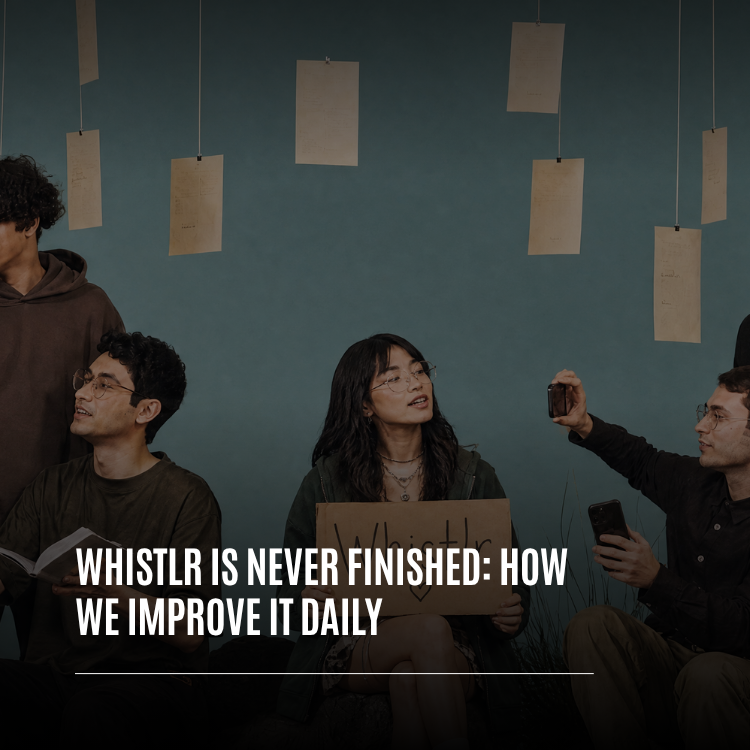
Whistlr is never finished, and that's on purpose. Every day, the team behind Whistlr ships improvements to the app, from new features and faster feeds to crash fixes and small details most people will never consciously notice. This article explains how we improve Whistlr daily: our release cadence, how over-the-air updates bring fixes to your phone without an App Store wait, the feedback loops that turn your reports and requests into real changes, the safety nets that let us move quickly without breaking things, and how you can help shape what Whistlr becomes next.
We get asked versions of the same question a lot. When is the next big update? When will Whistlr be done? The honest answer is that there is no big update and there is no done. Since work on the current Whistlr codebase began in August 2025, it has taken in more than 5,000 changes. Over the last 30 days, the team shipped changes on 26 of them. In the first three weeks of October alone, the iOS app moved from version 5.1 to 6.0. That steady rhythm is how Whistlr gets better, and this is a look at what's behind it.
What "Never Finished" Means for Whistlr
Some apps are built like buildings. They're designed, constructed, opened with a ribbon, and then maintained. Whistlr is built more like a garden. It's alive, it changes with the seasons, and it needs daily attention to stay healthy. A social platform is shaped by the people on it, and people change how they use an app every week. A feature that felt right in spring can feel cluttered by fall. A flow that worked for a thousand people can strain at a much larger scale. If we only improved Whistlr a few times a year, we'd always be behind the people using it.
"Never finished" doesn't mean unfinished. Every version of Whistlr you open is complete and usable. It means we treat the app as something we're responsible for every day, not something we hand off once and revisit later. Improving Whistlr daily is how we keep that responsibility.
- Small, frequent changes: We prefer many focused improvements over a few giant releases, because small changes are easier to test, easier to explain and easier to undo if something goes wrong.
- Fixes don't wait for features: When something is broken, it gets fixed on its own schedule, not bundled into the next feature launch.
- Polish counts as progress: A profile that opens a fraction of a second faster or a swipe that starts instantly is real work, and we treat it that way.
- Feedback is a daily input: What people tell us today can shape what we work on tomorrow.
"I don't want Whistlr to ever feel finished, because the moment a team thinks its product is done, it stops listening. Every day there's something we can make faster, safer or simpler for the people who use it. That's not pressure, that's the job, and honestly it's the best part of the job."
— AJ, Founder & CEO, ETAPX
A Day in the Life of a Whistlr Improvement
To make "we improve Whistlr daily" concrete, here's the shape a typical improvement takes from the moment it's spotted to the moment it reaches your phone.
Morning: Reading the Signals
The day usually starts with what happened overnight. New crash reports, fresh feedback from the community, and notes from people testing early builds all get a look. Most of it confirms things are working. Some of it points to a rough edge: a screen that loads a beat too slowly, a gesture that feels off on a certain device, a flow that confuses people the first time they see it.
Midday: Building and Testing
Once a problem is understood, someone owns it. The fix gets built, automated tests run against it, and the change is tried on real phones and tablets, because an app that feels fine in a simulator can feel very different in your hand. Changes that affect both the app and the website are checked on each.
Evening: Shipping and Explaining
When the fix is ready, it goes into the next build or an over-the-air update. Small fixes simply show up the next time you open Whistlr. Bigger changes get a short in-app highlight or a full story here on PX News. Then the cycle starts again the next morning, informed by whatever the latest change taught us.
How Often Does Whistlr Update? Our Release Cadence
Whistlr improves on two tracks at once: the changes we make every day, and the versions those changes travel in to reach your phone.
Daily Changes, Numbered Builds
Most days, the team lands improvements across the Whistlr app, the Whistlr website and the backend that powers both. Those changes are gathered into numbered builds of the app. A single version can go through many builds as we test and refine it. Version 5.3, for example, went through more than a dozen builds before the next version took over. Each build is a checkpoint we can test, compare and, if needed, step back from.
Over-the-Air Updates: Fixes Without the Wait
Some improvements need a full App Store release, especially changes to the native parts of the app. But many fixes and refinements live in the part of Whistlr that can be updated over the air. In October we turned on over-the-air updates for the Whistlr iOS app, and they change how quickly improvements reach you.
- Checked when you open the app: Whistlr looks for an update when it launches, without holding up the screen you're trying to use.
- Downloaded in the background: A normal update downloads quietly and applies the next time you open Whistlr, so nothing interrupts what you're doing.
- Signed and targeted: Every update bundle is signed, and each one is targeted to the app version it was built for, so your phone only receives updates meant for the version you have.
- Automatic rollback: If a new update ever causes the app to crash, Whistlr rolls back to the last version that worked on its own. You don't have to reinstall anything.
- Urgent fixes when they matter: For an important fix, an update can be marked to restart the app once it has downloaded, so the fix takes effect right away.
This is what makes the automatic updates we've written about before feel effortless. You open Whistlr the way you always do, and the newest version is simply there.
The App and the Web, Moving Together
Whistlr runs on your phone and on the web, and we want both to feel like the same product. When something changes in the app, the website often follows within days. Recent web updates brought post cards, profiles and settings into line with the iOS app, so the experience you know on your phone carries over to your browser.
Feedback Loops: How Your Input Becomes a Whistlr Update
The fastest release process in the world doesn't help if it ships the wrong things. That's why the other half of improving Whistlr daily is listening, and turning what we hear into specific, buildable changes.
Where Feedback Comes From
Feedback reaches the team through several channels, and we read across all of them:
- In-app feedback and support: Reports and requests sent from inside Whistlr, often with the exact screen and moment where something went wrong.
- Campus and Discord: Community conversations where patterns show up early, including the beta and early access channels where people test what's coming.
- Comments and replies: What people say on PX News, on our posts and across Whistlr itself.
- Quiet signals: Crash reports and performance data that tell us about problems people may never take the time to report.
Patterns Over Volume
We don't build whatever gets mentioned most loudly. We look for patterns: the same frustration described in different words by different people, or a request from a smaller group that points to a bigger underlying problem. A single detailed report from a newer creator can matter as much as a hundred quick reactions, because it tells us exactly where something broke down.
From Report to Release
Once a pattern is clear, the path usually looks like this: understand the real problem behind the request, design a fix, build it, test it on real devices, ship it in a build or an over-the-air update, and then explain what changed. Sometimes that loop takes weeks. For a clear bug, it can take a day. Either way, the loop doesn't end at release. Real usage at full scale always teaches us something new, and that becomes the next round of feedback.
The Signals You Never Have to Send
Not everyone reports a crash, and they shouldn't have to. Whistlr's crash reporting catches unhandled errors and native crashes and sends them to the team so we can fix problems people never mention. In early October, a release focused entirely on production crash fixes added a release-wide error handler and protective boundaries around individual screens, so a problem in one part of the app is far less likely to take down the whole thing.
"I reported that my Minis would hesitate when I swiped to the next one. I figured it would get lost in a pile somewhere. A couple of weeks later, swipes started instantly, and I saw the fix called out in an update. It's a small thing, but it made me feel like someone actually read what I wrote."
— Jordan, daily Minis viewer on Whistlr
What Daily Improvement Looks Like: Recent Examples
"We improve Whistlr daily" is easy to say. Here's what it looked like in practice over just a few weeks this fall, pulled from the changes that actually shipped:
- Browse before you sign up: Guests can now explore Whistlr and watch streams before creating an account, and the sign-up sheet appears only when they try to act.
- Profiles that open finished: Opening someone's profile no longer shows a half-built page. Their photo and first row of posts appear together, ready to go.
- Faster streams and swipes: Live streams start faster, and forward swipes in Minis begin instantly.
- Fresher feeds: Photo Minis you've already watched are skipped, so your feed doesn't repeat itself, and Nearby banners rotate without repeats.
- A steadier Trending feed: Trending came back with smoother scrolling and pull-to-refresh that replaces the feed with fresh posts.
- Polls on posts: A new poll composer with secure vote-once voting and results on the post card and detail view.
- A two-pane layout for iPad: A navigation rail and side-by-side screens that make Whistlr feel at home on a bigger display.
- A deeper video editor: Pro tools like speed curves, keyframes, freeze frames and chroma key, plus longer post videos of up to 10 minutes.
- Over-the-air updates: The update system described above, so the next round of fixes reaches you faster.
None of these was a headline launch on its own. Together, they make Whistlr noticeably faster, friendlier and more capable than it was a month earlier. That's what daily improvement adds up to.
The Safety Nets That Let Us Move Fast
Shipping every day only works if you can trust what you ship. A team that moves quickly without safety nets ends up breaking the experience for the people it's trying to help. So we invest heavily in the parts of the process you never see.
Automated Tests
The Whistlr app is backed by hundreds of automated test files that check behavior across features, from the video editor and drafts to comments, profiles and settings. When a change lands, those tests help catch regressions before they ever reach a build.
Writing Down What We Learn
When the team solves a hard problem, we write up the solution: what was wrong, what fixed it and what to watch out for next time. We even keep notes on approaches that didn't work, so nobody repeats the same failed attempt months later. One lesson from fixing the video editor's timeline is now a rule the team applies everywhere: never use state that's still changing as the starting point for a gesture that's still in progress. Small, hard-won lessons like that are a big part of why fixes stay fixed.
Rollbacks and Recovery
Every system that touches your experience is designed to fail safely. Over-the-air updates roll back on their own if they cause a crash. The video editor keeps recovery drafts so a crash doesn't cost you your work, and it checks every rendered video before it's used so a half-written file never posts. Safety nets like these mean that even on a rare bad day, the impact on you stays small.
Safety Reviews on Every Change
Moving fast never means moving past safety. Content moderation runs on every post, and new features that touch what people can share or see are reviewed with safety in mind before they ship. If a change would make Whistlr less safe, it doesn't go out, no matter how good it looks otherwise.
"Speed and stability aren't opposites. They're the same investment. Every test we write, every rollback path we build, every solution we document is what lets us ship tomorrow with confidence. The teams that move slowly are usually the ones afraid of their own releases. We'd rather build a process we trust and then use it every single day."
— John Ridge, CTO, ETAPX
Polish vs. New Features: How We Decide What Ships Next
With so many possible improvements, choosing what to work on is a daily decision. We weigh a few questions every time:
- Is something broken or unsafe? Crashes, data issues and anything affecting safety come first, always.
- Is something slow or frustrating? Performance problems and confusing flows affect everyone, every day, so they rank high.
- Is a clear pattern emerging in feedback? Repeated requests from real users move up the list.
- Does a new feature fit what Whistlr is for? New tools have to make Whistlr better for real relationships, creators and communities, not just add another button.
This is why a week of Whistlr updates often looks like a mix of brand-new tools and quiet fixes. Both matter, and a new feature built on a shaky foundation isn't worth much.
Why Daily Improvement Beats Big Annual Redesigns
Big, once-a-year redesigns can make for exciting announcements, but they come with real costs. They pile months of changes into a single moment, which makes problems harder to find and harder to fix. They force people to relearn an app all at once. And they leave known issues sitting unfixed while everyone waits for the big release.
Daily improvement spreads change out into small steps that are easy to absorb. You notice that something got faster or smoother, rather than waking up to an app you don't recognize. Problems surface quickly and get fixed quickly. And feedback can shape the product while the work is still in progress, not after it's locked in. When we do make larger changes, like a redesigned feed or a new navigation layout, we explain the reasoning here on PX News so the change never feels random.
How to Help Shape Whistlr
Whistlr gets better faster when the people who use it are part of the process. Here's how to get involved:
- Keep using the current version. Updates arrive automatically. Opening Whistlr regularly means you're always on the latest version and seeing the newest fixes.
- Report problems from inside the app. In-app reports reach the team with useful context about where the issue happened.
- Describe the moment, not just the feature. Tell us what you were trying to do and where it got harder than it should have been.
- Join the conversation in Campus or Discord. Patterns often show up there first, and the beta and early access channels let you try what's coming.
- Follow PX News. It's where we explain bigger changes and the thinking behind them.
Tips for Feedback That Gets Results
- Be specific: "The Trending feed jumps when I scroll back up" helps more than "the feed is buggy."
- Include the steps: If you can describe how to make a problem happen again, it can usually be fixed faster.
- Mention your device: Some issues only appear on certain phones, tablets or screen sizes.
- Share what you expected: Knowing what you thought would happen helps us see where the design isn't clear.
- Tell us when something works: Positive feedback tells us what to protect as Whistlr keeps changing.
"The most useful feedback we get usually starts with 'I was trying to.' That one phrase tells us the goal, the context and where we got in the way. We can't fix what we can't see, so every detailed report is a real contribution to how Whistlr works for everyone."
— Renata Osei, VP of Product, ETAPX
Frequently Asked Questions
How often does Whistlr update?
Whistlr improves almost every day. The team ships changes on most days of the month, and those changes reach your phone through numbered app builds and over-the-air updates. In the first three weeks of October alone, the iOS app moved from version 5.1 to 6.0.
Do I need to manually update Whistlr to get new features?
Usually not. Many improvements arrive through over-the-air updates that download in the background and apply the next time you open the app. Larger changes to the native app still come through the App Store, and keeping automatic app updates turned on on your phone keeps you current.
What are over-the-air updates on Whistlr?
Over-the-air updates let Whistlr deliver fixes and improvements to the app without a full App Store release. Whistlr checks for an update when it opens, downloads it in the background, and applies it on the next launch. Every update is signed, targeted to your app version, and rolled back automatically if it ever causes a crash.
How does Whistlr use my feedback?
Whistlr's team reads feedback from in-app reports, support, Campus, Discord and comments, then looks for patterns across them. Clear patterns become fixes or features, which are built, tested on real devices, shipped and explained. Detailed reports that describe what you were trying to do are the most helpful.
Why doesn't Whistlr release one big update a year?
Small daily improvements are easier to test, easier to fix and easier for people to adjust to than a single giant redesign. They also let feedback shape features while they're being built. When larger changes do happen, we explain them on PX News.
Does shipping updates this often make Whistlr less stable?
No. Daily shipping is backed by hundreds of automated test files, crash reporting, documented fixes and automatic rollback for over-the-air updates. Small, frequent changes are actually safer than large ones, because problems are easier to find and quicker to fix.
How can I test new Whistlr features early?
Join the beta and early access channels in Campus, where upcoming features are shared with real users before they reach everyone. Your feedback there can directly change how a feature works by the time it ships.
Whistlr will never be finished, and we wouldn't want it to be. Every day is another chance to make it faster, safer and more useful for the people who rely on it. Open the app, tell us what you'd change, and help us decide what tomorrow's Whistlr looks like.